

 Reply With Quote
At the extreme left. (The "help bubble" says: Start Applications).


Hi room!
I have just installed knoppix 3.3 in my laptop. Everything works fine but I do not find the k menu icon my desktop.
Where is it? How can I get it?
Thanks
Fab
At the extreme left. (The "help bubble" says: Start Applications).
Fab,
I hope you aren't saying that you don't have the KMenu, just that you can't find it on your desktop...
The "KMenu" is the same, in the Windows World, as the "Start Menu".
It is, most likely, always found at the bottom of the screen, and to the far left. Just like, in most all Graphical User Interfaces, GUI's, that the clock can be found on the bottom of the screen, and to the far right.
Again, I hope all you needed was to find where your KMenu is/was, and that the literal meaning of your post is NOT that a KMenu is not on your desktop. That one could be difficult.
Hope this helps,
Cuddles
 Posting Permissions


USB 3.0 Flash Drive 32GB 64GB 128GB Memory Stick Thumb Stick Lot Pack
$826.09

Critical BIOS ROM HPE ProLiant DL160 DL180 Gen9 (U20) U20_3.40_08_29_2024+iLO4
$7.99

Critical BIOS ROM HPE ProLiant BL460cWS46 Gen9 (I36) I36_3.40_08_29_2024+iLO4
$7.99

Critical BIOS ROM HPE ProLiant DL560 Gen9 (P85) P85_3.40_08_29_2024+iLO4
$7.99

USB Type-A Flash Drive Metal Memory Stick High Speed USB Drive 128GB 256GB 512GB
$8.47
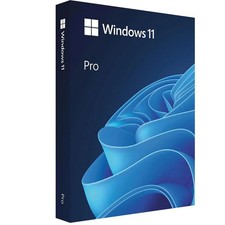
Microsoft Windows 11 Pro 64-Bit USB Flash Drive Sealed with Product Key Card
$39.99
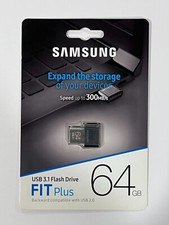
New Samsung FIT Plus 64GB USB 3.1 Flash Drive MUF-64AB/AM
$34.95

Microsoft Windows 11 Pro 64bit - New Sealed – Flash USB 1 PC
$49.99
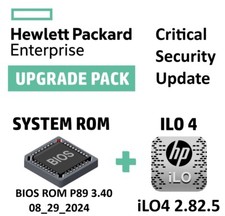
Critical BIOS ROM HPE ProLiant DL580 Gen9 (U17) U17_3.40_08_29_2024+iLO4
$7.99

Zero Trace Pen: All-in-one Tor Network Anonymous Drive + Cryptocurrency Wallet
$147.00