

 Reply With Quote
Try opening a shell and type in kicker. Click on your centre button or wheel. Open a shell and type kicker <enter>


To be more accurate I do not see the " kicker" in my desktop!
Why? Where is it?
How to make it appearing?
Thanks
Try opening a shell and type in kicker. Click on your centre button or wheel. Open a shell and type kicker <enter>
I am quite new to knoppix so please try to be as simple as possible for the time being. I tried to press on the wheel of the mouse but I did not find anything about opening a shell in the pop up menu I got. It was just about Unclutter windows, cascade windows, and desktp 1, 2 , 3, 4
What do I do?
The ALT and F1 key used at the same time should popup the menu.Originally Posted by fab1976
Hey!
I did it! I got the shell and typed kicker. I pressed enter but an error come out of saying
Error: kicker is already running!!
The question remains where is it?
I got it !
The prob is that I can see it only whne it is put on top or on the right side of the desktop. Differently, it is hidden!
Do you know why? How can I put it down?
 Posting Permissions


GIGABYTE A520M DS3H AC AMD AM4 Motherboard mATX
$59.99

Intel H310 LGA1151 8-9th Gen DDR4 M.2 NVMe mATX Motherboard IO Shield Battery
$54.99

Intel H81 Motherboard M.2 NVMe LGA 1150 mATX w/ IO Shield (Random Slot Color)
$29.90
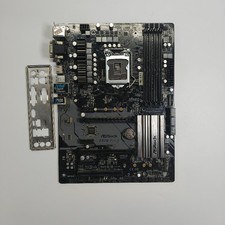
ASRock Z370 Pro4 LGA 1151 Z370 HDMI USB 3.1 2 Ultra M.2 DDR4 ATX Motherboard
$75.00

GIGABYTE B365 HD3 LGA1151 Intel 9th Gen motherboard
$59.99

ASUS PRIME B360M-C MicroATX Intel LGA1151 DDR4 HDMI VGA USB RJ-45 Audio
$34.99

ASUS PRIME Z370-A II LGA 1151 Intel Z370 DDR4 DIMM USB3.1 DVI ATX RGB
$69.99

ASRock B550M PRO4 AM4 AMD B550 SATA 6Gb/s Micro ATX AMD Motherboard
$76.49

ASUS B85M-G / B85M-G PLUS LGA1150 DDR3 Micro ATX Motherboard HDMI Support 4thCPU
$45.00

ASUS PRIME Z490-V Motherboard Intel Z490 10th gen DDR4 LGA 1200 ATX w/ IO Shield
$84.99