

 Reply With Quote
Try opening a shell and type in kicker. Click on your centre button or wheel. Open a shell and type kicker <enter>


To be more accurate I do not see the " kicker" in my desktop!
Why? Where is it?
How to make it appearing?
Thanks
Try opening a shell and type in kicker. Click on your centre button or wheel. Open a shell and type kicker <enter>
I am quite new to knoppix so please try to be as simple as possible for the time being. I tried to press on the wheel of the mouse but I did not find anything about opening a shell in the pop up menu I got. It was just about Unclutter windows, cascade windows, and desktp 1, 2 , 3, 4
What do I do?
The ALT and F1 key used at the same time should popup the menu.Originally Posted by fab1976
Hey!
I did it! I got the shell and typed kicker. I pressed enter but an error come out of saying
Error: kicker is already running!!
The question remains where is it?
I got it !
The prob is that I can see it only whne it is put on top or on the right side of the desktop. Differently, it is hidden!
Do you know why? How can I put it down?
 Posting Permissions

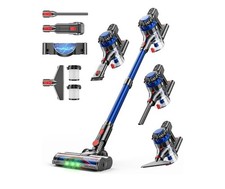
KARDV Cordless Vacuum Cleaner, 500W/40Kpa Vacuum Cleaners for Home, 60Mins St...
$64.99

LEVOIT Cordless Vacuum Cleaner, Stick Vac with Tangle-Resistant Design, Up to...
$167.63

2-in-1 Compressed Air Duster & Vacuum, Brushless Motor, 320000RPM
$37.99

Cordless Air Duster & Vacuum Cleaner for Keyboard & PC Cleaning - 110000RPM Powe
$53.99

Mini Computer Vacuum USB Keyboard Cleaner PC Laptop Brush Dust Cleaning Kit NEW
$13.89
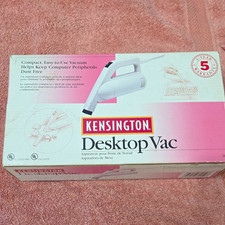
Kensington Desktop Vac Computer Peripheral Vacuum w/ Brush Attachments & Cord
$15.00

Cordless Electric Mini Air Duster Blower Vacuum Cleaner for PC Computer Car Home
$16.99
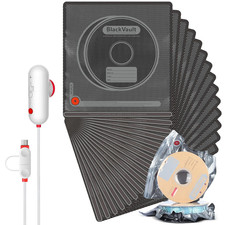
Filament Vacuum Storage Kit with USB Pump, 20 Pack Light-Proof Vacuum Sealed
$42.19
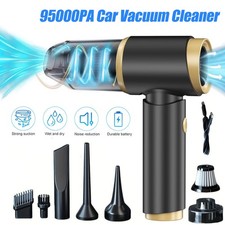
95000PA Wireless Car Vacuum Cleaner Air Blower Wireless Handheld Rechargeable US
$21.98

V3 Robot Vacuum and Mop Combo,Self-Charging,5000pa Strong Suction,WiFi/Alexa NIB
$82.00