-
Junior Member
registered user
It just gets stranger and stranger.

Originally Posted by
apt-get --purge remove kbear
root@littlecutie:/home/rab# apt-get --purge remove kbear
Reading Package Lists... Done
Building Dependency Tree... Done
You might want to run `apt-get -f install' to correct these:
The following packages have unmet dependencies:
kmines: Depends: kdelibs3 (>= 4:2.2.2-1) but it is not going to be installed
Depends: libkdegames (>= 4:2.2.2-2.2) but it is not going to be installed
Depends: libqt2 (>= 3:2.3.1-1) but it is not going to be installed
Depends: kdebase-libs but it is not going to be installed
E: Unmet dependencies. Try 'apt-get -f install' with no packages (or specify a solution).
That's pretty much the same output I get with apt-get install kbear!
I got similar results trying to uninstall kmines:
Originally Posted by
apt-get --purge remove kmines
root@littlecutie:/home/rab# apt-get --purge remove kmines
Reading Package Lists... Done
Building Dependency Tree... Done
You might want to run `apt-get -f install' to correct these:
The following packages have unmet dependencies:
kbear: Depends: kdelibs3 (>= 4:2.2.2-1) but it is not going to be installed
Depends: libqt2 (>= 3:2.3.1-1) but it is not going to be installed
Depends: kdebase-libs but it is not going to be installed
E: Unmet dependencies. Try 'apt-get -f install' with no packages (or specify a solution).
Is there some sort of circular dependency here? Am I going to have to manually delete files to fix things?
-
Senior Member
registered user
Try apt-get --purge remove kbear kmines and can I see the output of apt-cache policy kdelibs4 it looks like it keeps wanting to install stuff from stable here you may want to edit the /etc/apt/sources.list to comment out (put a #character in front of) the line for stable in the file.
-
Junior Member
registered user
Originally Posted by
Stephen
Try apt-get --purge remove kbear kmines
It worked! w00t! Now I know how to remove multiple applications, even when they have intermeshed dependencies. There's no limit to the trouble I can cause myself now...
Originally Posted by
Stephen also
...and can I see the output of apt-cache policy kdelibs4 it looks like it keeps wanting to install stuff from stable here you may want to edit the /etc/apt/sources.list to comment out (put a #character in front of) the line for stable in the file.
Let me know if you still would like this info... otherwise, it looks like the topic's done with great results. Thanks to all!
(Now, if I could just figure out why it takes kbear several minutes to load... but that's probably my low memory and disk space, not a Knoppix issue.)
Similar Threads
-
By linux_trojan in forum Networking
Replies: 0
Last Post: 06-30-2005, 03:13 AM
-
By lor in forum Hdd Install / Debian / Apt
Replies: 0
Last Post: 10-25-2004, 05:24 PM
-
By kayl in forum Networking
Replies: 1
Last Post: 03-01-2004, 10:28 AM
-
By 4season in forum Ideas
Replies: 2
Last Post: 04-10-2003, 08:56 PM
-
By probono in forum Ideas
Replies: 10
Last Post: 04-06-2003, 02:26 PM
 Posting Permissions
- You may not post new threads
- You may not post replies
- You may not post attachments
- You may not edit your posts
-
Forum Rules

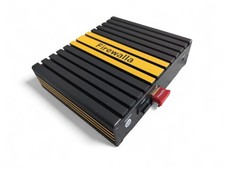
Firewalla Gold Gigabit 4-Port Router Firewall VPN Security Appliance Working
$298.00

Zero Trace Pen: All-in-one Tor Network Anonymous Drive + Cryptocurrency Wallet
$147.00

OPNsense Firewall 16-Core Atom C3958 16GB DDR4 RAM 64GB SSD 8x 1Gbe QAT AES-NI
$195.00

Barracuda NextGen CloudGen Cloud Based Firewall F280 BNGF280a w/ 8.3.1 Firmware
$89.99

HP 2x 10GB OPNsense Quad Core i5-8500 8GB RAM 3Port Gigabit Firewall AES-NI SSD
$199.95

OPNsense pfSense 8-Core Atom C3758 2.2GHz 8GB DDR4 64GB SSD 8x NIC QAT AES VPN
$145.00

Fortinet FortiGate 60F FG-60F UTM UTP License Until 2027 Network Security FW VPN
$229.99
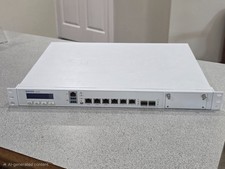
Sophos XG 210 Rev. 3 Firewall Appliance – 8GB RAM / 128GB SSD – Tested & Reset
$149.99
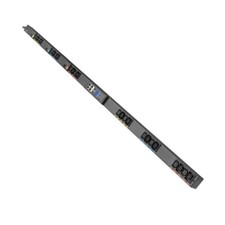
Eaton G4 208V 3 Phase Managed Rack PDU (EVMA1530A)
$1624.90

Check Point 1590 Firewall & w builtin WiFI and builtin LTE sim slot
$95.99



 Reply With Quote