-
Senior Member
registered user
all you should have to do, as long as you had reset the bios, is insert the XP disk that they have. It is the install disc, and the repair disk in one. Reboot, and then select the "repair" option. In my experiance, they will not lose any files or information. If during the repair process it says "cannot find xxxxxx" look at the thing it cant find and try and figure out what it is... if it is a sound driver, insert the soundcard cd....ect...
Similar Threads
-
By MrReapa in forum MS Windows & New to Linux
Replies: 10
Last Post: 03-11-2005, 11:14 PM
-
By tkatchev69 in forum Hdd Install / Debian / Apt
Replies: 2
Last Post: 02-01-2004, 05:56 PM
-
By j0x in forum Hardware & Booting
Replies: 4
Last Post: 04-01-2003, 12:54 PM
 Posting Permissions
- You may not post new threads
- You may not post replies
- You may not post attachments
- You may not edit your posts
-
Forum Rules


Intel Core i5-12500T SRL5W 2GHz 18MB 6 Core Socket LGA1700 Desktop CPU Processor
$114.99

INTEL CORE I9-10940X X-SERIES PROCESSOR | 3.30GHZ | SRGSH
$179.99
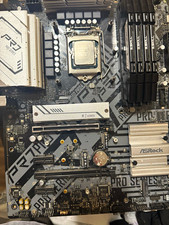
ASRock b560 ATX Motherboard + Intel Core i5-11600K CPU Combo Gaming + 32 GB DDR4
$300.00

AMD - Ryzen 7 5800X3D 8-Core - 16-Thread 3.4 GHz (4.5 GHz Max Boost) w/ Ice Pad
$355.99

Intel Core i7-9700 Octa-Core 3 GHz Desktop Processor LGA 1151
$79.99

Intel Core i7-3770K 3.5 GHz Processor
$39.00

Intel Xeon E3-1230 v3 SR153 3.3GHz Quad Core LGA 1150 CPU Processor
$14.49

Intel Core I7-7700 SR338 3.60 Ghz Processor
$39.99

LAST BATCH *Brand New-Sealed* AMD Ryzen 9 9950X3D2 Dual Ed. 4.3GHz 16Core AM5
$768.00

Intel 6th Gen Core i7-6700K 4.0GHz (Turbo 4.2GHz) 4-Core LGA1151 CPU SR2L0
$38.00



 Reply With Quote