

 Reply With Quote
Check out your printer at linuxprinting.org. They ought to be able to tell you if it PRINTS, but the rest of the functions you may be on your own. Check the manufacturer's website and write to them that they should have linux drivers available.


I was prematurely pleased that, when I checked the USB device locator utility on the main menu, my Lexmark X83 All-in-one (printer, copier, scanner) was *explicitly* detected, but I've always assumed that this model was a paperweight, as far as Linux is concerned.
I haven't yet succeeded in getting anything to actually *print,* but have made only the most casual attempts.
Is there any hope, or is the USB detection just teasing me?
TIA,
Mark
Check out your printer at linuxprinting.org. They ought to be able to tell you if it PRINTS, but the rest of the functions you may be on your own. Check the manufacturer's website and write to them that they should have linux drivers available.
My experience is that you are up the creek when it comes to getting Lexmark printers to work under Linux. Thier support for Linux sucks - which is to say it's pretty much non existant. In any event, check as was mentioned at http://www.linuxprinting.org and see if any clever hackers have found a way to get it to work. I wouldn't get your hopes too high though.Originally Posted by mmw1231
The other day I managed to get my Lexmark Z53 to work okay.
I think that what I did in the end was to remove the cups that came with Knoppix and reinstall from the Debian site. However I had already done lots of other stuff the details of which I can't quite remember that may or may not have had something to do with it.
I notice that there is a X73 in the list of printer drivers in cups. If all you want to do is basic printing then this might be a close enough match.
I was able to use the Lexmark X83 via Samba
line for SMB device URI should be: "smb://windowsusernameassword@workgroup/workstation/printersharename"
I also used the LEXMARK Z42, CUPS+Gimp-Print v4.2.5
I don't have a network, just a standalone desktop.The idea of the X73 providing basic printing is *somewhat* promising, but OMG, to look at all the crap I'd have to go through. Oooof. I'll just keep saving the few print jobs I'd ever need onto the mounted /win partition, reboot for that, and continue on my merry way.
It's more about the learning how than the actual need to accompish. That's how I'm getting into bash scripting, digitizing my LP's onto MP3s on CD, etc.
 Posting Permissions


GIGABYTE B365 HD3 LGA1151 Intel 9th Gen motherboard
$59.99
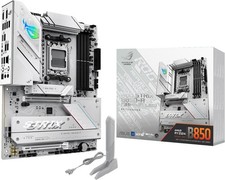
ASUS ROG Strix B850-A Gaming WiFi AM5 ATX DDR5 PCIe 5.0 WiFi 7 Motherboard
$164.90

ASUS PRIME Z490-P LGA 1200 Intel Z490 SATA 6Gb/s ATX Intel Motherboard NEW
$121.45
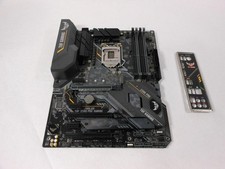
ASUS TUF Z390-PRO GAMING LGA1151 DDR4 ATX Motherboard With IO Inlucded
$100.00
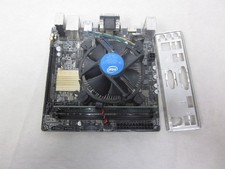
ASUS H110I-PLUS Motherboard LGA1151 w/ I5-7400 CPU, 8GB, Heatsink & I/O Shield
$60.00

ASUS PRIME Z370-A II LGA 1151 Intel Z370 DDR4 DIMM USB3.1 DVI ATX RGB
$69.99

ASRock B550M Phantom Gaming 4 AM4 AMD B550 SATA 6Gb/s Micro ATX AMD Motherboard
$81.99
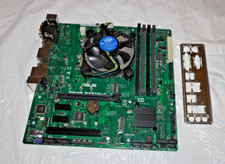
ASUS Motherboard PRIME B250M-C Intel G4560+ LGA 1151 DDR4 mATX + Fan +I/O Shield
$49.95
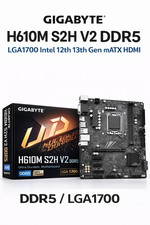
GIGABYTE H610M S2H V2 Motherboard, Supports 14th/13th/12th Gen Intel Core i5 i7
$69.59

ASUS PRIME Z490-V Motherboard Intel Z490 10th gen DDR4 LGA 1200 ATX w/ IO Shield
$84.99
