-
Senior Member
registered user
kernel upgrade lilo problem
Trying to upgrade kernel. After apt-get and running lilo my boot directory looks like this:
Code:
knoppix@ttyp0[boot]# ls -l
total 1100
lrwxrwxrwx    1 root     root           21 Jan 11 13:26 System.map -> System.map-2.4.22-xfs
-rw-r--r--    1 root     root            0 Jan 31 11:22 System.map-2.4.22-xfs
-rw-r--r--    1 root     root       759313 Jan 11 07:17 System.map-2.6.0-1-686
-rw-r--r--    1 root     root          512 Dec  7 14:35 boot.0340
-rw-r--r--    1 root     root        38746 Oct  3 20:36 config-2.4.22-xfs
-rw-r--r--    1 root     root        49779 Jan 11 06:57 config-2.6.0-1-686
lrwxrwxrwx    1 root     root           38 Jan 11 13:26 debianlilo.bmp -> /usr/share/lilo/contrib/debianlilo.bmp
-rw-r--r--    1 root     root            0 Jan 31 11:16 initr
-rw-r--r--    1 root     root       172513 Dec  7 14:25 initrd.gz
-rw-r--r--    1 root     root            0 Jan 31 11:18 initrd.img-2.6.0-1-686
-rw-r--r--    1 root     root            0 Dec  7 14:25 knoppix-old-mbr.1070803528
-rw-------    1 root     root        70144 Jan 31 10:19 map
lrwxrwxrwx    1 root     root           33 Jan 11 13:26 sarge.bmp -> /usr/share/lilo/contrib/sarge.bmp
lrwxrwxrwx    1 root     root           31 Jan 11 13:26 sid.bmp -> /usr/share/lilo/contrib/sid.bmp
-rw-r--r--    1 root     root            0 Jan 31 11:17 vmli
lrwxrwxrwx    1 root     root           18 Jan 11 13:26 vmlinuz -> vmlinuz-2.4.22-xfs
-rw-r--r--    1 root     root            0 Jan 31 11:16 vmlinuz-
-rw-r--r--    1 root     root            0 Jan 31 11:22 vmlinuz-2.4.2
-rw-r--r--    1 root     root            0 Jan 31 11:18 vmlinuz-2.4.22-xfs
-rw-r--r--    1 root     root            0 Jan 31 11:18 vmlinuz-2.6.0-1-686
lilo.conf was modified only replacing kernel references with new
Code:
boot=/dev/hdb
vga=791
prompt
timeout=500
append = "hda=scsi hdb=scsi hdc=scsi hdd=scsi hde=scsi hdf=scsi hdg=scsi hdh=scsi apm=power-off nomce"

image=/boot/vmlinuz-2.6.0-1-686
	label=knoppix
	root=/dev/hdb3
	read-only
	initrd=/boot/initrd.img-2.6.0-1-686
## A Windows installation, example for partition 1 on first IDE harddisk
	other=/dev/hdb1
	label=windows
#	optional
	table=/dev/hdb
Now at boot time , lilo screen comes up but neither linux nor windows will boot (although windows will go into safe mode)
Knoppix cd to the rescue but what to do? Methinks it might be the system.map link pointing to the wrong file 
-
Re: kernel upgrade lilo problem

Originally Posted by
rusty
lilo.conf was modified only replacing kernel references with new
Code:
boot=/dev/hdb
vga=791
prompt
timeout=500
append = "hda=scsi hdb=scsi hdc=scsi hdd=scsi hde=scsi hdf=scsi hdg=scsi hdh=scsi apm=power-off nomce"

image=/boot/vmlinuz-2.6.0-1-686
	label=knoppix
	root=/dev/hdb3
	read-only
	initrd=/boot/initrd.img-2.6.0-1-686
## A Windows installation, example for partition 1 on first IDE harddisk
	other=/dev/hdb1
	label=windows
#	optional
	table=/dev/hdb
Now at boot time , lilo screen comes up but neither linux nor windows will boot (although windows will go into safe mode)
Knoppix cd to the rescue but what to do? Methinks it might be the system.map link pointing to the wrong file
Remove these lines:
Code:
hda=scsi hdb=scsi hdc=scsi hdd=scsi hde=scsi hdf=scsi hdg=scsi hdh=scsi
Then run lilo, and tell me what happens.
Note: the 2.6 kernel doen't need scsi emulation
-
Senior Member
registered user
Well, there's more trouble in river city. I went back and uninstalled the upgrade then reinstalled it with this message:
Code:
root@Knoppix:/# apt-get install kernel-image-2.6.0-1-686
Reading Package Lists... Done
Building Dependency Tree... Done
kernel-image-2.6.0-1-686 is already the newest version.
0 upgraded, 0 newly installed, 0 to remove and 338 not upgraded.
1 not fully installed or removed.
Need to get 0B of archives.
After unpacking 0B of additional disk space will be used.
Setting up kernel-image-2.6.0-1-686 (2.6.0-2) ...
error reading /lib/modules/2.6.0-1-686/build :No such file or directory
Deleting /lib/modules/2.6.0-1-686/build
/usr/sbin/mkinitrd: /dev/fd does not exist
Failed to create initrd image.
dpkg: error processing kernel-image-2.6.0-1-686 (--configure):
 subprocess post-installation script returned error exit status 9
Errors were encountered while processing:
 kernel-image-2.6.0-1-686
My lilo.conf looks like this
Code:
boot=/dev/hdb
vga=normal
prompt
timeout=500
append = "apm=power-off nomce"
image=/boot/vmlinuz-2.6.0-1-686
	label=knoppix
	root=/dev/hdb3
	read-only
	initrd=initrd.img
	map=/boot/System.map-2.6.0-1-686
## A Windows installaton, example for partition 1 on first IDE harddisk
	other=/dev/hdb1
	label=windows
#	optional
	table=/dev/hdb
and when I run lilo:
Code:
root@Knoppix:/# lilo
Warning: '/proc/partitions' does not exist, disk scan bypassed
Warning: /dev/hdb is not on the first disk
Fatal: Empty map section
Running all this off the cd , chrooting to the hd.
/proc is empty ?
The urge to reinstall is strong, but I'm resisting
-
Senior Member
registered user
More to think about:
Cleaned up lilo.conf a bit:
Code:
boot=/dev/hdb
vga=normal
prompt
timeout=500
append = "apm=power-off nomce"
image=/boot/vmlinuz-2.6.0-1-686
	label=knoppix
	root=/dev/hdb3
	read-only
	initrd=initrd.img
## A Windows installaton, example for partition 1 on first IDE harddisk
	other=/dev/hdb1
	label=windows
#	optional
	table=/dev/hdb
a more verbose lilo output:
Code:
root@Knoppix:/boot# lilo -v -t
LILO version 22.5.8 (test mode), Copyright (C) 1992-1998 Werner Almesberger
Development beyond version 21 Copyright (C) 1999-2003 John Coffman
Released 10-Oct-2003, and compiled at 22:17:37 on Nov  3 2003
Compiled for Debian GNU/Linux.

Warning: LBA32 addressing assumed
Reading boot sector from /dev/hdb
Warning: '/proc/partitions' does not exist, disk scan bypassed
Warning: /dev/hdb is not on the first disk
Using MENU secondary loader
Calling map_insert_data

Boot image: /boot/vmlinuz-2.6.0-1-686
Mapping RAM disk initrd.img
Fatal: open initrd.img: No such file or directory
The contents of my /boot directory:
Code:
-rw-r--r--    1 root     root       759313 Jan 11 07:17 System.map-2.6.0-1-686
-rw-r--r--    1 root     root          512 Dec  7 14:35 boot.0340
-rw-r--r--    1 root     root        49779 Jan 11 06:57 config-2.6.0-1-686
lrwxrwxrwx    1 root     root           38 Jan 11 13:26 debianlilo.bmp -> /usr/share/lilo/contrib/debianlilo.bmp
-rw-r--r--    1 root     root            0 Jan 31 11:16 initr
-rw-r--r--    1 root     root       172513 Dec  7 14:25 initrd.gz
-rw-r--r--    1 root     root            0 Jan 31 15:06 initrd.img-2.6.0-1-686
-rw-r--r--    1 root     root            0 Dec  7 14:25 knoppix-old-mbr.1070803528
-rw-------    1 root     root        70144 Jan 31 10:19 map
lrwxrwxrwx    1 root     root           33 Jan 11 13:26 sarge.bmp -> /usr/share/lilo/contrib/sarge.bmp
lrwxrwxrwx    1 root     root           31 Jan 11 13:26 sid.bmp -> /usr/share/lilo/contrib/sid.bmp
-rw-r--r--    1 root     root            0 Jan 31 11:17 vmli
lrwxrwxrwx    1 root     root           18 Jan 11 13:26 vmlinuz -> vmlinuz-2.4.22-xfs
-rw-r--r--    1 root     root            0 Jan 31 11:16 vmlinuz-
-rw-r--r--    1 root     root            0 Jan 31 11:22 vmlinuz-2.4.2
-rw-r--r--    1 root     root      1117933 Jan 11 07:17 vmlinuz-2.6.0-1-686
Notice that initrd.img.2.6.0-1-686 has 0 bytes.
-
Originally Posted by
rusty
More to think about
:
Cleaned up lilo.conf a bit:
Code:
boot=/dev/hdb
vga=normal
prompt
timeout=500
append = "apm=power-off nomce"
image=/boot/vmlinuz-2.6.0-1-686
	label=knoppix
	root=/dev/hdb3
	read-only
	initrd=initrd.img
## A Windows installaton, example for partition 1 on first IDE harddisk
	other=/dev/hdb1
	label=windows
#	optional
	table=/dev/hdb
a more verbose lilo output:
Code:
root@Knoppix:/boot# lilo -v -t
LILO version 22.5.8 (test mode), Copyright (C) 1992-1998 Werner Almesberger
Development beyond version 21 Copyright (C) 1999-2003 John Coffman
Released 10-Oct-2003, and compiled at 22:17:37 on Nov  3 2003
Compiled for Debian GNU/Linux.

Warning: LBA32 addressing assumed
Reading boot sector from /dev/hdb
Warning: '/proc/partitions' does not exist, disk scan bypassed
Warning: /dev/hdb is not on the first disk
Using MENU secondary loader
Calling map_insert_data

Boot image: /boot/vmlinuz-2.6.0-1-686
Mapping RAM disk initrd.img
Fatal: open initrd.img: No such file or directory
The contents of my /boot directory:
Code:
-rw-r--r--    1 root     root       759313 Jan 11 07:17 System.map-2.6.0-1-686
-rw-r--r--    1 root     root          512 Dec  7 14:35 boot.0340
-rw-r--r--    1 root     root        49779 Jan 11 06:57 config-2.6.0-1-686
lrwxrwxrwx    1 root     root           38 Jan 11 13:26 debianlilo.bmp -> /usr/share/lilo/contrib/debianlilo.bmp
-rw-r--r--    1 root     root            0 Jan 31 11:16 initr
-rw-r--r--    1 root     root       172513 Dec  7 14:25 initrd.gz
-rw-r--r--    1 root     root            0 Jan 31 15:06 initrd.img-2.6.0-1-686
-rw-r--r--    1 root     root            0 Dec  7 14:25 knoppix-old-mbr.1070803528
-rw-------    1 root     root        70144 Jan 31 10:19 map
lrwxrwxrwx    1 root     root           33 Jan 11 13:26 sarge.bmp -> /usr/share/lilo/contrib/sarge.bmp
lrwxrwxrwx    1 root     root           31 Jan 11 13:26 sid.bmp -> /usr/share/lilo/contrib/sid.bmp
-rw-r--r--    1 root     root            0 Jan 31 11:17 vmli
lrwxrwxrwx    1 root     root           18 Jan 11 13:26 vmlinuz -> vmlinuz-2.4.22-xfs
-rw-r--r--    1 root     root            0 Jan 31 11:16 vmlinuz-
-rw-r--r--    1 root     root            0 Jan 31 11:22 vmlinuz-2.4.2
-rw-r--r--    1 root     root      1117933 Jan 11 07:17 vmlinuz-2.6.0-1-686
Notice that initrd.img.2.6.0-1-686 has 0 bytes.
The first thing I notice is it's looking for initrd.img, however there isn't an initrd.img; initrd.img should be a symbolic link to initrd.img-2.6.0-1-686.
You can either run "mkinitrd", or reinstall the 2.6 kernel at this point. However, I notice mkinitrd came up with errors on previous attempts.
I assume the message:
Code:
Warning: /dev/hdb is not on the first disk
is refering to either "table=/dev/hdb", or "boot=/dev/hdb". I would try to focus on getting the 2.6 kernel booting, so you might want to hash out:
Code:
## A Windows installaton, example for partition 1 on first IDE harddisk
	other=/dev/hdb1
	label=windows
#	optional
	table=/dev/hdb
for a while.
It looks like your initrd troubles where listed in the dpkg output; as you mentioned:
Code:
root@Knoppix:/# apt-get install kernel-image-2.6.0-1-686
Reading Package Lists... Done
Building Dependency Tree... Done
kernel-image-2.6.0-1-686 is already the newest version.
0 upgraded, 0 newly installed, 0 to remove and 338 not upgraded.
1 not fully installed or removed.
Need to get 0B of archives.
After unpacking 0B of additional disk space will be used.
Setting up kernel-image-2.6.0-1-686 (2.6.0-2) ...
error reading /lib/modules/2.6.0-1-686/build :No such file or directory
Deleting /lib/modules/2.6.0-1-686/build
/usr/sbin/mkinitrd: /dev/fd does not exist
Failed to create initrd image.
dpkg: error processing kernel-image-2.6.0-1-686 (--configure):
subprocess post-installation script returned error exit status 9
Errors were encountered while processing:
kernel-image-2.6.0-1-686
What bafles me is it's looking for "/lib/modules/2.6.0-1-686/build"; I don't have this directory, and it didn't have errors when I installed the 2.6 kernel.
Try:
Code:
dpkg -r kernel-image-2.6.0-1-686
then:
Code:
apt-get install kernel-image-2.6.0-1-686
Note that the package you fetched is probably still in /var/cache/apt/archives. You may want to remove it.
-
Senior Member
registered user
Well, I mucked around with it a bit, but in order to get on with things I reinstalled 3.3 (2.4.22-xfs kernel) from CD, then restored settings from backup.
I'll be interested to see the 2.6 kernel on a Knoppix distro.
Thanks for your help.
Similar Threads
-
By eris_pluvia in forum Hdd Install / Debian / Apt
Replies: 1
Last Post: 04-19-2005, 06:52 PM
-
By sobriquet in forum General Support
Replies: 2
Last Post: 01-29-2004, 11:24 PM
-
By massai in forum General Support
Replies: 32
Last Post: 01-25-2004, 09:08 AM
-
By ferreter in forum Hdd Install / Debian / Apt
Replies: 1
Last Post: 08-19-2003, 10:23 PM
-
By vesselinpeev in forum General Support
Replies: 0
Last Post: 05-26-2003, 09:03 PM
 Posting Permissions
- You may not post new threads
- You may not post replies
- You may not post attachments
- You may not edit your posts
-
Forum Rules


Vintage Cherry W. Germany G80-0486H/05 Mechanical 25-Pin D-Sub Keyboard M8
$170.99

Vintage Computer - PC Innovation Intel 486DX2 - Dos Ver 6.2 Windows 3.1
$250.00

Vintage Jetway J-620BF Socket 370 Celeron AT Motherboard SiS 620 Brand New
$75.00

Vintage HP Hewlett Packard 2112A 21MX 1000 M-Series 16-Bit Minicomputer
$419.99

Vintage Apple computer Cross Metal Ballpoint Pen Black Ink Gold Trim
$125.00
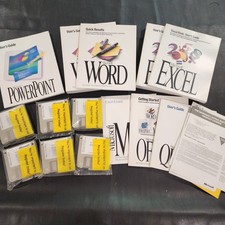
Vintage Microsoft Office 4.2 for Windows Original Floppy Disks & Manuals 1994
$119.99
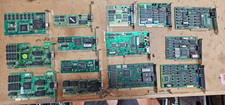
Lot 14 Vintage ISA VGA Video Cards Trident CHIPS UMC 8-Bit 16-Bit 286 386 486
$199.95

Vintage RARE 1980s Apple Computer Logo Frisbee. Great shape, w/ the usual nicks
$220.00
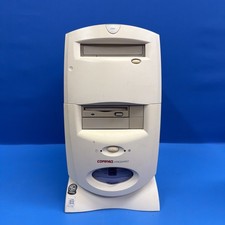
Compaq Presario 7594 Vintage Desktop PC Windows 98 SE 64MB Floppy CD-ROM
$129.00
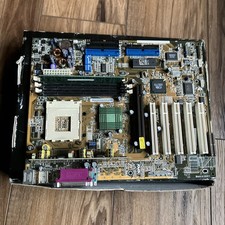
ASUS A7V333 Vintage Motherboard | Untested | For Parts
$44.89



 Reply With Quote