

 Reply With Quote
What does
say?Code:cat /etc/mtab
What about
?Code:cat /etc/fstab


I don't appear to have a /proc anymore....
I used to have one
It all started when I tried usbview and it told me I didn't have a /proc/usb
Figuring its only because of permissions i tried it as root....
hmm same problem so I got off my lazy ass to look and its right, /proc isn't mounted....
Is it just me ......
What does
say?Code:cat /etc/mtab
What about
?Code:cat /etc/fstab
I just got home so looked again!!!
I guess I should try the livecd again but I felt sure it was working before....
I have presently got a USB mem and bluetooth device plugged in.... the usb mem is mounted and usuable!!
but NODEVFS filesystem!
root@shuttle:/proc/bus/usb# ls -al
total 0
dr-xr-xr-x 2 root root 0 Jan 29 18:44 .
dr-xr-xr-x 5 root root 0 Jan 29 18:44 ..
# filesystem mountpoint type options dump pass
/dev/hda1 / ext3 defaults,errors=remount-ro 0 1
proc /proc proc defaults 0 0
/dev/fd0 /floppy vfat defaults,user,noauto,showexec,umask=022 0 0
/dev/cdrom /cdrom iso9660 defaults,ro,user,noexec,noauto 0 0
/dev/dvd /dvd iso9660 defaults,ro,user,noexec,noauto 0 0
/dev/cdaudio /cdaudio iso9660 defaults,ro,user,noexec,noauto 0 0
# Added by KNOPPIX
/dev/hda2 /mnt/hda2 ext3 noauto,users,exec 0 0
# Added by KNOPPIX
/dev/hda3 /mnt/hda3 ext3 noauto,users,exec 0 0
# Added by KNOPPIX
/dev/hda5 none swap defaults 0 0
# Added by KNOPPIX
/dev/hdb1 /mnt/hdb1 ext3 noauto,useroot@shuttle:/proc/bus/usb# lsmod
Module Size Used by Tainted: P
nls_cp437 4348 1 (autoclean)
usb-storage 60960 1
rfcomm 30496 0 (autoclean)
l2cap 17452 2 (autoclean) [rfcomm]
hci_usb 8700 0 (unused)
bluez 30916 2 [rfcomm l2cap hci_usb]
nls_iso8859-1 2844 1 (autoclean)
nvnet 26528 1
parport_pc 24840 1 (autoclean)
lp 7492 0 (autoclean)
parport 22496 1 (autoclean) [parport_pc lp]
pcmcia_core 39712 0
af_packet 13448 0 (autoclean)
autofs4 8756 1
agpgart 38296 0 (unused)
i810_audio 25064 0
ac97_codec 11884 0 [i810_audio]
soundcore 3428 2 [i810_audio]
serial 51972 0
printer 7680 0
usb-ohci 18184 0 (unused)
usbcore 57472 0 [usb-storage hci_usb printer usb-ohci]
apm 9768 1
rtc 6908 0
ext3 63940 3
jbd 46100 3 [ext3]
rs,exec 0 0
Im basically trying to get the bluez working
and I wanted to see what it was reported as in /proc/bus/usb
You need this line in your /etc/fstab then after editing the file mount -a as root should mount it for you.
Code:none /proc/bus/usb usbdevfs defaults 0 0
Will try when I get home
That worked great thanks
Anyone any ideas why...
That is the line needed to give the usb devices a bus and somehow it gets left out when you do the HD install.Originally Posted by gowator
 Posting Permissions


Netac DDR4 32GB 16GB DDR4 3200MHz UDIMM C16 Desktop Internal Memory RAM Kit
$99.99

Major Brand 16GB (2x8GB) PC3-12800U DDR3-1600MHz DDR3-12800 DESKTOP RAM NON-ECC
$29.99

A-Tech 8GB DDR3 1600 PC3-12800 Laptop SODIMM 204-Pin Memory RAM PC3L DDR3L 1x 8G
$21.68
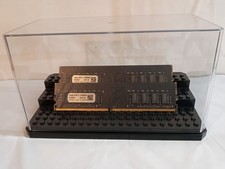
32GB KIT (2x16GB) DDR4 2666MHz PC4-21300 - 288 pin DESKTOP Non ECC - Black/Gold
$121.00

128GB (4x32GB) SK hynix DDR4 PC4-2666V RDIMM ECC Server Ram HMA84GR7CJR4N-VK
$799.00

Samsung 16GB LPCAMM2 PC5 7500 DDR5 LPDDR5X CAMM2 M561K1LC4DM0-CCTGM RAM Memory
$189.00

Crucial DDR3L 16GB 2 x 8GB 1600 MHz PC3L-12800 Laptop RAM Sodimm Memory 1.35V
$41.00

RAMAXEL Lenovo 32GB LPDDR5X CAMM2 7500MHz Laptop RAM | UNTESTED
$445.00
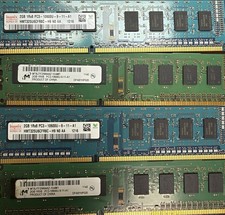
Used Computer RAM - This Is For Multiple Sticks Of RAM
$120.00

Micron 32GB 1x32GB DDR5 5600 CL46 ECC Unbuffered SO-DIMM MTC20C2085S1TC56BD1
$399.00