

 Reply With Quote
I don't think cheatcodes should be necessary after a HD install. But I've always installed debian-style so I can't say for sure about knoppix-style installs. Did you install and it isn't working, or are you just asking in advance?


Hey, first of all, I'm a complete linux newb.
I'm installing Knoppix on a Toshiba Satellite HDD. If I type 'knoppix' at the boot prompt KDE loads and uses only half the available screen. If, however, i type 'knoppix vsync=60', this works great.
My question is, after HDD install, how do I get KDE to load 'vsync=60' automatically?
Thanks in advance, especially for helping a newb
Alex R
I don't think cheatcodes should be necessary after a HD install. But I've always installed debian-style so I can't say for sure about knoppix-style installs. Did you install and it isn't working, or are you just asking in advance?
Asking in advance. The laptop has a Win2000 install which I don't have CD for, so once I switch to Linux, that's it.
If installed as Knoppix-CD-like system, /etc/lilo.conf should contain vsync=60 within the append section to maintain the settings each and every boot. ie append="... vsync=60"
Thanks!
EDIT: I know this is the wrong forum, but does this go for a standard Debian install too? (not sure if I want to fill the 6GB/64MB Ram computer with Knoppix, as many of the tools are unnecessary.)
I'll be following your results, as I just installed Knoppix on a used 6GB Compaq with 64MB of RAM. It's taken me quite a while to get things up and running -- on my first try, I made my root partition way too small and everything started hanging up after a while. Now I'm running with two partitions (plus swap), /home moved to the new partition, and things are ok. For now...Originally Posted by alxdotnet
But to answer your original question from my experience, here's the process I followed (without the "ooops, start over"s):
* Boot from the Knoppix CD with the appropriate cheat codes (in my case, I needed screen=800x600 vga=normal to make my crappy old monitor work).
* Partition your hard drive. You'll be asked to partition it again during the installation process, but it was easier for me to have already done it.
* Tweak monitor settings as desired (can't remember the app name), and use the Knoppix "Save Configuration" option *before* you reboot (another reason to have already partitioned the HD).
* This time, use *only* cheat code myconfig=scan. If something doesn't work, you'll be glad you didn't mess up the HD install (like I did, several times).
* Install to hard drive!
Important caveat: I have all of 6 weeks' experience with Knoppix, so YMMV.
Thanks for the advice! I'm having problems booting the Debian install CD so I might do the knoppix If i don't get a response anywhere else. I'll let you know when I finish.
Alright! Knoppix is up and running, although slow, on my 600Mhz laptop with 6GB HDD and 64MB RAM. I'm currently using a 192MB swap partition (too much?), and Knoppix itself is on a 4.75GB partition. The other 1GB or so is partitioned FAT32, but Debian won't mount it, so I need help here.
Currently trying to upgrade to KDE3.2, awaiting response in another forum.
 Posting Permissions

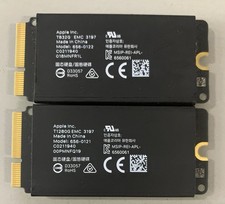
Apple Mac Pro 2019 1TB OEM SSD Kit-768GB +384GB - 656-0119/ 656-0120
$69.99

Samsung 2.5" 870 EVO SSD SATA III 250GB 500GB 1TB Internet Solid State Drive Lot
$155.00

Western Digital 1TB 3.5" SATA III 7200RPM Desktop Hard Drive
$34.99

Dell Latitude 14" Laptop Computer Intel i5 Up To 32GB RAM 1TB SSD Windows 11 Pro
$545.25

1TB Kingston DataTraveler Max DTMAX/1TB USB Type-C Flash Drive
$86.95

SAMSUNG T7 Portable SSD 1TB Indigo Blue USB 3.2 Gen2 External MU-PC1T0H/AM
$159.99

Netac 2TB 1TB 512GB 256GB Internal SSD 2.5inch SATAIII Solid State Drive lot
$949.00

Netac 2TB 1TB 500GB Internal SSD M.2 NVMe PCIe3.0 Solid State Drive lot
$129.99

External SSD 1TB 2TB 4TB Portable Hard Drive USB 3.0 Type-C High Speed PC Mac
$19.99

Dell Latitude 14" Laptop Computer Intel i7 Up To 32GB RAM 1TB SSD Windows 11 Pro
$330.73