

 Reply With Quote
Well, step one would be to create an empty directory mode 777 called /mnt/cdrom.


I installed knx3.3 on my hd and I have trying to get everything to work since slowly but surely I getting it done but I am stumped with this one. I have a cd icon on my desktop when I click it I get this message ERROR: Unable to run the command specified. The file or directory file:/mnt/cdrom does not exist. I cannot use kscd,xmms, or even xine. how would I go about fixing this problem?
Well, step one would be to create an empty directory mode 777 called /mnt/cdrom.
I'll startwith this to help you help me. knoppix@Shizzle:/mnt$ ls
auto bootfloppy cdaudio cdrom dvd floppy hda1 miniroot test
knoppix@Shizzle:/mnt$ mount cdaudio
mount: can't find /mnt/cdaudio in /etc/fstab or /etc/mtab
knoppix@Shizzle:/mnt$ mount cdrom
mount: can't find /mnt/cdrom in /etc/fstab or /etc/mtab
# /etc/fstab: filesystem table.
#
# filesystem mountpoint type options dump pass
/dev/hda2 / reiserfs defaults 0 1
/dev/hda3 none swap sw 0 0
proc /proc proc defaults 0 0
/dev/fd0 /floppy vfat defaults,user,noauto,showexec,umask=022 0 0
/dev/cdrom /cdrom iso9660 defaults,ro,user,noexec,noauto 0 0
/dev/dvd /dvd iso9660 defaults,ro,user,noexec,noauto 0 0
/dev/cdaudio /cdaudio iso9660 defaults,ro,user,noexec,noauto 0 0
# Added by KNOPPIX
/dev/hda1 /mnt/hda1 vfat noauto,users,exec,umask=000 0 0
# /etc/mtab
/dev/hda2 / reiserfs rw 0 0
none /proc proc rw 0 0
devpts /dev/pts devpts rw,gid=5,mode=620 0 0
/dev/hda1 /mnt/hda1 vfat rw,nosuid,nodev,umask=000 0 0
I have the devices as you can see the dir's are there also can anyone tell from the info above why I can not use any of theese things. Actually I can use the hda. another thing that may or may not help is all the things under /mnt are dark blue except floppy, it is light blue. thanks
When you issue the mount command on the command line, maybe you should put a slash in front of the name, such as 'mount /cdaudio' and 'mount /cdrom'.
Check under the properties of your CD icon. If you have a tab marked 'URL' and if the URL entry itself is /mnt/cdrom, try changing this to be just /cdrom.
Thanks tearinghairout with your help I got it working. I was wondering though, why can I play audio and burned video cd's but not one I got for windows does a windows cd have a different format or something? also when I put in my knoppix cd I cannot see what is on it, Why? anyways thanks for the help.
Because most of the things on it are in the compressed filesystem, which appears as a big file file called "KNOPPIX" in the KNOPPIX directory. If you want to mount it while running from HD take a look at the threads in the remastering section.Originally Posted by jojo
 Posting Permissions


USB Type-A Flash Drive Metal Memory Stick High Speed USB Drive 128GB 256GB 512GB
$8.47

Critical BIOS ROM HPE ProLiant DL160 DL180 Gen9 (U20) U20_3.40_08_29_2024+iLO4
$7.99

Critical BIOS ROM HPE ProLiant BL460cWS46 Gen9 (I36) I36_3.40_08_29_2024+iLO4
$7.99

Critical BIOS ROM HPE ProLiant DL560 Gen9 (P85) P85_3.40_08_29_2024+iLO4
$7.99
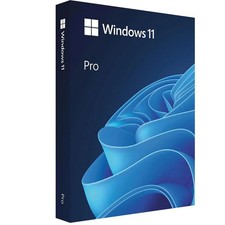
Microsoft Windows 11 Pro 64-Bit USB Flash Drive Sealed with Product Key Card
$39.99

Microsoft Windows 11 Pro 64bit - New Sealed – Flash USB 1 PC
$49.99

1/ 10/ 100pcs USB 2.0 2GB, 4GB ,8GB ,16GB ,32GB ,64GB 128GB USB Flash Drives Lot
$269.10
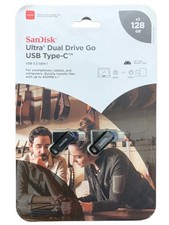
SanDisk Ultra Dual Drive Go USB Type-C Flash Drive 2-Pack, USB 3.2 Gen 1, 128GB
$19.75

Zero Trace Pen: All-in-one Tor Network Anonymous Drive + Cryptocurrency Wallet
$147.00
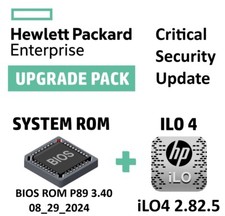
Critical BIOS ROM HPE ProLiant DL580 Gen9 (U17) U17_3.40_08_29_2024+iLO4
$7.99