-
Senior Member
registered user
Snow,
If you ran a HD Install of Knoppix, when you were installing, it should have asked you what a password was for the SuperUser, or Root account... You would have had to enter a password, and verify it by re-entering it a second time... Then the install would have asked you for the Knoppix account password, and would have, again, asked you to re-enter it.
Upon booting into your newly installed Knoppix, from the hard drive, I get (mostly) the same text boot stuff, maybe a little more text stuff than when I booted from the CD, but the same Linux Penguin in the upper left corner of the screen... Then, Knoppix should change from a text based screen, to a nice Debian Logo Graphics Screen. The Login Screen.
In the Login Graphics Screen, you have a choice... Select the "Account" you want to login to, on the left, and it should place the LOGIN NAME in a text box on the right, with a blank password text box below it. You enter the password for the account you selected in the password text box, and either press return, or enter, or click the GO, or it might say OK, and you should be logging into that account.
If by chance, you did enter a password during the install process, and don't remember it, I haven't a clue how you can reset it to something... (maybe someone else knows that one) But, this is how a "normal" login is accomplished after you do a hard drive install. I have Knoppix v3.3, if you do not have that save version, the login may be a little different, but I think the gest of it is about the same.
Hope this helps,
Cuddles
Similar Threads
-
By daemax in forum The Lounge
Replies: 1
Last Post: 06-26-2004, 02:05 AM
-
By metroidprime13 in forum General Support
Replies: 1
Last Post: 03-15-2004, 03:13 AM
-
By rbeabout in forum Hdd Install / Debian / Apt
Replies: 10
Last Post: 07-16-2003, 05:15 PM
-
By gnosys in forum Hdd Install / Debian / Apt
Replies: 9
Last Post: 03-21-2003, 07:13 AM
-
By KnoDeb in forum Hdd Install / Debian / Apt
Replies: 2
Last Post: 01-06-2003, 09:47 PM
 Posting Permissions
- You may not post new threads
- You may not post replies
- You may not post attachments
- You may not edit your posts
-
Forum Rules

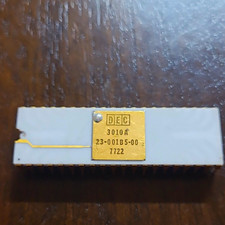
DEC 3010A Vintage Ceramic chip - ALL LEGS INTACT (BO)
$100.00

Vintage DEC VT100 Series Terminal (Powers On)
$499.99

Vintage DEC Digital Starion 200 Desktop PC Powers On Boots To BIOS NO HDD - DW
$269.99

Vintage DEC/Mostek memory systems MK 8015 AA-00 6805-08015 1100 REV C(B7)
$279.99

6 Vintage DEC Digital System Building Blocks - Flip Chips
$95.00

Vintage DEC LK201 Digital Equipment Corporation (DEC) LK201-AA Computer Keyboard
$149.99
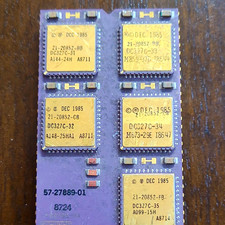
DEC Vintage Module/Board Collectable Vintage chip - 1 BROKEN LEG (BO)
$200.00
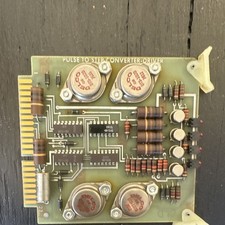
DEC Vintage Pulse-to-Step Converter Driver Interface Card for DEC Systems
$50.00

Vintage Digital VR241-A color CRT monitor, powers on, DEC Rainbow or terminal
$150.00

Vintage DEC LR150-11 Power Supply 70-0464-01 Rev S Sun Shoebox Server PSU Used
$160.00



 Reply With Quote