-
Senior Member
registered user
I found this trick on Libranet's web site in their support database:
http://www.libranet.com/support/view...item=0155.html
Here is a line from my /etc/fstab file:
/dev/hde1 /win vfat defaults,exec,gid=windows,umask=002 0 0
above is the line from my /etc/fstab file for my windows partition. Note; I still get permission errors and files cannot be moved from my windows partition to my linux partitions, they are copied fine, but the old file cannot be deleted, so I have to copy and delete, but users can write to the partition.
So, what you do is edit your /etc/fstab, if you only have one user on your system ex: user knoppix then you should be able to use: gid=knoppix (if that is the group user knoppix is in) instead of windows, unmount the partition, mount it and everything should be OK. If you have multiple users, then add a group such as: windows and make all users part of group windows.
If you want a gui user/group frontend try kuser it's simple and easy to use.
HTH
~rock
Similar Threads
-
By cheetahman in forum General Support
Replies: 19
Last Post: 03-21-2005, 11:58 AM
-
By Sebulba in forum General Support
Replies: 1
Last Post: 10-14-2004, 07:02 AM
-
By TheCyberDude in forum Tips and Tricks
Replies: 1
Last Post: 05-09-2004, 06:39 AM
-
By MrAhmad in forum Customising & Remastering
Replies: 3
Last Post: 08-26-2003, 07:41 PM
-
By Henk Poley in forum General Support
Replies: 4
Last Post: 04-17-2003, 07:43 PM
 Posting Permissions
- You may not post new threads
- You may not post replies
- You may not post attachments
- You may not edit your posts
-
Forum Rules


Vintage Rare Zealand Lamb Leather Jacket, Leather Coat 60
$128.61
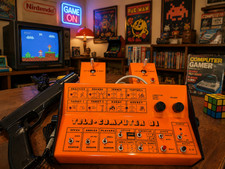
PONG 🌈RaRe🌈 Vintage Tele Games Retro Video Game TV Console Computer
$1699.00

Vintage GTE XT300 Action Station Terminal 1984 - Tested Works Orig. Box & Foam
$889.00
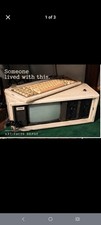
COMPAQ Plus Vintage Personal Portable Desktop Computer - Powers-On
$250.00

Original Vintage Old Style STANDARD Black CD Jewel Case (Heavy Duty) 90g Lot
$316.95
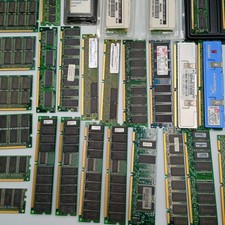
Vintage RAM Memory Lot EDO ECC PC100 PC133 DDR DDR2 DDR3 Rambus Micron Kingston
$199.99
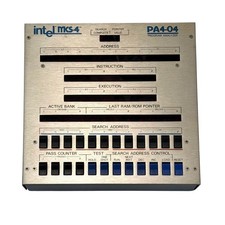
Intel MCS-4 PA4-04 Program Analyzer - Vintage 1970s - Untested
$499.99

Vintage Diesel Jacket
$180.20
Vintage Adaptec Slim SCSI 26 Pin PC Card to 50 Pin Centronics SCSI Cable Used
$59.98

Vintage Core CL9 Master Universal Remote Control Steve Wozniak (Apple) READ
$988.88



 Reply With Quote