
It means that you need to run that command as user "root" instead of as user "knoppix" (which is default). You can do this with command sudoOriginally Posted by zane_ff7
So e.g. instead of pump -i eth0 use sudo pump -i eth0


It means that you need to run that command as user "root" instead of as user "knoppix" (which is default). You can do this with command sudo
So e.g. instead of pump -i eth0 use sudo pump -i eth0
 Posting Permissions


VINTAGE DEC LA34/ LA100 SERIES KEYBOARD W/NUMERIC PAD 70-17864-01C
$140.00

Vintage DEC Digital Starion 200 Desktop PC Powers On Boots To BIOS NO HDD - DW
$269.99

Vintage Digital DEC 54-15688 rainbow color graphics option
$129.99

Vintage DEC/Mostek memory systems MK 8015 AA-00 6805-08015 1100 REV C(B7)
$279.99
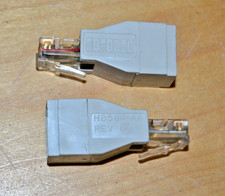
lot of 2 ~ Vintage Digital DEC ~ H8584-AA ~ 8-pin MP to 6-pin MJ **NOS**
$18.99

Vintage DEC LK201 Computer Keyboard Used
$59.97

Vintage DEC PDT11 (VT100 Series) Terminal (Powers On).
$550.99

VINTAGE DEC VX20A-OP ACCELERATOR, 54-20309 FOR VXT2000 SYTEMS
$95.00

Vintage DEC Digital VR319-DA 19" High Resolution Monochrome CRT Monitor - Tested
$180.00

VINTAGE DEC/MDB Systems MLSI-TEV Circuit Board #40040340 1976 (B5)
$69.99

 Reply With Quote