

 Reply With Quote
Has anybody had any success with configing a Belkin FSD6020?


Great: this worked for me, too. Now the big question:
How do we get this to stay on boot so we don't have to go through this ritual every day? Thanks.
Has anybody had any success with configing a Belkin FSD6020?
I have to say "wow" as this worked for me on my Toshiba Satelite with a 2WIRE wireless card. The Wow is because I've installed Knoppix 3.3 on my desktop today, and then ran it off the disk on my laptop later in the day...all with outstanding success....now to install on the laptop once I figure out how to get the screen resolution up on the install script so I can see everything....
Thanks for the great wireless help...another new satisfied linux convert!!
Jerry
Originally Posted by tony_c
hi,
I'm using knoppix 3.4, & was using 3.3 before that. That's how I'm currently running linux, as I'm a recent linux convert. I'm glad to hear that knoppix is easy to get up & running on wireless cards, but I don't own one yet & want to buy. any suggestions on wireless pc card adapters to buy? what are good, compatible, inexpensive cards? I'm just looking for casual "coffee shop hotspot" surfing...my home network is & will remain wired. thanks!
toby
Go for an old prism2 or orinoco based card, such as the old DWL650 (not 650+) or orinioco gold 802.11b card.
These will work.
Support for the new 802.11g cards is patchy at best, although people have had success with ndiswrapper and madwifi
--
TimW
Hey...thanks a bunch Tim! I looked around for a deal on that card & bought it for $25. I took it & my laptop to Panera Bread (free WiFi), fired it up w/ Knoppix 3.4, & the instant (literally) that the Konqueror browser opened, it said "connecting" & had a revolving green arrow thing. Then it went to Panera's portal page, & after doing the license agreement thing, I was online. I didn't have to do anthing! Doesn't get any easier, & that's on my Panasonic Toughbook CF-17!
I did this multiple times with the same card as the original poster, and it still doesn't work (only worked once).
based on my own limited experience w/ Linux, but my larger experience in IT, I'd say get another card. Follow the advice Tim gave about the chipset, or just get the same card he mentioned, like I did...the Dlink DWL650. Is $25 really worth spending hours trying to troubleshoot an intermittent problem?
I'm assuming you've ruled out the usual stuff like RF interference, range, "over-configuration", etc. Since you say it worked once, I'm also assuming you've recreated that environment as best as possible...i.e. same PC, same version of knoppix, same location of PC & wifi base station, etc.
Ordinarily, I wouldn't cross-post, but it looks like my post in networking is getting no hits at all, so please forgive me.
I bought the Microsoft MN-520 PCMCIA wlan card. My computer boots around this card, but when the modprobe looks for prism2_cs, I get a FATAL message, saying that module prism2_cs is not found, exits with a status 1, but continues booting. Then it says something about module /lib/modules/2.6.6/pcmcia/prism2_cs.o not available, and bind prism2_cs to socket 1 failed : invalid argument. The card is being detected just fine, and it isn't keeping me from doing other things, but Knoppix just isn't finding what it needs to run it.
I'm wondering if the failure to find the prism2_cs has anything to do with the script being written prior to version 3.4, and when 3.4 was released with two different kernels, the file structure changed just enough to make things go wonky. I noticed that some of the system directories seemed to have changed to accommodate two kernels, but maybe the script wasn't changed to reflect the new directory locations - hence, they can't be "found". I posted this on buglist for 2004-05-17 as #4 as a potential bug, as almost a third of the posted bugs relate to the failure of Knoppix to detect wi-fi cards.
My hardware: Microsoft MN-520 PCMCIA adapter on a Sony VAIO PCG-FXA47 notebook, running Knoppix 2004-05-17 3.4, 2.6 kernel, live CD with persistent home and saved config both on a USB thumbdrive.
I tried d/l-ing the most recent linux-wlan-ng tarball, and did my best to follow this advice w/r/t installation and configuration:
http://www.siliconvalleyccie.com/lin...mp11-linux.htm
The article isn't specific to debian or knoppix, but after I followed the procedure in a root terminal, I did get confirmation that the configuration was successful (still doesn't work, though).
In another thread, paradocs advised nick to put a script in the /ramdisk/home/knoppix/.kde/Autostart directory, but I couldn't find such a beast.
I'm new to wlan - I don't even have a base station, but I wanted to have wlan access on vacation at various hotspots.
Any help or suggestions greatly appreciated. I guess I'm at least lucky that things aren't locking. TIA,
JD
I hate to sound like a broken record, but I'd ditch the card. Since it's Microsoft branded, I have a hard time believing it complies 100% w/ the 802.11 spec. Probaly has some of their "extensions"
 Posting Permissions


NEW Kingston 8GB DDR4 2666MHz Desktop RAM KCP426NS8/8 PC4-21300
$30.00
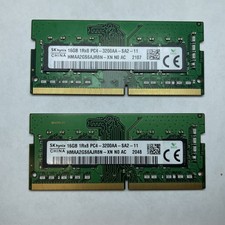
Lot of 2 SK Hynix HMAA2GS6AJR8N-XN 16GB DDR4 PC4-3200AA 1Rx8 Laptop SODIMM RAM
$354.99

16GB (2x8GB) Kingston HyperX blu KHX1600C10D3B1/8G PC3-12800U DDR3 1600
$27.99

DDR4 Laptop RAM 4GB 8GB 16GB 32GB 2400 2666 3200 Samsung Hynix
$66.00

Samsung W03J0009150379F87A 64GB (2x32GB) RAM DDR4 2400MHz CRC0Y
$179.99

A-Tech 8GB DDR3 1600 PC3-12800 Laptop SODIMM 204-Pin Memory RAM PC3L DDR3L 1x 8G
$21.68

Crucial DDR3L 16GB 2 x 8GB 1600 MHz PC3L-12800 Laptop RAM Sodimm Memory 1.35V
$41.00
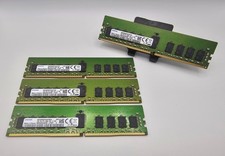
Samsung 64GB (4x16GB) DDR4 PC4-2666V M393A2K40CB2-CTD6Y
$300.00
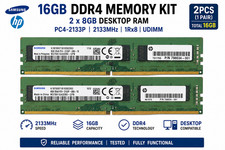
16GB (2x8GB) Samsung DDR4-2133MHz PC4-2133P Desktop RAM 2Rx8 UDIMM
$54.99
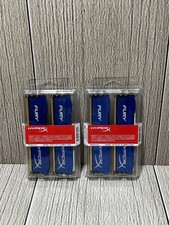
Lot of 2 Kingston Fury 8GB (4x4GB) HX316C10FK2/8 DDR3-1600MHz Ram
$50.35