-
Junior Member
registered user
Im a n00b i need help plz!!
Hi there...
I will sum up whats happening:
1.Downloaded Knoppix3.3
2.Put it on CD
3.Go to my bios and change boot sequence so that it boots from CD rom first.
4. Restart my pc
5. It just boots to Windows XP...
Am i doing anything wrong?
Plz a detailed guide!
Thx In Advance
BlAcK-OuT
-
Senior Member
registered user
What do you see on the CD if you let XP start ?
-
hey, wot prog u usin to burn the disc??
-
Junior Member
registered user
well...
I used Easy DVD/CD Burner to burn it...
I dont see anything... its just: the cdrom is in, i RESTART my computer, and it just starts windows XP, nothing else...
Thx for ur fast replies 
-
Junior Member
registered user
Btw,
I have read some stuff about: bootable disks and stuff...
i havent done any of that...
I just burnt it to the cd... did nothing special or so!
-
Senior Member
registered user

Originally Posted by
blackout
well...
I used Easy DVD/CD Burner to burn it...
I dont see anything... its just: the cdrom is in, i RESTART my computer, and it just starts windows XP, nothing else...
Thx for ur fast replies
No, I mean just let XP start, then look at the CD contents in windows.
-
Junior Member
registered user
Err...
Shows the icon of a winRAR file...
but on propertys its sais its a ISO
-
Junior Member
registered user
goddamnit i think i found it!
It was like: Cdrom Drive > Folderhere > Knoppix
logical it didnt boot, now i have to dl knoppix again!!
-
Junior Member
registered user
Originally Posted by
blackout
Err...
Shows the icon of a winRAR file...
but on propertys its sais its a ISO
Don't burn the file to cd; burn it as an image.
-
Senior Member
registered user
Originally Posted by
jfitie
Originally Posted by
blackout
Err...
Shows the icon of a winRAR file...
but on propertys its sais its a ISO
Don't burn the file to cd; burn it as an image.
Yep, what happened is a new iso filesystem was created by the burner software and the image file of the Knoppix filesystem was placed inside it. No need to download again even if you have wiped it of the hard drive, in that case just move it back from the CD you just created.
Then start the burner software again and look for an option to burn a pre-existing iso file instead of creating a new one.
Similar Threads
-
By harken in forum MS Windows & New to Linux
Replies: 41
Last Post: 02-22-2005, 11:20 PM
-
By The Conman in forum MS Windows & New to Linux
Replies: 13
Last Post: 01-25-2005, 07:30 PM
-
By garbageman14 in forum Hardware & Booting
Replies: 6
Last Post: 01-18-2005, 08:08 AM
-
By Knad in forum Hdd Install / Debian / Apt
Replies: 3
Last Post: 09-10-2004, 09:48 PM
-
By kidclueless in forum General Support
Replies: 3
Last Post: 04-20-2004, 06:14 AM
 Posting Permissions
- You may not post new threads
- You may not post replies
- You may not post attachments
- You may not edit your posts
-
Forum Rules


Dell Poweredge R720 8SFF 2.5" x Xeon E5-2680 v2 2.8GHz 20-Cores 128gb 4x Trays
$349.99

Dell EMC PowerEdge R440 Xeon silver 4215 2.5GHz 16 GB ram 2x 550W PSU No HDD
$275.00
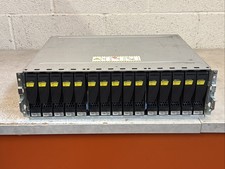
Dell EMC 15-Bay 3.5" SAS Disk Array Enclosure 12Gbps Dual LCC - 2x Power Supply
$249.00

Dell Poweredge R720 8SFF 2.5" 2x Xeon E5-2680 v2 2.8GHz 20-Cores 64gb 4x Trays
$259.99

Dell PowerEdge R620 2x Xeon E5-2630 v2 3.1GHz 2.5" 4-BAY 32GB RAM No OS 2x 495w
$174.95

Dell Poweredge R630 2x Xeon E5-2680 v4 2.4ghz 28-Core | 32GB | HBA330 | 2x 1100w
$359.99

Dell PowerEdge R640 8xSFF Server Barebone 2 x Heat Sink w / 2x 1100W PSU
$315.00

Dell Poweredge T420 SFF 2x E5-2430 v2 2.5Ghz / 64gb / H710 / 8x Trays / 2x 495w
$394.99

DELL R640 10SFF Server 2x Gold 6152 2.1GHz =44 Cores 64GB H730p 4xRJ45
$939.00

Dell Poweredge R630 2x Xeon E5-2680 v3 2.5ghz 24-Cores / 64gb / Raid / 2x 1Tb
$374.99



 Reply With Quote