

 Reply With Quote
Then your lilo is wrong. Change:Originally Posted by devilotx
root=/dev/hdb1
to
root=/dev/hda1
OR
root=/dev/hda2
-whichever partition you installed Knoppix to


So we can be sure how your hd is setup, boot into your system (from your floppy) and use the following command:
less /etc/fstab
you will see something like this:
# /etc/fstab: static file system information.
#
# <device> <mount point> <type> <options> <dump> <pass>
/dev/hde7 / ext3 defaults,errors=remount-ro 0 1
/dev/hde6 none swap sw 0 0
proc /proc proc defaults 0 0
/dev/fd0 /floppy vfat defaults,user,noauto 0 0
/dev/cdrom /cdrom iso9660 defaults,user,exec,gid=cdrom,umask=002,noauto,ro 0 0
/dev/cdrw /cdrw iso9660 defaults,user,exec,gid=cdrom,umask=002,noauto,ro 0 0
Your system will be different, but notice from the info on my system that I would use the following in my /etc/lilo.conf file:
boot=/dev/hde #to write the boot sector to the mbr of my boot drive
root=/dev/hde7 #to tell lilo that the root partition (/) is at /dev/hde7
HTH
~rock
Then your lilo is wrong. Change:
root=/dev/hdb1
to
root=/dev/hda1
OR
root=/dev/hda2
-whichever partition you installed Knoppix to
 Posting Permissions


Microsoft Windows 11 Pro 64bit - New Sealed – Flash USB 1 PC
$49.99

1/ 10/ 100pcs USB 2.0 2GB, 4GB ,8GB ,16GB ,32GB ,64GB 128GB USB Flash Drives Lot
$269.10

Zero Trace Pen: All-in-one Tor Network Anonymous Drive + Cryptocurrency Wallet
$99.00
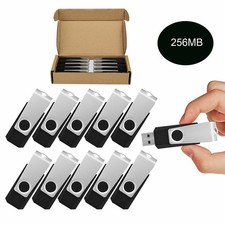
Wholesale Sale 10/ 30/ 50/100pcs 256MB Metal Swivel USB Flash Drive Memory Stick
$165.90

USB 3.0 Flash Drive 32GB 64GB 128GB Memory Stick Thumb Stick Lot Pack
$826.09

USB Type-A Flash Drive Metal Memory Stick High Speed USB Drive 128GB 256GB 512GB
$8.47

Lot 5/10pcs USB Flash Drive Memory Stick 1MB-64GB Pendrive Thumb Drive 8GB 32GB
$385.00
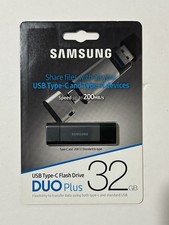
New Samsung DUO Plus 32GB USB 3.1 USB-C Flash Drive Gray MUF-32DB/AM
$19.95

128GB USB 14-in-1 MacOS bootable Installer repair recovery tech support service
$39.99
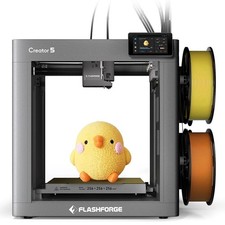
FLASHFORGE Creator 5 3D Printer Multi Color 4 Toolhead 7s FlashSwap Zero Waste
$849.00