

 Reply With Quote
Ctil-Alt + F8. Wait. Ctrl-Alt + F7. Wait. Done.
Restarts X and restores display without killing any other running processes.
Would be nice if manual or auto backlight-off was supported on Dell Latitude, it is on my other notebooks (apm, not acpi).


After APM has turned the screen off, the screen will come back split. The top half will be on the bottom and the bottom half will be on the top. Moving the mouse around, I am able to click on buttons and such as if the screen were normal.
Is there a way to fix that?
Ctil-Alt + F8. Wait. Ctrl-Alt + F7. Wait. Done.
Restarts X and restores display without killing any other running processes.
Would be nice if manual or auto backlight-off was supported on Dell Latitude, it is on my other notebooks (apm, not acpi).
On the Dell Inspiron I'm using (has apm), you need to press Ctrl-Alt + F8, and then Ctrl-Alt + F5.Originally Posted by BL
 Posting Permissions


USB 3.0 Flash Drive 32GB 64GB 128GB Memory Stick Thumb Stick Lot Pack
$826.09
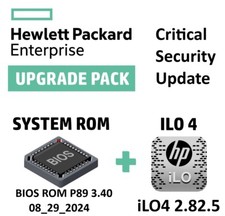
Critical BIOS ROM HPE ProLiant DL60 DL80 Gen9 (U15) U15_3.40_08_29_2024+iLO4
$7.99

Microsoft Windows 11 Pro 64bit - New Sealed – Flash USB 1 PC
$49.99

Critical BIOS ROM HPE ProLiant DL160 DL180 Gen9 (U20) U20_3.40_08_29_2024+iLO4
$7.99
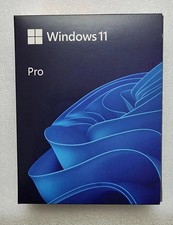
Microsoft Windows 11 Pro 64-Bit USB Flash Drive (HAV-00162)
$37.99
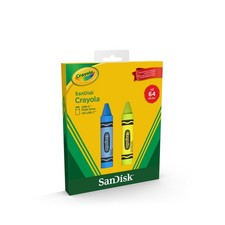
Sandisk Crayola 64GB USB-C Flash Drive, 2pk Cerulean Blue and Electric Lime,
$11.00
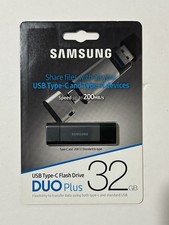
New Samsung DUO Plus 32GB USB 3.1 USB-C Flash Drive Gray MUF-32DB/AM
$19.95

1TB Kingston DataTraveler Max DTMAX/1TB USB Type-C Flash Drive
$86.95

Critical BIOS ROM HPE ProLiant BL460cWS46 Gen9 (I36) I36_3.40_08_29_2024+iLO4
$7.99

Critical BIOS ROM HPE ProLiant DL560 Gen9 (P85) P85_3.40_08_29_2024+iLO4
$7.99