-
laptop hd-install with dualboot
I'll bet there's an answer already waiting to be found on this forum, but I'm still having problems to figure these matters out 
As you can assume I only have one hd which is partitioned into hda1 and hda5. I have winXP on hda1 and only media files on hda5 and both partitions are NTFS. Now I would like to have knoppix installed on the free space(7gb) of my hda5. Is that possible and how? I would also like to share files between os:s.
My main problem is the partitioning the hda5. I assume that lilo shouldn't be saved in mbr but instead in root partition? I think i'll be a lot wiser if I could get some details about the partitioning and anyway I'm grateful for any kind of help.
-
Senior Member
registered user
If I understood you correctly, those 7Gb are not unallocated, but free space within an existing NTFS unit, right? Then you first need to shrink that unit. QTParted (from the live-cd) should be able to do that, although I have to say I have never done this myself but I remember reading it could resize NTFS partitions. I'd suggest freeing about 5Gb, out of which you could make hda6 a swap partition of about 256 Mb, and hda7 with over 4.5 Gb for installing Knoppix.
-
Senior Member
registered user
I just finished this sort of thing successfully (I'm a noobie.) First, you'll need to resize the hda5 partition using qtparted, and for me it was easy as using partitionmagic. Second, like baldy said, you'll need to make 2 partitions, a swap and a ext2/3 partition for linux. Next, do a full install of knoppix using knoppix-installer from the root shell. Configure it to load lilo in hda6 (the linux partition) and any other options you like, then save the config. Quit the installer and run kedit <name of installer file>. Make your desired changes and save it. Run knoppix-installer again and then load the config file and then start installing. When done, you'll have linux installed but there are a few hoops you'll have to do to insert the linux bootloader into the NT bootloader. Read the reply to my post about hdbased install problem. The directions given by Simon worked but with a few twist which I mentioned, you'll need to boot the cd and then chroot to the hda6 partition and reconfigure lilo.conf and then run lilo. Then follow the directions given by Simon and you're on your way.
HTH,
Durand
-
Senior Member
registered user
Re: laptop hd-install with dualboot

Originally Posted by
ping
I'll bet there's an answer already waiting to be found on this forum, but I'm still having problems to figure these matters out
As you can assume I only have one hd which is partitioned into hda1 and hda5. I have winXP on hda1 and only media files on hda5 and both partitions are NTFS. Now I would like to have knoppix installed on the free space(7gb) of my hda5. Is that possible and how? I would also like to share files between os:s.
My main problem is the partitioning the hda5. I assume that lilo shouldn't be saved in mbr but instead in root partition? I think i'll be a lot wiser if I could get some details about the partitioning and anyway I'm grateful for any kind of help.
zap hda5 and turns in into FAT32, that is the only way you can SAFELY share file. Well since you are going to redo the partitioning anyway, just leave some space for linux so hda5 becomes hda5, hda6, hda7 with one of them FAT32 and the rest your liking and install linux(and lilo). After that, just dd the first 512 byte of that partition, copy it to C:\(better put it on the FAT32 and copy from there to C under XP) and add an entry :
linux=c:\hda6_bootsector
where hda6_bootsector is the 512 byte you dd from /dev/hda6 and copy into a file.
Now you have a dual boot under XP and a partition to transfer file in between.
Of course, you can also search the forum about my posts on how to do this without even repartitioning, a few months back. You are lucky as you have 2 partitions, my notebook has only one large one for XP which is also NTFS and I just don't want to repartition.
Similar Threads
-
By Alterscape in forum Hdd Install / Debian / Apt
Replies: 0
Last Post: 12-24-2004, 12:43 AM
-
By spandit in forum Hdd Install / Debian / Apt
Replies: 1
Last Post: 11-07-2004, 03:46 AM
-
By Mr. Chopper in forum Hdd Install / Debian / Apt
Replies: 2
Last Post: 10-07-2004, 02:54 AM
-
By coolmos in forum Hdd Install / Debian / Apt
Replies: 3
Last Post: 02-17-2004, 10:37 PM
-
By S.SoLTEK in forum General Support
Replies: 2
Last Post: 02-03-2004, 07:30 PM
 Posting Permissions
- You may not post new threads
- You may not post replies
- You may not post attachments
- You may not edit your posts
-
Forum Rules


Vintage Apple II Avant-Garde Creations Super Shape Draw And Animate 1981
$295.00

Apple Macintosh Classic M1420 Vintage Desktop Computer Model Macintosh Classic
$100.00

Vintage Apple Macintosh Plus 1MB - M0001A W/ Keyboard, 2 Mice, 800K HD, + More
$300.00

Vintage Apple Macintosh Plus Desktop Computer - M0001A
$150.00

LARGE LOT Vintage Apple Macintosh Mouse Cables Accessories SCSI etc - UNTESTED
$80.00
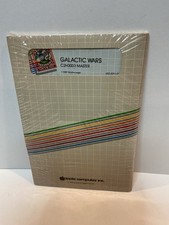
Vintage Apple II Arcade Game Galactic Wars Apple Computer NOS Sealed
$125.00
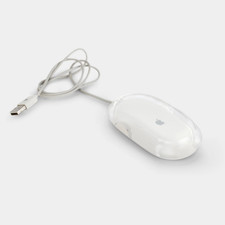
Vintage Apple Pro Mouse M5769 Wired Optical USB White/Clear
$24.99
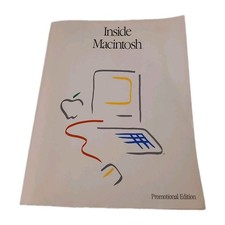
Inside Macintosh Promotional Edition Vintage Apple Developer Book 1985
$32.00

Vintage Apple Multiple Scan 15av Display Monitor M4681
$299.99

Vintage Apple Monitor IIc 9" Green Monochrome 06/1985 A2M4090 October 1984 Stand
$275.00



 Reply With Quote