

 Reply With Quote
Get Smart Boot Manager and you can boot any cd on any machine that isn't capable of booting from cd on its own.


Just got a copy of KNOPPIX and it fires up just fine on a computer set for CD/ROM booting. However i want to use and learn about it on another computer that won't set for CD/ROM booting. I tried the windows boot disk and the CD would not start automatidally.
My question is how do I make a boot disk that will auto start the KNOPPIX. I have found a lot of references on making such a floppy but there is not enough info to make one.
I hope someone can give me the info I need to get it going. NO the computer it works out is out of the question.
Thanks
Get Smart Boot Manager and you can boot any cd on any machine that isn't capable of booting from cd on its own.
Have taken a look at boot manager and it seems to be more than I want to tackle at this time. So far it appears to leave many unanswered questions on how to complie it. Will keep reading but think I will need a lot more infor on how to do it.
Oh well if I wanted thintgs easy I would have never got into computers.
Thanks
http://morphix.sourceforge.net/modul...?cid=12&lid=28
follow the above link and download the morphix bootdisk and use dd to write it to a floppy like this.
(as root)
dd if=morphixboot_02.img of=/dev/fd0
HTH
~rock
Need more info. Not sure about using dd. What is it and how do you use it. Hopefully I will learn how to do things.
I suspect it is a linux command but really don't have a clue.
Thanks
Simply open a terminal and enter the command as Rock posted it. If you're usng KDE the Konsole is the monitor w/ the shell on it in the taskbar. I would suggest getting very familiar with it.Originally Posted by bftet

i want to use it on the computer at my school. the problem is in the boot sequence the cd is last and the bios is pw protected.
i tried Smart Boot MAnager but the cdrom does not show up
its an dell optiplex gx150.
is there any solution to boot knoppix?
It's easy to use dd. If you had a floppy image named boot.img then cd into the same directory that boot.img is in and do:
dd if=boot.img of=/dev/fd0
 Posting Permissions


🔀 Juniper Networks EX2300-C-12P 12× Gigabit PoE+ • 2× 10G SFP+ Compact Switch ⚡
$109.99

Juniper EX2300 12-Port Gigabit PoE+ Managed Network Switch P/N: EX2300-C-12P
$149.99

JUNIPER NETWORKS MIST AI AP63-US HIGH PERFORMANCE OUTDOOR ACCESS POINT - WHITE
$59.99

Juniper Networks EX2300-48P 48-Port PoE Gigabit Switch (Renewed)
$361.91

Juniper JNP6360 / ACX6360-OR-AC-HW / 90 Day Warranty / Ships Today
$5925.00

New Sealed Juniper EX4100-F-12P 12x 1GbE PoE 2x 10GbE uplinks 1 Year Warranty
$895.00

Juniper Networks EX2300-48P 48-Port Gigabit PoE Managed Ethernet Switch
$79.99

Juniper AP47 Mist Wi-Fi 7 802.11 6GHz 4x4 Wireless Access Point (NEW)
$999.99
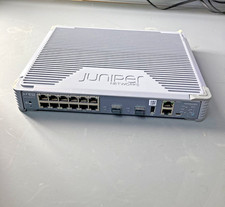
Juniper EX2300 Unclaimed 12-Port Gigabit Switch EX2300-C-12T
$249.99
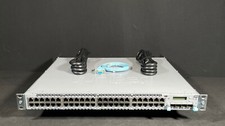
Juniper EX4300-48T-AFI 48x 1GB RJ-45 4x 40GB QSFP+ Switch w/ Rails- Fast Ship
$319.99