

 Reply With Quote
Press CTRL + ALT + + or -
and use the plus or minus keys that are on the numberpad.


I have had Knoppix 33 runnning from CD for about a week now.
It started at 640x480 8 bit color. In windows, my monitor is capable of 1024x768 24 bit color. I just select it from the list, and it works. In Control Center, its not listed.
At 640x480 res, some of the windows in Control Center are bigger than the screen, so I can't see the Apply, Okay, Cancel buttons at the bottom.
The same for some other apps, and "resize" only allows me to change the WIDTH.
I have changed some preferences, and have it looking almost like I want, but some I can't, because I can't see the buttons. I have searched this forum, and all answers seem to mention H and V synch numbers, but my monitor is not listed in the X configurator, and I have no idea what values to use.
Is there a way to change the resolution without rebooting ?
Any input GREATLY appreciated.
Maybe by some how stopping KDE, changing it, then restarting it ?
I don't want to reboot because I'm afraid I'll lose all the things I've created and prefs I've changed, as well as browser history and bookmarks. It took me most of a night to get the modem to dial out, because first I had to figure out how to mount and view the Windows partitions. I will start from scratch again if I have to, but would rather not.
Can someone please tell me what Hsynch and Vsynch values to use, or where to find them ?
Display adaptor is Sis 630/730 chip on motherboard
Monitor is Hewlett-Packard D2804 A Super VGA
Also, how do I get the sidescroll buttons not to cover the clock in the taskbar/systray/kicker/dock, or whatever its called ?
Press CTRL + ALT + + or -
and use the plus or minus keys that are on the numberpad.
I need to change the screen resolution, not font size.
I already have most of them set to 8 point, just so I can see what I'm trying to do.
CTRL + ALT + + should toggle the screen resolution between all available modes (most likely 640x480, 800x600, and 1024x76.
That does cycle through the resolutions available. You need to edit the file /etc/X11/XF86Config-4 if you want to make your changes. The lines you need to change are similiar in format to these:Originally Posted by green_man
The important parts for you are the "DefaultDepth" and the "Modes". You should use the console login option from the menu choice from the KDE login screen then login as regular user then use su to become root edit the file and then use /etc/init.d/kdm restart to restart the X server and get a new KDE login screen with the new resolution and colour depth. You may want to copy the file to a backup before making any changes in case you mess it up then you can copy back the working file to get back where you were.Code:Section "Screen" Identifier "Screen0" Device "Card0" Monitor "Monitor0" DefaultDepth 24 # SubSection "Display" # Depth 1 # EndSubSection # SubSection "Display" # Depth 4 # EndSubSection # SubSection "Display" # Depth 8 # EndSubSection # SubSection "Display" # Depth 15 # EndSubSection # SubSection "Display" # Depth 16 # EndSubSection SubSection "Display" Depth 24 Modes "1152x768" "1024x768" "800x600" "640x480" # ViewPort 0 0 EndSubSection EndSection
Maybe a little clarification is in order:
<CTRL> <SHIFT> + changes the font size (in mozilla at least)
<CTRL> <ALT> + changes the screen resolution (if you have more than one resolution configured in /etc/X11/XF86Config-4)
AHA !!<CTRL><ALT> + changes the screen resolution
(if you have more than one resolution configured in /etc/X11/XF86Config-4)
Knoppix has been running continuously since I first started it.
That explains why <Ctrl><Alt><NumPad Plus> did nothing for me.
I only have one resolution.
Here is the important bit of my Config-4 file:
So if I just change the "DefaultColorDepth" and add "800x600" and "1024x768" to the Modes, I can hashmark the rest, and not even have to know my Horz and Vert synch values, correct ?Code:Section "Screen" Identifier "Screen0" Device "Card0" Monitor "Monitor0" DefaultColorDepth 16 SubSection "Display" Depth 1 Modes "640x480" EndSubSection SubSection "Display" Depth 4 Modes "640x480" EndSubSection SubSection "Display" Depth 8 Modes "640x480" EndSubSection SubSection "Display" Depth 15 Modes "640x480" EndSubSection SubSection "Display" Depth 16 Modes "640x480" EndSubSection SubSection "Display" Depth 24 Modes "640x480" EndSubSection SubSection "Display" Depth 32 Modes "640x480" EndSubSection EndSection Section "DRI" Mode 0666 EndSection
If I just log out I won't lose all the changes I've made, will I ?
I have already used the passwd command to assign passwords to the users "root" and "knoppix", so I would like to just copy the editted file to /etc/X11 then log out, log in as root and just rename the new one, then do /etc/init.d/kdm restart if it's possible to do it that way.
[I don't have a clue how to use vi or emacs, but Kwrite works for me]
I won't try this until I get confirmation if the renaming will work.
Thank you all for your help.
Hopefully this thread will help other first time knoppix users stuck at 640x480.
Oh, bloody Hell !!
I studied the vimtutor so I'd be ready for the editting, but it was all for naught.
When I logged off, the machine shut down, even though I had it set to just log the user off in Control Center.
The option must not have "taken".
How do I get my 1024x768 starting from scratch when I boot Knoppix again ?
Use knoppix screen=1024x768 xvrefresh=60 at the boot: prompt. Quick'n'dirty vim open the file and hit the INSERT key to enter edit mode use the arrow key(s) to move to the parts you want to edit make your changes then hit ESC key to exit edit mode and SHIFT and ; keys at the same time will give you a : prompt in the lower left corner of the window type in wq and then enter key to write then quit.
 Posting Permissions


Cisco WS-C3650-12X48UR-L 48-Port Stackable Layer 3 8x10G SFP+ Port Switch
$129.99

Cisco Catalyst C9130AXI-B WiFi 6 802.11ax Wireless Access Point Brand New
$101.99

Cisco Acacia DP04QSDD-E25-840 400G QSFP-DD Coherent DCO Transceiver Module
$699.99
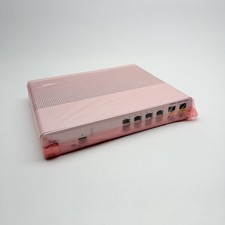
Cisco 8-Port Ethernet Catalyst Switch - WS-C2960C-8TC-L - Brand New
$50.00

CISCO Services Router C891F-K9, Grade B, SKU 16188
$24.94
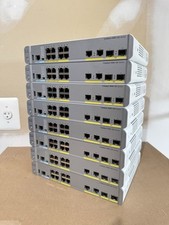
Cisco Catalyst WS-C3560CX-8PC-S Managed Switch 8 PoE+ Port | Quantity Available
$97.49

Cisco Nexus N9K-C92160YC-X 48P 25GbE SFP28 6P QSFP+/QSFP28 PE Switch
$439.00

Genuine Cisco SFP-10G-SR 0-2415-03 10 Gigabit Transceiver
$5.40
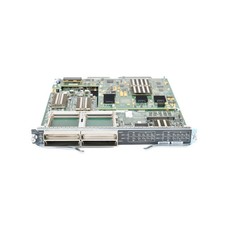
Cisco WS-X6904-40G-2T 4-Port 40 Gigabit Ethernet Fiber Module
$299.00

Cisco Catalyst WS-C2960+24TC-S 24-Port Gigabit Managed SFP Switch
$39.99
