

 Reply With Quote
Uhhh... isn't /etc/modules.conf the file that it says right at the top to not edit directly? You want to make changes in /etc/modutils and then run update-modules to regenerate modules.conf.
See the bottom of
http://www.tux.org/~tbr/sound-debian/


Hi , I am trying to edit my modules.conf file to get alsa working but every time I save and close the file it goes back to its original state. is there some way to make the changes stick, like maybe commenting something out? thanks.
Uhhh... isn't /etc/modules.conf the file that it says right at the top to not edit directly? You want to make changes in /etc/modutils and then run update-modules to regenerate modules.conf.
See the bottom of
http://www.tux.org/~tbr/sound-debian/
The usual place to make such change is in the file /etc/modutils/alsa which on my system is a symbolic link to the file /etc/alsa/modutils/0.9 then you run already mentioned update-modules to have the required information entered into the modules.conf for use on the next reboot all this done as root of course.Originally Posted by jojo
 Posting Permissions


Crucial MX500 500GB 2.5" SATA III Internal SSD CT500MX500SSD1
$53.99

SSD 880EVO SATA III 2.5 4TB INTERNAL STATE DRIVE
$214.99

Samsung 860 EVO 250GB SSD MZ-76E250 2.5" SATA III Solid State Drive
$39.99

Micron MTFDDAK256TBN 256 GB, Internal ,2.5" SSD
$23.00

Netac 2TB 1TB 512GB 256GB Internal SSD 2.5inch SATAIII Solid State Drive lot
$549.00

SAMSUNG SSD 512GB 500GB 480GB 256GB 250GB 240GB SSD 2.5 Solide State Drive 6Gbps
$37.99

Fanxiang 1/2/5/10Pcs 2.5'' SATA SSD Lot 1TB 2TB 4TB 512GB 256GB TLC Internal SSD
$129.99

Samsung 256 GB Internal SATA SSD Fully Tested 50%-79% Health
$24.00
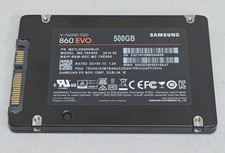
Samsung 860 EVO 500GB 2.5" SATA III SSD MZ-76E500 SSD Excellent Health wiped
$54.99

Netac 120GB 256GB 1TB 2TB Internal SSD 2.5'' SATAIII 6Gb/s Solid State Drive lot
$119.99