-
Junior Member
registered user
Hey man thanks. I will have to look in my BIOS to see if settings for a plug n play OS are set to disabled. The audio module that you see being loaded by the USB port is supposed to be a caamera with a built in microphone. It's a Logitech Quickcam Pro 3000 which has a built in microphone. WIll I be able to use this camera with Knoppix? I tried to use the camera but it doesn't seem to work. Everything is plugged securly. I'm using windows xp home version to post this. Is there an indetph mamnual/ users guide that I can download to learn more about knoppix and lunix? Thanks.
-
Senior Member
registered user

Originally Posted by
broadband412
Hey man thanks. I will have to look in my BIOS to see if settings for a plug n play OS are set to disabled. The audio module that you see being loaded by the USB port is supposed to be a caamera with a built in microphone. It's a Logitech Quickcam Pro 3000 which has a built in microphone. WIll I be able to use this camera with Knoppix? I tried to use the camera but it doesn't seem to work. Everything is plugged securly. I'm using windows xp home version to post this. Is there an indetph mamnual/ users guide that I can download to learn more about knoppix and lunix? Thanks.
It looks like you should be able to use the camera then that's why the pwc and videodev modules are there as well, open the program gtkam and see if it detects the camera. Although you may have to disconnect it if that audio module is interfering with the sound when you boot and try connecting after the boot and see if that helps the sound. For a manual there is always the The Debian Reference (Knoppix is based on Debian) it is really for an HD installed system but you can get to see how things work. One of the better places to go for information is http://www.google.com/linux and search on anything you want to know about or errors you get and always add the word debian on the end of the search to narrow things down a bit. A couple of links.
http://linux-newbie.sunsite.dk/
http://wireless.ictp.trieste.it/scho...oreLinux/rute/
http://www.dsl.org/cookbook/
-
Senior Member
registered user
festival (general multi-lingual speech synthesis system) is a pretty good text to voice tool which you may find useful (if you can get your sound to work). You can get it by doing (as root):
apt-get install festival
-
Junior Member
registered user
Thanks everyone
Hey everyone thanks for helping me out. I now have sound in Knoppix. I'm new to Linux and am just exploring it since I have nothing else better to do and wanted to see what else is out there beside Microsoft and Mac. Does Knoppix have a firewall or would I need to install one? I have the CD version of Knoppix. Would I still be able to install a firewall if Knoppix doesn't have one? Thanks. BTW It seems that my USB camera and built in microphne was causing the problem. After starting and running Knoppix without it pluged in, I was able to hear sound. I couldn't find the setting for plug and play OS though. It's all well since it seems that my camera is the problem. Thanks all.
-
Senior Member
registered user
Re: Thanks everyone
Originally Posted by
broadband412
Hey everyone thanks for helping me out. I now have sound in Knoppix. I'm new to Linux and am just exploring it since I have nothing else better to do and wanted to see what else is out there beside Microsoft and Mac. Does Knoppix have a firewall or would I need to install one? I have the CD version of Knoppix. Would I still be able to install a firewall if Knoppix doesn't have one? Thanks. BTW It seems that my USB camera and built in microphne was causing the problem. After starting and running Knoppix without it pluged in, I was able to hear sound. I couldn't find the setting for plug and play OS though. It's all well since it seems that my camera is the problem. Thanks all.
You do not really need a firewall when running from the CD all the ports on your computer should be closed you can check by going to Gibson Research and look for the Shield's Up option then scroll about half way down the page to get the actual link then choose probe my ports to scan you may want to check out the free tools to secure Windows while your there as well. Good to hear you got it going BTW.
-
Senior Member
registered user
Broadband412,
I have been watching the progress of your issue, Good going on getting your sound working 
I (also) have one of those QuickCam's, not sure the model, but it also is a Logitech, never have plugged it in under Knoppix/Debian. I've been busy with getting other things working with this OS, after I installed it on the hard disk.
As Stephen said, you are pretty much secure if you are running off the CD - since everything is running in a ram disk, when you shutdown, everything goes bye-bye - a firewall, or for that matter, a virus program, is not needed.
If/When, you do a hard drive install of Knoppix/Debian, you can do a topic search for "firewall" and find many... I think I tried "Firestarter", I think that was the name, but it got a little confusing to keep it running - I now have "GuardDog" - you just "set it, and forget it" - wonderfull. It has been running for more than a few months, and if I didn't see it starting up during a boot, I'd never know it was even running. As for virus protection, I know that Linux has them, but they are not as prevalent as the M$ Windows, viri that is. Most viri are created to attack Microsoft OS's, and to exploit the vulnerabilities of those OS's. Not to mention, if you consider that 98% of the "general public" have a M$ OS, which OS do you think you should be creating a virus for?
If/When, you install Knoppix/Debian, I am quite sure that a Google search on "virus programs debian" will come up with some results - not to mention, you could post here, and ask if anyone has a preferance.
Hope this helps,
Cuddles
-
Senior Member
registered user
I couldn't find the setting for plug and play OS though.
Reboot the computer, hit "del" key immediately and you should get into the bios. Usually, you'll find "plug and play OS" somewhere under PCI devices (but all of this depends on the particular bios you have).
-
Junior Member
registered user
Thanks
Hey all thanks again. I heard that Knoppix 3.4 was released. Is the CD version available for download?
Similar Threads
-
By babelbrennt in forum General Support
Replies: 4
Last Post: 09-05-2005, 01:00 AM
 Posting Permissions
- You may not post new threads
- You may not post replies
- You may not post attachments
- You may not edit your posts
-
Forum Rules


Netac DDR4 32GB 16GB DDR4 3200MHz UDIMM C16 Desktop Internal Memory RAM Kit
$99.99

A-Tech 8GB DDR3 1600 PC3-12800 Laptop SODIMM 204-Pin Memory RAM PC3L DDR3L 1x 8G
$21.68
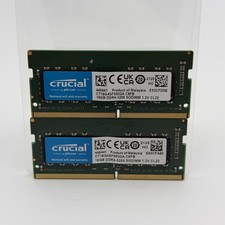
Crucial 32GB (2x16GB) DDR4-3200 SO-DIMM 260-Pin CL22 CT16G4SFS832A.C8FB
$124.99

Major Brand 16GB (2x8GB) PC3-12800U DDR3-1600MHz DDR3-12800 DESKTOP RAM NON-ECC
$29.99

DDR4 Laptop RAM 4GB 8GB 16GB 32GB 2400 2666 3200 Samsung Hynix
$66.00

Samsung 16GB LPCAMM2 PC5 7500 DDR5 LPDDR5X CAMM2 M561K1LC4DM0-CCTGM RAM Memory
$189.00
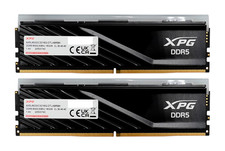
ADATA XPG Lancer Blade RGB 32GB (2x16GB) DDR5-6000 CL30 Desktop RAM Black
$429.94

RAMAXEL Lenovo 32GB LPDDR5X CAMM2 7500MHz Laptop RAM | UNTESTED
$445.00

NEW IN BOX - Corsair Vengeance RGB 32gb (2x16gb) DDR6200 CL36 CMH32GX5M2B6200C3
$550.00

Micron 32GB 1x32GB DDR5 5600 CL46 ECC Unbuffered SO-DIMM MTC20C2085S1TC56BD1
$399.00



 Reply With Quote