-
Senior Member
registered user
WSC-fsl,
Here is what I would do...
Run your BootitNG, display your partitions, determine which drive letter it is assigning to your newly created 448meg FAT32 partition.
Exit out of BootitNG, and boot your Win98 operating system...
Start a MS-DOS window, or you could boot to a COMMAND PROMPT ONLY (not Safe Mode, just the normal Command Prompt Only option)... At the DOS prompt, type:
format [drive]:
(replace [drive] with the drive letter you got from when you were in BootitNG - probably either D: or maybe E: or something) -=- NOTE the [:] "colon" after the drive letter - Windows isn't case sensitive, so you can type the command and drive letter in upper or lower case, it doesn't matter to Windows, not like Linux, Unix, etc...
Format [should] yell at you about: You are going to erase everything on "non-removable" disk media, and (being sure that you have the correct drive letter), press Y, not sure if it will want you to press [enter] as well, or not?
Once format starts its magic, ensure that the MEG that it is formatting is something around 448 [plus or minus] - this will guarentee that you "still" have the right drive.
When format completes, and you are back at the DOS prompt, you might want to run scandisk on the drive letter - to ensure the health of the drive...
One last point - When Knoppix creates its "Swap" - it will be a file, viewable, and removable, from within Win98 - you could just let Knoppix create the Swap on your Win98 disk, and when you are done using Knoppix - boot into your Win98, and remove the file. (I did this when I was running Win98 and Knoppix from the CD)
Hope this helps,
Cuddles
Similar Threads
-
By lupe in forum Hdd Install / Debian / Apt
Replies: 2
Last Post: 07-09-2005, 12:33 PM
-
By marshalx in forum Hdd Install / Debian / Apt
Replies: 5
Last Post: 12-09-2004, 09:38 AM
-
By Quite in forum General Support
Replies: 5
Last Post: 09-23-2004, 01:36 AM
-
By Quite in forum General Support
Replies: 12
Last Post: 08-22-2004, 10:40 PM
-
By rrfish72 in forum General Support
Replies: 12
Last Post: 08-05-2004, 07:09 AM
 Posting Permissions
- You may not post new threads
- You may not post replies
- You may not post attachments
- You may not edit your posts
-
Forum Rules


Yealink T48S VoIP/SIP Phone, 2 x Gigabit Ports PoE 7" Color SIP-T48S | TESTED
$34.95

SIM Bank 32 SIM Card Slots Ethernet SIM Server for GoIP
$400.00

Poly CCX 400 Desktop Business Media Phone VoIP 2200-49700-019
$49.99

Grandstream WP810 Portable Cordless Wi-Fi IP Phone
$49.28

Yealink SIP-T33G IP Phone 4-LineSpeakerphone VoIP Desk Phone Black w/ Power Sply
$25.00

Grandstream HT701 1-Port FXS Analog Telephone Adapter ATA VoIP Gateway -Free S/H
$19.99

5 Allworx Verge 9312 VoIP IP Phone 12-Line Speakerphone Black RJ-45 MPN 8113120
$999.00
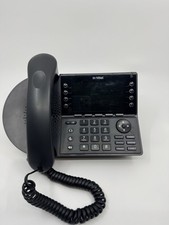
Mitel IP 485G VoIP 8-Line Color Display Business Desk Phone - IP485G
$32.99
Cisco IP Phone CP-8821 No Battery C2-F3
$185.00

Grandstream VoIP Phone Adapter ATA 1-Line Black Ethernet (RJ-45) Micro USB
$27.07



 Reply With Quote