

 Reply With Quote
This may help with compiling a kernel for you system.
Use lspci to identify your hardware.
For the fbconsole problems use vga=773
http://www.desktop-linux.net/debkernel.htm
Walt


OK, I was curious about trying out a 2.6 kernel...
I apt-get'd the kernel-source and kernel-image-2.6-k7
(figuring I could miss out on the config and compile)
I said no to all the mods to lilo and edited it by hand.
The kernel-image includes an initrd image which it puts in /boot although its not compressed to a .gz.
I set this in lilo as the initrd... etc. ran lilo and no errors
Is this just to simplistic, do I need to compile my own kernel or should this work ??? does the initrd image need to be gz'd with makeinitrd OR can I just use the uncompressed one.
Ive yet to try it since I was locked into a bittorrent for the Knoppix34 all last night.
This may help with compiling a kernel for you system.
Use lspci to identify your hardware.
For the fbconsole problems use vga=773
http://www.desktop-linux.net/debkernel.htm
Walt
I tried upgrade to the 2.6.3 kernel, but failed. I followed the the steps shadowhand posted, including selecting vga16 and vesa. However, when I tried booting, I was left with a blank screen after the bios check and the message about uncompressing the kernel.
I downloaded kernel-image-2.6.2-1-686.deb from debian unstable and used its config file as a starting point. I unpacked the 2.6.3 source in /usr/src and created a symlink to linux. I did the following steps:
I selected defaults for every question, then:Code:dpkg -x kernel-image-2.6.2-1-686.deb /tmp cp /tmp/boot/config-2.6.2-1-686 /usr/src/linux/.config make oldconfig
I selected ext3 to be compiled into the kernel so I wouldn't need initrd. I selected my processor (pentium III). I selected vesa and vga16 as suggested here. I disabled isdn subsystem because it gave me compile errors for some drivers. Then I did:Code:make menuconfig
Any idea what could be missing?Code:make-kpkg clean make-kpkg kernel_image cd .. dpkg -i kernel-image-2.6.3*.deb
You do not want the vga16 only the vesa if you want to take a look at my config for 2.6.2 you can see it here it may give you a few more ideas of what you need. Oh and the commands should be fakeroot make-kpkg clean and the same for building the kernel image you should not build kernels as root only with the fakeroot package as normal user. BTW setting vga=normal in the /etc/lilo.conf should still allow you to see the messages when you boot or if you at the lilo boot screen type Linux vga=normal and enter you should have the same effect or does the system not boot the 2.6 at all.
http://newbiedoc.sourceforge.net/system/kernel-pkg.html
Thanks,
I saved your config file. I'll have to try recompiling later. It is a pretty long process on my 900 mHz. I did try switching to vga=normal in lilo.conf, but it still wouldn't boot. My 2.4.25 kernel was upgraded and installed the same way and it works fine.
Is there any absolute need to use the source kernel....
Does the initrd image need to be gz'd or not???
If the binary kernel you are booting doesn't have the modules you want, yes.Originally Posted by gowator
gzip the initrd image is always a good idea as it saves a lot of space especially for booting media which may subject to the 1.44M or 2.88M limit.
Hi:
but I think, i downloaded the kernel image, so it is compilled, not the source code, so if this kernel is compilled and installed,
how can i make it run?
I don't have to do this makes, haven't I? only configure something to run it?
- download the latest FULL source from www.kernel.org (I don't mess with the debs personally, I want the latest that kernel.org has to offer). save the source .tar.bz2 (or tar.gz) to /usr/src.
- decompress and untar the image in /usr/src. For example if you downloaded linux-2.6.3.tar.bz2 when uncompressed you should have a folder for /usr/src/linux/linux-2.6.3
- there's a few packages we'll need to install before compiling the kernelt:
(and if building a 2.6.x kernel for the first time you'll want to add module-init-tools to this list as well)Code:apt-get install kernel-package libncurses5-dev- in /usr/src/linux-2.6.3/ run the following commands
mrproper will insure a clean build and import some settings from your current working kernel. make menuconfig is an ncurses menu where you can go through and unselect/select support for various hardware and such relating to your computer. Once inside menuconfig the commands for adding/removing support are as follows: Y=yes (built-in support) N=no (no support) M=compiles support as a module. When you exit menuconfig say "yes" to saving the changes.Code:make mrproper make menuconfig
{*] now that you've trimmed the fat from the kernel we're ready to build it as a package. in /usr/src/linux-2.6.3 run the following commands (as root):
Code:su Password: make-kpkg clean make-kpkg kernel_image- go make lunch, have a cup of coffee, pop in a movie, whatever, the compiling of the kernel into an installable .deb ipackage will take a while. Assuming the .deb was created with no fatal errors you'll now have a kernel package in /usr/src . now we need to install it, in /usr/src/ run the follwing command (still as root)
Code:dpkg -i kernel-image-2.6.3_10.00.Custom_i386.deb- for some reason /etc/lilo.conf is never updated correctly to add an entry for the new kernel, so we must edit it manually (still as root). Add the following entry to the very bottom of /etc/lilo.conf:
basically you want to clone the existing entry in lilo.conf for your working kernel, and replace the image= line with the vmlinuz image created in /boot when you installed the kernel_image.deb. your initrd image you want to keep the same as your working kernel (or comment it out if you disabled intial ramdisk support in the kernel you compiled). label= iyou can set to say whatever you want to indicate on the lilo boot menu what kernel you'll be booting into (you will want to make sure the prompt line in /etc/lilo conf is not commented out)Code:image=/boot/vmlinuz-2.6.3 label=2.6.3 initrd=/boot/linux-2.6.1.gz read-only # restricted- all we need to do now is update lilo.
Code:/sbin/lilo -v- reboot your computer, and in your lilo menu you should now have an entry at the bottom for this new kernel, select it, and if all went well you'll be up and running with your new custom kernel, nto bogged down by all the modules loaded by defualt in a typical knoppix install.
- As a footnote if you're compiling ALSA into your kernel for the first time you'll also want to install the following packages:
upon installation fo these you'll be asked which soundcard(s) you want to install sound support for.. gnome-alsamixer is a nice gui tool for the inital umuting you need to do once ALSA is installed.Code:apt-get install alsa-base alsa-utils gnome-alsamixer
The directory would be /usr/src/linux-2.6.3 after the extraction (tar -xjvf linux-2.6.3.tar.bz) and once done while still in the /usr/src directory.
Code:ln -s /usr/src/linux-2.6.3 linuxAdd to the list the package fakeroot.(and if building a 2.6.x kernel for the first time you'll want to add module-init-tools to this list as well)Code:apt-get install kernel-package libncurses5-dev
The mrproper is not necessary and you should.[*] in /usr/src/linux-2.6.3/ run the following commands
mrproper will insure a clean build and import some settings from your current working kernel. make menuconfig is an ncurses menu where you can go through and unselect/select support for various hardware and such relating to your computer. Once inside menuconfig the commands for adding/removing support are as follows: Y=yes (built-in support) N=no (no support) M=compiles support as a module. When you exit menuconfig say "yes" to saving the changes.Code:make mrproper make menuconfig
Code:cd /usr/src/linux make menuconfigNever compile a kernel as root that is why the fakeroot package exists and should always be used for that purpose the commands would be in the /usr/src/linux directory.{*] now that you've trimmed the fat from the kernel we're ready to build it as a package. in /usr/src/linux-2.6.3 run the following commands (as root):
Code:su Password: make-kpkg clean make-kpkg kernel_image
Code:fakeroot make-kpkg clean fakeroot make-kpkg kernel_image cd .. su Password: dpkg -i kernel-image-2.6.3_10.00.Custom_i386.deb
Never happened to me before but I had a strange one last week on my firewall box where depmod would not run on the new kernel and caused an error during the installation I had to run it after booting into the new kernel.[*] for some reason /etc/lilo.conf is never updated correctly to add an entry for the new kernel, so we must edit it manually (still as root). Add the following entry to the very bottom of /etc/lilo.conf:
Also do not forget to remove the knx-alsa package to get it out of the way and prevent problems in the future.[*]As a footnote if you're compiling ALSA into your kernel for the first time you'll also want to install the following packages:
upon installation fo these you'll be asked which soundcard(s) you want to install sound support for.. gnome-alsamixer is a nice gui tool for the inital umuting you need to do once ALSA is installed.[/list]Code:apt-get install alsa-base alsa-utils gnome-alsamixer
 Posting Permissions


ProComm Plus for Windows Datastorm 1994 Complete Box 3.5" Disks Manuals Vintage
$39.49
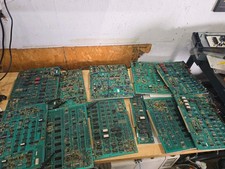
Vintage Ampex Chip Boards Memory Processor Other
$299.99
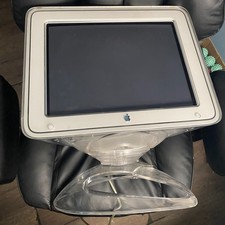
Apple Studio Display Monitor CRT 17" Clear Vintage Untested READ BROKEN STAND
$300.00

Vintage Teac FD-505 5.25" 3.5" Combo Drive 19307571-00
$199.99
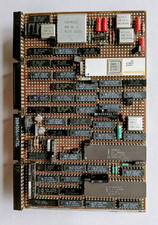
IBM 6580 Possible Displaywriter Card 2684506A1147XL Quality Vintage 81 Date Code
$74.00
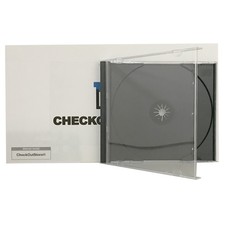
Original Vintage Old Style STANDARD Black CD Jewel Case (Heavy Duty) 90g Lot
$316.95
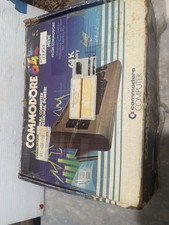
Vintage Commodore C64 In Box With Manual And Cables Working
$200.00

RARE NEW RETAIL BOX VINTAGE AST BTC 5140M WINDOWS PS2 KEYBOARD FCC E5XK8M104M10U
$31.95

Vintage HP-85A Series 80 Computer Hewlett Packard Working Powers On + Case RAM
$275.00

Clean Dell E6420/30 Vintage Windows XP 32 Bit Laptop i5 2ghz 4gb 80gb DVDRW
$119.00