
I was wondering how to configure the nv driver (not nvidia driver!) to work with my tv-out on my card.
The nvidia driver starts tearing while playing a movie.


I was wondering how to configure the nv driver (not nvidia driver!) to work with my tv-out on my card.
The nvidia driver starts tearing while playing a movie.
I do not believe it supports the tv-out function at least I see no mention of it in the man page. Looking at the readme here there seems to be more than a few options that can be set in the config file so can you post the contents of the /etc/X11/XF86Config-4 so we can see it, what country of the world are you located in and what is the type cable that you are using to connect to the tv and any other details that you can think of that may be relevant and what version of the driver are you using. Have you heard of the nvidia-settings file that allows you to tweak the settings of the driver I have posted my copy here so you may want to check that out as well. To use it download to some directory on your computer and then in a console window chmod +x nvidia-settings then ./nvidia-settings both these steps as normal user in the directory that contains the file.Originally Posted by sebke
on the site I found this
VBLANK SYNCING
Setting the environment variable __GL_SYNC_TO_VBLANK to a non-zero value
will force glXSwapBuffers to sync to your monitor's vertical refresh rate
(perform a swap only during the vertical blanking period) on GeForce or
newer hardware (ie: everything but TNT/TNT2 products).
When using __GL_SYNC_TO_VBLANK with TwinView, OpenGL can only sync to one
of the display devices; this may cause tearing corruption on the display
device to which OpenGL is not syncing. You can use the environment
variable __GL_SYNC_DISPLAY_DEVICE to specify to which display device
OpenGL should sync. You should set this environment variable to the
name of a display device; for example "CRT-1". Please look for the line
"Connected display device(s):" in your XFree86.0.log file for a list of
the display devices present and their names.
this is probably whats wrong. How do I enable these settings?
You would add a line to your /etc/init.d/bootmisc.sh near the bottom of the file to be set on boot like this:
Replace the ? with the proper value from the /var/log/XFree86.0.log for the tv-out. Although now that I am thinking you may want to test it first at a console login (logout from KDE and choose console login from the menu option at the greeter screen) login as normal user then use su to become root then open the file /root/.bashrc for editing and add the line above to the file and then source /root/.bashrc to re-read the file and then to make sure the export worked echo $__GL_SYNC_DISPLAY_DEVICE and it should display the value you put in the file if so then /etc/init.d/kdm restart to restart X and get a new KDE greeter screen with the variable being present for use by the driver and check to see if it works. Do not forget to edit as root the /root/.bashrc to remove the line you put there for the test.Code:export __GL_SYNC_DISPLAY_DEVICE=CRT-?
 Posting Permissions


Genuine IBM ThinkPad Trackpoint Tip Cap Pack 91P8421 NEW OLD STOCK -SEALED - OEM
$8.88
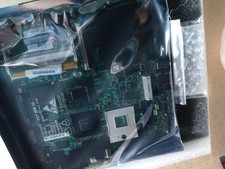
NEW IBM Lenovo T61 14in 4;3 NOT WIDE motherboard T601F FRANKENPAD 44C3924 OEM
$299.95

2025 NEW Genuine OEM BATTERY for IBM 00Y4643 00Y4594 90Y7689 90Y7632 V3700 V3500
$119.00
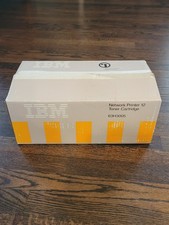
IBM Genuine OEM Network Printer 12 Toner Cartridge 63H3005 Printer Ink - NEW
$119.58
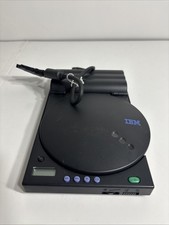
IBM OEM Genuine 1969-010 CD Driver Untested
$44.99
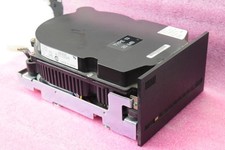
IBM OEM WD25R 20MB MFM 5.25" Full Height Hard Disk Drive - TESTED BAD
$49.99

IBM OEM Genuine 1969-009 CD Driver Untested As PARTS. Read Description.
$32.99
IBM OEM Model DTTA-371440 14.4 GB 12V 500 A
$70.00
IBM 5763-SS1 R02M00 AS/400 Cumulative PTFS Operating System/400 V3 LOT 6 OEM New
$999.99

*NEW* Vintage IBM UltraPort Digital Array Microphone 09N4178 OEM
$54.49

 Reply With Quote