-
Downloading file onto knoppix
Hey all,
I am just new to this knoppix and just want to know the following. Am sure it has been already asked.
I have windows xp on my machine.I got the latest 3.3 version knoppix onto a CD and booted from the CD.Now on the desktop I can see both of my hardisk partitions.
I would like to know since I am loading knoppix from CD, can I download a setup file from internet and put it on the desktop or can I put it on the 2 partitions that I see C and D drive..
For the moment ,I am not planning to install knoppix on to the hardisk just run from the CD.
If I can download , then should I be able to install the setup file
Thanks
-
Senior Member
registered user
Sunray,
First thought, on your questions, is no.
Possible reasons for this response:
Since Knoppix is running off of a read-only media, it can not update files that are booting from that read-only media - this is the reason why Knoppix creates and runs off of a ram disk. When the system is rebooted, the ram disk is evaporated, thus, install files and the such, are refreshed from the CD again.
This can be changed by using a persistant setup, or by installing, but that isn't your feeling at this time, so, it appears these are not options.
One final point on this, I am not sure, I never ran WinXP - but I think, it uses a NTFS partition  If this is the case, Knoppix should only view the drives you have from WinXP, and you shouldn't "touch" or update those files - possible WinXP problems could result -=- for this reason, Knoppix (usually) defaults to READ-ONLY on any hard drives that are found using the Knoppix CD. ( this protects your files that are running in your WinXP system
  )
)
From what I know, Knoppix can, "read and write", on FAT16 and FAT32 - which "used" to be the "standard" up through Win98 - I think - with the NTFS, Knoppix can damage them - evident by the many posts of "Oops, I ran Knoppix, and now my WinXX doesn't boot" - but Knoppix can view them.
Hope this helps,
Cuddles
-
OH thanks cuddles.
Sometime back i downloaded a setup file and it was kept in the desktop.I tried to run it but it was asking root password and login.. Then there was an issue with my windows xp.oh yeah xp is in NTFS.. I had issues previously with windows xp and after using knoppix it corrupted my bootsector. Now that windows is fine and i am just testing knoppix 3.3
Hey i am able to see both my hardisk paritions and i am able to read files.
I would guess installing permanently knoppix would be really helpful cos I like the environment of knoppix. As I had told I have already got 2 partitions on my hardisk..
Is there a direct help link here or somewhere instructing how to install knoppix on hardisk .....
Thanks
-
Senior Member
registered user
Sunray,
I found the following, under "Docs" along the top of the Knoppix.Net Web site, and then went to HDD Install topic documentation:
http://www.knoppix.net/docs/index.php/FaqInstall
One point I can tell you, if the "knx-hdinstall" is like the one I went through, the part where it says "just following the instructions on the screen" - is WAY under-rated - If you have gotten around in FDisk in the windows world a few times, then you will be fine, but if you haven't, then...
When the installer says it will next start CFDisk so you can setup your hard drive partitions - this is the Linux equivalent to FDisk in Windows - you will want to setup AT LEAST - (1) partition of type "Linux" - this is the BIG Main OS/File partition, and (1) partition of type "Linux Swap" - usually around 500meg. I took the "chicken" way out - I was affraid of messing up my Windows drive, so I installed a second hard drive, and set it up solely for Knoppix, the easy way out
With my new system, I only have Knoppix/Linux on it, and it was done the same way as the documentation shows. Once you do it once, or twice, you learn the ropes [giggle]
Hope this helps a little,
Cuddles
Similar Threads
-
By rpeck in forum General Support
Replies: 3
Last Post: 05-07-2005, 03:02 AM
-
By biscuits91 in forum General Support
Replies: 1
Last Post: 05-22-2004, 03:59 AM
-
By kornface13 in forum General Support
Replies: 1
Last Post: 05-06-2004, 03:16 PM
-
By kessragnell in forum General Support
Replies: 5
Last Post: 04-25-2004, 06:59 AM
-
By spydie in forum General Support
Replies: 8
Last Post: 12-23-2003, 06:24 PM
 Posting Permissions
- You may not post new threads
- You may not post replies
- You may not post attachments
- You may not edit your posts
-
Forum Rules


Kingston 32GB 64GB 128GB 256GB USB 3.0 Flash Drive Thumb Memory Stick Pen lot
$285.90

Microsoft Office 2021 Pro Plus USB for 1PC Windows 10 & 11
$62.50
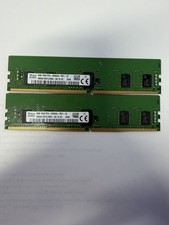
LOT OF 2 SK Hynix 8GB 1Rx8 PC4-3200AA ECC HMA81GR7CJR8N-XN
$89.95
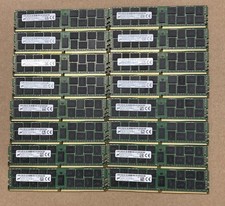
Lot Of 16Micron MTA36ASF2G72PZ-2G1A2IJ 16GB 2Rx4 PC4-2133P-RB0-10 ECC Server Ram
$960.00

USB 3.0 Flash Drive 32GB 64GB 128GB Memory Stick Thumb Stick Lot Pack
$826.09

USB 3.0 Micro SD SDHC TF Card Reader Memory Adapter for PC Laptop Camera lot
$3.75
Micron 64GB 4DRX4 PC4-2400T-LE2-11 MTA72ASS8G72LZ-2G3B2MG DDR4 Server RAM KD313
$249.98

128GB (4x32GB) SK hynix DDR4 PC4-2666V RDIMM ECC Server Ram HMA84GR7CJR4N-VK
$799.00

Lot Of 8 Micron 8GB 2Rx8 PC4-2666V-RE2-11 ECC REG Server Ram MTA18ASF1G72PDZ-2G6
$210.00
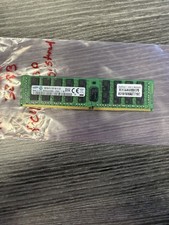
Samsung 32GB DDR4 2133MHz ECC Registered Server RAM M393A4K40BB0-CPB0Q
$144.95



 Reply With Quote