-
geforce 4 mx 440 nv-driver and tv-out how to?
I was wondering how to configure the nv driver (not nvidia driver!) to work with my tv-out on my card.
The nvidia driver starts tearing while playing a movie.
-
Senior Member
registered user
Re: geforce 4 mx 440 nv-driver and tv-out how to?

Originally Posted by
sebke
I was wondering how to configure the nv driver (not nvidia driver!) to work with my tv-out on my card.
The nvidia driver starts tearing while playing a movie.
I do not believe it supports the tv-out function at least I see no mention of it in the man page. Looking at the readme here there seems to be more than a few options that can be set in the config file so can you post the contents of the /etc/X11/XF86Config-4 so we can see it, what country of the world are you located in and what is the type cable that you are using to connect to the tv and any other details that you can think of that may be relevant and what version of the driver are you using. Have you heard of the nvidia-settings file that allows you to tweak the settings of the driver I have posted my copy here so you may want to check that out as well. To use it download to some directory on your computer and then in a console window chmod +x nvidia-settings then ./nvidia-settings both these steps as normal user in the directory that contains the file.
-
on the site I found this
VBLANK SYNCING
Setting the environment variable __GL_SYNC_TO_VBLANK to a non-zero value
will force glXSwapBuffers to sync to your monitor's vertical refresh rate
(perform a swap only during the vertical blanking period) on GeForce or
newer hardware (ie: everything but TNT/TNT2 products).
When using __GL_SYNC_TO_VBLANK with TwinView, OpenGL can only sync to one
of the display devices; this may cause tearing corruption on the display
device to which OpenGL is not syncing. You can use the environment
variable __GL_SYNC_DISPLAY_DEVICE to specify to which display device
OpenGL should sync. You should set this environment variable to the
name of a display device; for example "CRT-1". Please look for the line
"Connected display device(s):" in your XFree86.0.log file for a list of
the display devices present and their names.
this is probably whats wrong. How do I enable these settings?
-
Senior Member
registered user
You would add a line to your /etc/init.d/bootmisc.sh near the bottom of the file to be set on boot like this:
Code:
export __GL_SYNC_DISPLAY_DEVICE=CRT-?
Replace the ? with the proper value from the /var/log/XFree86.0.log for the tv-out. Although now that I am thinking you may want to test it first at a console login (logout from KDE and choose console login from the menu option at the greeter screen) login as normal user then use su to become root then open the file /root/.bashrc for editing and add the line above to the file and then source /root/.bashrc to re-read the file and then to make sure the export worked echo $__GL_SYNC_DISPLAY_DEVICE and it should display the value you put in the file if so then /etc/init.d/kdm restart to restart X and get a new KDE greeter screen with the variable being present for use by the driver and check to see if it works. Do not forget to edit as root the /root/.bashrc to remove the line you put there for the test.
Similar Threads
-
By Melfice in forum Hardware & Booting
Replies: 3
Last Post: 06-04-2004, 03:46 PM
-
By EmDee in forum Hardware & Booting
Replies: 3
Last Post: 01-19-2004, 05:25 PM
-
By raduen in forum Hdd Install / Debian / Apt
Replies: 4
Last Post: 11-13-2003, 08:40 PM
-
By Jim Shoe in forum Hardware & Booting
Replies: 2
Last Post: 10-02-2003, 10:27 PM
-
By prtsoft in forum Hardware & Booting
Replies: 1
Last Post: 03-27-2003, 04:39 PM
 Posting Permissions
- You may not post new threads
- You may not post replies
- You may not post attachments
- You may not edit your posts
-
Forum Rules


Dell PowerEdge FC430 Blade Server 2x Xeon E5-2630v4 20 Cores FX2 FX2s No RAM/HDD
$119.99

Dell PowerEdge FX2s + 8x FC430 Blades 16x E5-2630v4 160 Cores Rails No PSU/RAM
$699.00

Dell PowerEdge M630 Blade Server 2x Xeon E5-2680 v4, 2F3MP , 4GDP5 ,R10KJ ,JVFVR
$96.60

NETAPP HCI NAF-1701 SuperMicro Server 4X BLADE H410C 8X GOLD 5120 - 4X S25G NICs
$1999.97

Dell PowerEdge VRTX Rackmount Chassis w/4x PSUs 2x CMC Modules
$399.98
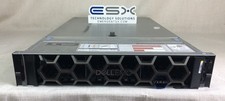
Dell R740XD VxRail P570 24x 2.5” 2U CTO Server– 2x Gold 6240, H740p, 2x 1600W
$699.00

Cisco B200 M3 2x E5-2670V2 10 Core 8x 16GB-128GB Ram Blade Server VIC1240 14900R
$399.00

Dell PowerEdge FX2 FX2s Server 10GbE CMC Blade Enclosure Chassis
$274.99

Dell Poweredge VRTX 25Bay 2.5" 2x PERC 8, 2xCMC, I/O 1GB Pass Through, 4x PS
$578.08

AS IS READ DESCRIP. Supermicro SuperServer 6026TT-HIBQRF 12-Bay 4x X8DTT-HIBQF
$215.00



 Reply With Quote