-
Newbie: VNC in Knoppix 3.3
I'm new to Linux, but very interested. After several false starts, I've finally gotten Knoppix V3.3 running on on my hard drive. Eveything seems to work well, and all hardware is detected. I guess I've been incredibly lucky so far, since I know very little about actually Using a Linux system.
I'd like to use VNC to access this machine remotely as I do with a Windows 2000 machine in the basement which houses my satellite DirecPC receiver.
I searched the Linux partition using KDE's find files application and it turned up several instances of files named Xvnc or similar. Does this mean that VNC is configured on this machine? If so, how do I start it?
If not, can someone give me a step-by-step on installing it (like where to put it and how to set it up and start it)? I did manage to get the realvnc package downloaded to the knoppix home directory, but I don't really know how to proceed from there.
Thanks,
JCH
-
Senior Member
registered user
in a konsole, type
vncviewer ip.address ( where ip address is the ip or hostname of the server you want to connect to )
Knoppix also has windows remote desktop viewer :
run
rdesktop server.ip.address.or.hostname
for both these commands,
run them with --help
e.g. rdesktop --help
to get the full list of options.
-
Thanks
Thank you very much for your helpful reply. Obviously it is in there. And I can get it to work - sort of.
I can run vncviewer in listen mode on the Linux box and connect to it with one of the windows boxes and, after enabling desktop sharing in Knoppix, I can connect to it with vncviewer from one of the windows boxes. I can't, however, connect to either of the windows boxes from the Linux box with vncviewer. The windows machines both log in as administrator with no password and they can deal with other just fine on the (TCP/IP) network. I suspect it's a permission problem, but I can't figure it out.
Thanks again,
JCH
Similar Threads
-
By rrrjunior in forum General Support
Replies: 3
Last Post: 05-01-2005, 02:40 PM
-
By johngrinham in forum General Support
Replies: 4
Last Post: 12-23-2003, 11:45 PM
-
By Drago in forum General Support
Replies: 2
Last Post: 10-21-2003, 10:10 PM
-
By pbearseven in forum General Support
Replies: 22
Last Post: 10-13-2003, 04:25 PM
-
By srinivasan in forum Hdd Install / Debian / Apt
Replies: 1
Last Post: 02-06-2003, 08:47 AM
 Posting Permissions
- You may not post new threads
- You may not post replies
- You may not post attachments
- You may not edit your posts
-
Forum Rules


Gigabyte 4U AI Server 10x Nvidia GPU 2x Xeon Gold 6150 36 Core 2.7GHz DDR4 RAM
$1499.00

Dell EMC PowerEdge R440 Xeon silver 4215 2.5GHz 16 GB ram 2x 550W PSU No HDD
$275.00

867959-B21 HPE ProLiant DL360 G10 CTO Server W/ 2x 865414-B21 1x 840140-001
$245.00

Dell PowerEdge FX2s + 8x FC430 Blades 16x E5-2630v4 160 Cores Rails No PSU/RAM
$699.00

Dell PowerEdge C4130 1U AI GPU Server | 2x E5-2690 v3 | 64gb Ram | 2x 1600W
$524.99

Dell PowerEdge C4130 1U AI GPU Server | 2x E5-2680 v3 | 32gb Ram | 2x 1600W
$409.99

Dell PowerEdge C4130 1U AI GPU Server | 2x E6-2699 v3 | 128gb RAM | 2x 1600W
$899.99

Dell Poweredge R730xd 12LFF 2*2660v4 4*1Gbe h730 2x 750W Server CTO
$308.00
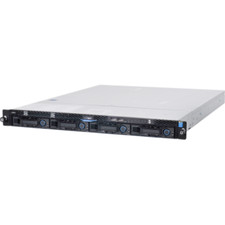
1U Server Intel Xeon E3-1240 V5 3.5Ghz 4C 32GB RAM 2x M.2 2280 OCP RJ45 Rails
$310.00

Dell Poweredge R630 2x Xeon E5-2680 v3 2.5ghz 24-Core | HBA330 | No RAM or HDD
$149.99



 Reply With Quote