-
You need to unmount the ntfs partitions and remount them as captive-ntfs
- open a console
- run: umount /mnt/yourpartition
- run: mount -t captive-ntfs /dev/yourpartition /mnt/yourpartition
It should work now.
Also, automatic mounting can be achieved my changing the /etc/fstab file so the fstype is always captive-ntfs, not ntfs.
Similar Threads
-
Replies: 47
Last Post: 11-26-2004, 11:23 PM
-
By Granny in forum Hdd Install / Debian / Apt
Replies: 0
Last Post: 09-16-2004, 08:22 PM
-
Replies: 6
Last Post: 06-14-2004, 08:32 PM
-
By emanuelez in forum General Support
Replies: 0
Last Post: 04-02-2004, 01:06 PM
-
By SwissSmurf in forum General Support
Replies: 6
Last Post: 03-31-2004, 07:44 PM
 Posting Permissions
- You may not post new threads
- You may not post replies
- You may not post attachments
- You may not edit your posts
-
Forum Rules

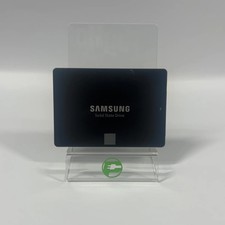
Samsung 2.5" 850 EVO 250GB SATA III 6Gbps SSD MZ-75E250
$24.99

ON SALE TURBOLINK EVO 4TB V-HAND SSD 2.5 SATA III Internal Solid State Drive
$199.99

Western Digital Blue 3D NAND 250GB 2.5" SATA III Internal SSD - WDS250G2B0A
$29.99

Toshiba THNSN81Q92CSE 1920GB SATA 2.5 Solid State Drive
$199.00

Samsung 256 GB Internal SATA SSD Fully Tested 80-99% Health
$28.00

256GB mSATA SSD DRIVE MIXED BRAND TESTED WORKING
$23.50

Crucial MX500 CT250MX500SSD1 250 GB SATA III 2.5 in Solid State Drive
$24.99

Fikwot 512GB SATA SSD 2.5'' SSD SATA III 6Gb/s Internal Solid State Drive 560MBs
$66.00

Netac 120GB 256GB 1TB 2TB Internal SSD 2.5'' SATAIII 6Gb/s Solid State Drive lot
$119.99

Samsung 860 EVO 2TB 2.5" SATA III 3D NAND SSD MZ-76E2T0 95%-100% Health
$207.00



 Reply With Quote