-
YES!, 50% of the iso done. I just got abut 5 more hours on eDonkey , and i'm finished. Keep your schedule open today, LordHarshmage, i can get it to you (most likely) today
-
Junior Member
registered user
spiritwing
Posted: Thu Feb 12, 2004 9:36 pm
--------------------------------------------------------------------------------
Just stick with the torrent. Leachers at the bottom of the list get lower download speeds, as you move up the list it gets faster. When I started the torrent client was saying it was going to take 78 hours to finish. I left it up overnight and it was finished the next morning. And PLEASE be courtious and leave your client up to seed others (At least untill you have given it to 2 others) i.e. pay it back. I am still seeding at:
http://www.boegenielsen.dk:6969/
Cheers,
Silas Bennett
Razor-X
Posted: Thu Feb 12, 2004 10:29 pm
--------------------------------------------------------------------------------
YES!, 50% of the iso done. I just got abut 5 more hours on eDonkey , and i'm finished. Keep your schedule open today, LordHarshmage, i can get it to you (most likely) today
Well, I have someone uploading to my website right now (Much thanks goes to that person!).
And anyone else that is having problems with the torrent, when the upload is complete, email me, and I'll send you the link to the file. I have, of course, limited bandwidth with my host provider.
-Harshmage-
-
You got mail LHM 
-
I FINALLY got c't edition. Yay, it's so coooool.But in Kernel 2.6, I can't get my e-net card to work. Is there a way how?
-
this part i get, these are cut and dry prerequisites you need to perform before (and to) install knoppix with the 2.6 kernel to your HD.
At first I could not figure out how you get it to boot 2.6 from a HD install though I just kept getting a kernel panic no init found no matter what init= I passed so I had to boot with the CD and edit lilo to show a prompt to boot the old .kernel. Then I changed to the /boot directory and ran
mkinitrd -o linux-2.6.1.gz to make a new initrd then changed the initrd= line in the /etc/lilo.conf [to
initrd=/boot/linux-2.6.1.gz and ran /sbin/lilo -v to write lilo and rebooted and Voila! kernel 2.6 on a HD install.
This is where things get a bit hazy for me. I'll be installing Knopping to partition /mnt/hda3 on my machine....
so assuming my installing goes typically the files will be in /dev/hda3 but i won't be able to boot into it. then I must...
boot from the CD ... when you say " edit lilo to show a prompt to boot the old .kernel" are you talking about editing lilo.conf on /mnt/hda3? this is where I get confused. Can you explain this n more detail?
I'm assuming as well you went to the boot directory in the /mnt/hda3 (as opposed to the boot directory from the live cd) to run the command to make the image.
Edit: And I had to add:
Code:
## Needed for kernel 2.6
none            /sys            sysfs   defaults                0       0
To the /etc/fstab as well to get the /sys mount needed for kernel 2.6 the directory /sys already existed so I did no have to create it.
editing lilo.conf and /etc/fstab are cake after that, it's the intermediate steps I'm a bit unclear on. any help would be appreciated.
-

Originally Posted by
Hayabusa
This is where things get a bit hazy for me. I'll be installing Knopping to partition /mnt/hda3 on my machine....
so assuming my installing goes typically the files will be in /dev/hda3 but i won't be able to boot into it. then I must...
boot from the CD ... when you say " edit lilo to show a prompt to boot the old .kernel" are you talking about editing lilo.conf on /mnt/hda3? this is where I get confused. Can you explain this n more detail?
I'm assuming as well you went to the boot directory in the /mnt/hda3 (as opposed to the boot directory from the live cd) to run the command to make the image.
editing lilo.conf and /etc/fstab are cake after that, it's the intermediate steps I'm a bit unclear on. any help would be appreciated.
In other words, do the install...then boot up under the cd and sudo kwrite /mnt/hda3/etc/lilo.conf and add a new boot option in lilo (you can label it Linux24 or something) and set it so that image=/boot/vmlinuz-2.4.23-xfs and initrd=/boot/initrd.gz. Of course you'll have to run /mnt/hda3/sbin/lilo -v to save the changes. Then reboot and choose the Linux24 and follow the rest of Stephen's directions for making the new initrd and all. It worked well for me.
-
Senior Member
registered user
Just after finishing the install with the running 2.6 kernel in a console window.
Code:
sudo mount /dev/hda3 /mnt/hda3
sudo kwrite /mnt/hda3/etc/lilo.conf
Then change the file to look like this.
Code:
# message=/boot/bootmess.txt
        prompt
#       single-key
#       delay=100
        timeout=100
Next.
Code:
sudo chroot /mnt/hda3/ /sbin/lilo -v
Then reboot and at the lilo screen choose the LinuxOLD option once booted make the new initrd.
Code:
cd /boot
su
Password:
mkinitrd -o linux-2.6.1.gz
Edit lilo again to make the change for it and run /sbin/lilo -v to write to disk and you can now reboot to the new 2.6.1 what the section should look like after editing.
Code:
 image=/boot/vmlinuz-2.6.1
        label=Linux
#       initrd=/boot/initrd.gz
        initrd=/boot/linux-2.6.1.gz
        read-only
#       restricted
#       alias=1
-
IS there any way to use Tulip.o in Knoppix Kernel 2.6? My ethernet card depends on Tulip.o to function. Can I just insmod the Tulip.o from my kernel 2.4 folder?
-
[quote="Stephen"]
Code:
# message=/boot/bootmess.txt
        prompt
#       single-key
#       delay=100
        timeout=100
Stephen, would you mind schooling me a little here? Is this all that I had to do? I went through and actually created a new entry in lilo for the old kernel. It worked, but it was more work than this. I'm just curious how this works is all. 
-
Junior Member
registered user
Sorry. I get terminally confused with this. I managed to test both kernels on the live cd and they're fine. I got the knoppix-installer.tgz file and can't get past that step in order to install with the 2.6 kernel. It'd be nice to do a step by step FAQ for those of us who are not as technically inclined.
Cheers!
Similar Threads
-
Replies: 47
Last Post: 11-26-2004, 11:23 PM
-
By Granny in forum Hdd Install / Debian / Apt
Replies: 0
Last Post: 09-16-2004, 08:22 PM
-
Replies: 6
Last Post: 06-14-2004, 08:32 PM
-
By emanuelez in forum General Support
Replies: 0
Last Post: 04-02-2004, 01:06 PM
-
By SwissSmurf in forum General Support
Replies: 6
Last Post: 03-31-2004, 07:44 PM
 Posting Permissions
- You may not post new threads
- You may not post replies
- You may not post attachments
- You may not edit your posts
-
Forum Rules


Seagate ST1000VM002 1TB 5900RPM 3.5" SATA 6GB/s HDD Video Hard Drive PC DVR
$24.99

Samsung T9 1TB External Portable SSD MU-PG1T0B -2000MB/s - Black
$179.00

Dell Latitude 14" Laptop Computer Intel i7 Up To 32GB RAM 1TB SSD Windows 11 Pro
$429.73

Samsung T7 Shield 1TB Portable External SSD USB 3.2 Black MU-PE1T0S NEW SEALED
$219.99
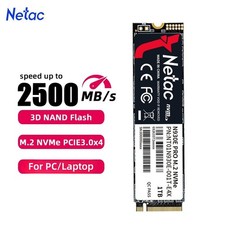
Netac 1TB M.2 2280 Internal SSD PCIe Gen3.0x4 NVMe Solid State Drive PC Laptop
$129.99

Acer Aspire 14" AI Copilot+PC Laptop Core Ultra 5 226V Gen 4 ARC 16GB 1TB Refurb
$438.51

Netac 2TB 1TB 500GB Internal SSD M.2 NVMe PCIe3.0 Solid State Drive lot
$129.99

Acer Aspire 16 16" Laptop Core Ultra 5 226V S2 16GB RAM 1TB SSD Arc Refurbished
$533.51
Lenovo Thinkpad E15 15.6" Laptop i5/i3 8GB RAM Up to 1TB SSD HDD Tested Working
$136.55

Western Digital 1TB 3.5" SATA III 7200RPM Desktop Hard Drive
$29.99



 Reply With Quote