

 Reply With Quote
Real easy to do if it was just a single letter to configure say c you would use -c if it is the whole word --configure.Originally Posted by gowator


I can never remember if its -- or just - !!!!
Real easy to do if it was just a single letter to configure say c you would use -c if it is the whole word --configure.
Finally I worked it out with your help !
I couldn't understand why a basic Inspiron 1100 DELL laptop couldn't use Knoppix.
I'm not a linux master, but I add my install and setting process :
Knoppix boots but in 640x480. The screen doesn't extrapolate pixels so the screen shrink
Like many others, I turned to 1024x768 in config and reboot, just to test !
No more KDM (GUI) at startup
"kdm" (to launch GUI) tries to launch and get back to terminal
"startx" the same
I've tried :
"X -configure" (beware X --configure does something else)
it creates a xf86config.new in the root folder and tells you that you can test the server with :
XFree86 -xconfig /root/XF86Config.new
I tested and get a full screen X screen (just the gray matrix startup screen with the X mouse icon). I was surprised it was a full screen.
Now, to finish :
with "mc" (midnight commander : very very usefull) I deleted XF86Config-4, XF86Config-4.in, XF86Config, XF86Config-4.backup, XF86Config-4.new in /etc/X11 (I tried to keep some but it didn't worked), copied XF86Config.new from /root to /etc/X11 and renamed it to XF86Config-4 and launched "kdm"
And it works !! Full screen !! 1024x768.
But in 256 colors for the moment (but I don't care, I need space and speed not fancy colors)
Yahoooooooo (2)
Further tests appreciated from others now !!! (more colors ?)
It figures another exception to the rule and that is what it is supposed to do that tells you X is working and you have a good base file to start from.
The colours you get are dependant on the DefaultDepth setting in the XF86Config-4 file that you have the resolutions set in that section and the amount of ram for video that is available for use an example of the section.
And it works !! Full screen !! 1024x768.
But in 256 colors for the moment (but I don't care, I need space and speed not fancy colors)
Yahoooooooo (2)
Further tests appreciated from others now !!! (more colors ?)
As you can see in this section from my file I only care to have a DefaultDepth 24 bit true colour at resolutions in the Modes line in SubSection for the Depth 24. All you really would have to do in my example if you wanted 16 bit colour is change the Depth to 16 and DefaultDepth to the same and restart the X server to get that at all resolution I have set you need to do similar with your section. To restart the X server at the command line as root /etc/init.d/kdm restart from the KDE greeter screen (login) choose Restart X server from the Menu option or ATL and X keys at the same time IIRC.Code:Section "Screen" Identifier "Screen0" Device "Card0" Monitor "Monitor0" DefaultDepth 24 # SubSection "Display" # Depth 1 # EndSubSection # SubSection "Display" # Depth 4 # EndSubSection # SubSection "Display" # Depth 8 # EndSubSection # SubSection "Display" # Depth 15 # EndSubSection # SubSection "Display" # Depth 16 # EndSubSection SubSection "Display" Depth 24 Modes "1024x768" "800x600" "640x480" EndSubSection
I'm a moron, but have you tried typing startx after you log in? I have GUI autolaunch turned off.
As written in my mail startx and kdm tested. Does the same (screen blinking), then when fixed, just tried kdm
I tried DefaultDepth 16 but it doesn't work for me, it turns to 640x480.
May be video memory is not fully recognized (and skrink back to use minimum memory), but I have 1024x768 24 bits on XP.
Can we see the file you are using and you may want to check in the /var/log/XFree86.0.log and check for any (WW) & (EE) lines when you try to start with the 16 bit to see what the X server is doing you may want to post these lines as well.
 Posting Permissions


Intel Core i5-12500T SRL5W 2GHz 18MB 6 Core Socket LGA1700 Desktop CPU Processor
$114.99

INTEL CORE I9-10940X X-SERIES PROCESSOR | 3.30GHZ | SRGSH
$179.99

Intel Core i7-4770 3.40GHz Quad Core SR149 LGA 1150 CPU Processor tested
$35.00

LAST BATCH *Brand New-Sealed* AMD Ryzen 9 9950X3D2 Dual Ed. 4.3GHz 16Core AM5
$768.00

Intel Core i7-9700 Octa-Core 3 GHz Desktop Processor LGA 1151
$79.99

Intel Core i7-3770K 3.5 GHz Processor
$39.00

Intel Core I7-7700 SR338 3.60 Ghz Processor
$39.99

Intel Core i7-7700K SR33A 4.20GHz 4-Core LGA1151 CPU Processor
$62.95
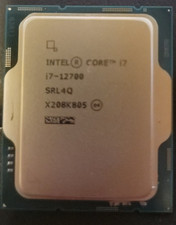
Intel Core i7-12700 12 Core X208K805 LGA 1700 AS IS
$99.99

AMD - Ryzen 7 5800X3D 8-Core - 16-Thread 3.4 GHz (4.5 GHz Max Boost) w/ Ice Pad
$355.99