-
Junior Member
registered user
1. install the package with "dpkg -i hcfpcimodem_{version}_{arch}.deb", ("dpkg -i hcfusbmodem_{version}_{arch}.deb" for the USB version) if apt-get or some other tool hasn't already done it for you.
this means you need to copy the file to your root directory or somewhere whre you know you find the file. Once your in the directory of the downloaded file type dpkg -i hcfpcimodem_{version}_{arch}.deb ......This will install your driver
2. if necessary, run "hcfpciconfig" ("hcfusbconfig" for the USB version) to complete the installation, enter license information, or to change your modem's configuration.
Similar Threads
-
By bako in forum Hardware & Booting
Replies: 10
Last Post: 04-21-2005, 11:29 PM
-
By KPeeJ in forum Networking
Replies: 2
Last Post: 08-12-2004, 09:07 AM
-
By ykgoh in forum General Support
Replies: 1
Last Post: 02-11-2004, 02:17 PM
-
By poussin in forum Networking
Replies: 0
Last Post: 07-06-2003, 03:31 PM
-
By jaconitroso in forum Hardware & Booting
Replies: 0
Last Post: 02-11-2003, 01:12 AM
 Posting Permissions
- You may not post new threads
- You may not post replies
- You may not post attachments
- You may not edit your posts
-
Forum Rules


Intel Core i7-9700 Octa-Core 3 GHz Desktop Processor LGA 1151
$79.99

INTEL CORE I7-870 SLBJG 2.93GHZ LGA1156 4 CORE CPU PROCESSOR
$23.00

INTEL CORE I9-10940X X-SERIES PROCESSOR | 3.30GHZ | SRGSH
$179.99
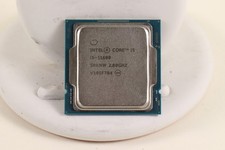
INTEL CORE I5-11600 2.80GHZ PROCESSOR | SRKNW
$109.99

Intel Core i9-9900 3.10GHz CPU Processor SRG18
$165.00

AMD Ryzen 5 5600X Desktop Processor (3.7GHz, 6 Cores, AM4 CPU) 100-100000065
$135.00

Intel Core i7-7700 3.6GHz Quad-Core Desktop CPU Processor SR338 LGA1151
$40.00

Intel Core i5-7500 SR335 3.4GHz 4-Core LGA 1151 CPU PROCESSOR
$14.99

Lot of (7) Intel Core CPU Processors
$219.00
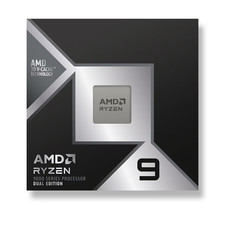
*Brand New-Sealed* AMD Ryzen 9 9950X3D2 Dual Ed. 4.3GHz 16Core AM5 (Bulk+Fast)
$790.00



 Reply With Quote