

 Reply With Quote
An engineering solution would be to buy one of those small USB->PS2 adapters


Hey everybody!
Hey Dr....oh, sorry. Dunno where that came from. Anywho, on to my problem that someone will hopefully have a solution to.
First of all, here's a little bit about my computer:
Evil Compaq 5106cl
USB keyboard <-- the trouble spot
Optical USB mouse (which works quite well)
Factory BIOS (modified settings of course, and no, there aren't any updates. I check every so often and still haven't found squat.)
and blah blah blah
I've been trying to get Knoppix and Knoppix-STD working on my computer for a few months now. Ever since the 3.3-2003-11-14 release, the autodetect seems to hang after a while (that, and I get a message afterwards saying that "autodetect seems to be hanging. Please check your BIOS settings" or something of that nature.) I've checked the BIOS I don't know how many times and haven't come up with anything. Only thing I've noticed that would remotely have anything to do with this is the optiion to disable legacy USB keyboard support.
I've conversed with my *nix/mac loving friend and he's come up with about the same amount of squat. Any thoughts, help, machine guns to shot my computer with? Any and all help is/will be greatly appreciated. Sorry for any bad spelling. Spell check programs suck.
P.S. Knoppix and K-STD boot fine into their respective default desktop environments. Just no working keyboard, hence the title of this topic.
An engineering solution would be to buy one of those small USB->PS2 adapters
Good idea Markus,
Have we already tried to see if "Plug and Play OS" has been disabled in our BIOS?
[I know, I know, my contribution is starting to sound like Microsoft and Dell's answer to everything: Have we tried to reboot?]
Just a thought,
Cuddles
BTW - Microsoft, Dell, and Gateway's fix for everything is: 1) Reboot, that should fix it. If that doesn't fix it, 2) Reinstall Windows. Funny, I never could understand why "gutting" your system should fix anything, but then again, it does one thing -=- Gives you missdirection, and off the phone with them. By the time you finish either of these two "solutions", you are even more pist off at them, and probably get someone else. Which solves two purposes, to the tech you talked too, 1) something to do, which probably won't solve the problem, and 2) delay so the original tech that helped you is (probably) off work now. [giggle]
[from a former MS Win98 Phone Support Tech/Representative]
PS - I never did this at MS, but they DID have a lot of "out-sourced" companies that DID do it. Worst area was in MSN support - most people only have one phone line, best way to get rid of someone was to make some "stupid" change in the connection (which wouldn't work to solve the problem), and ask them to try the connection again - at which point, the customer would have to hang-up with the tech to try it out - AOL was infamous for doing this one.
Hmm..yeah. Forgot to mention that I've tried to use the USB to PS/2 adapter that's been lying around in the desk. Doesn't work. My computer is kind of picky about which ports I hook up my mouse and keyboard to. My mouse, for example, always has to be in the front left USB port. The keyboard, always in the back left (as if viewing from the front, otherwise, it's back right).
As for the plug and play OS thing, I don't recall seeing that while searching through the BIOS. I'll have to double check that. Again, thanks for the help/suggestions.
[edit]
Well, good news. Wasn't anything major. Just some stupid setting, "NUMLOCK state at boot" (or something similar). Just turned it off and took half as much time to boot into KDE. Plus the fscking keyboard works. It's always something easy. Almost always. Anywho, going to mess around with Knoppix now (the 3.3-2003-11-19 disc that was lying around on my desk). Thanks again to you two for the help.
[/edit]
 Posting Permissions


Cisco WS-C3650-12X48UR-L 48-Port Stackable Layer 3 8x10G SFP+ Port Switch
$129.99

Cisco Catalyst C9130AXI-B WiFi 6 802.11ax Wireless Access Point Brand New
$101.99

Cisco Acacia DP04QSDD-E25-840 400G QSFP-DD Coherent DCO Transceiver Module
$699.99

Cisco Catalyst WS-C2960+24TC-S 24-Port Gigabit Managed SFP Switch
$39.99

Cisco Catalyst WS-C2960X-48FPD-L 48-Port Gigabit Managed PoE+ Ethernet Switch
$69.99

CISCO Services Router C891F-K9, Grade B, SKU 16188
$24.94

Genuine Cisco SFP-10G-SR 0-2415-03 10 Gigabit Transceiver
$5.40

Cisco | N3K-C3232C | 32-Port 100G QSFP Network Switch W/ 2x PSU, 2x Power Cords
$205.00

Cisco Catalyst C9120AXI-B Wi-Fi 6 Access Points
$36.00
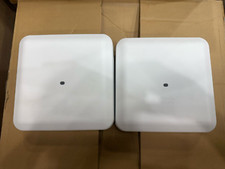
2 PACK Cisco AIR-AP2802I-B-K9 Aironet 2802 Series Dual Band Access Point
$19.85