

 Reply With Quote
I noticed the same and am wondering if there is an easy fix , how does one update the files in /lib the prism2.o files that seem to be broken.
Is it possible to mount /lib rw on the ramdisk or something?


I'm having trouble initialising the ESSID of my wireless
networkcard. If I change the ESSID in my router to
"linux-wlan" everything works. So I can get it to work but
I want a different ESSID.
I set the ESSID with the program (MENU->KNOPPIX->Network/Internet->Wavelan configuration)
It initializes a file called '/etc/pcmcia/wireless.opts'
This file is interpreted by the program /etc/pcmcia/wireless.
I managed to track down the command that is executed and
tried it on the command line with the following result :
I noticed a Warning when executing iwconfig :Code:SH > iwconfig wlan0 essid hallo Error for wireless request "Set ESSID" (8B1A) : SET failed on device wlan0; Function not implemented.
Is there something broken ?Code:SH > iwconfig ... Warning: Driver for device wlan0 has been compiled with version 14 of Wireless extension, while this program is using version 15. Some things might be broken... ...
I noticed the same and am wondering if there is an easy fix , how does one update the files in /lib the prism2.o files that seem to be broken.
Is it possible to mount /lib rw on the ramdisk or something?
Did this work in earlier versions of Knoppix? Then please send the bug description to Klaus Knopper.
I have gotten a specific ESSID to work, but my methods are very kludgy.
I'm using Knoppix v3.2-2003-05-20 on a Dell notebook with a Linksys AP and an Orinoco Gold card. I also get the version 14 versus 15 mentioned above.
Initial bootup identifies my Orinoco Gold card correctly, but I get no Internet access (wireless card not found). Running iwconfig or netcardconfig and selecting DHCP produces no results.
This is what works for me: Open a shell and run netcardconfig and select STATIC configuration. Enter info from LAN (internal) connection (notebook=192.168.1.100, gateway=192.168.1.1, no DNS). After ifconfig sets the LAN parameters a wireless configuration tool opens up and requests wireless parameters like ESSID and channel and stuff. I enter my specific ESSID and channe number and the program (iwconfig?) writes these parameters. Nothing works yet, but we're almost there.
Rerun netcardconfig again, but select DHCP this time. Sending DHCP broadcast from eth0 is now "OK" and "auto lo eth0" sets everything up. From now on wireless performs correctly with my specific ESSID and channel number.
If I could restore myconfig from a floppy (to save these settings) I'd be a happy camper...
-jb
If it's a Prism card, dont't use iwconfig for setting the SSID, but use the following instead:
Of course, you should use your own SSID instead of "SpeedStream"Code:wlanctl-ng wlan0 lnxreq_ifstate ifstate=enable wlanctl-ng wlan0 lnxreq_autojoin ssid=SpeedStream authtype=opensystem ifup wlan0 pump -i wlan0
probono
orinoco is not prism based. iwconfig works.
Just sharing my experience with my orinoco silver. All that is needed is the following 2 lines:
#iwconfig eth0 essid "whatever" enc "your WEP key"
#pump
you may put this in the knoppix.sh
thanks a million! your method worked great for me running integrated intel wireless on my dell latitude...Originally Posted by jBeach
You're welcome. Glad it helped.
After reading an earlier message, I have to say that garyng has a much easier way of setting up a wireless card. I wasn't familiar with the pump command.
Boot the Knoppix CD normally.
#iwconfig eth0 essid "whatever"
#pump
This method is much quicker than what I was doing... especially since I can't save and restore network configurations.
-jb
 Posting Permissions


Yealink T48S VoIP/SIP Phone, 2 x Gigabit Ports PoE 7" Color SIP-T48S | TESTED
$34.95

Grandstream VoIP Phone Adapter ATA 1-Line Black Ethernet (RJ-45) Micro USB
$27.07

Cisco 8861 Gigabit IP Phone Phone 5-line business-class VoIP Wifi Bluetooth
$39.99

Grandstream WP810 Portable Cordless Wi-Fi IP Phone
$49.28
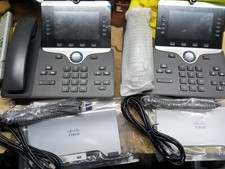
$400.00

Cisco / Linksys SPA2102 VoIP 2FXS Phone Adapter with Router (unlocked)
$18.99

Cisco/Linksys SPA2102 VoIP Phone Adapter Router 2FXS (Unlocked)
$17.99
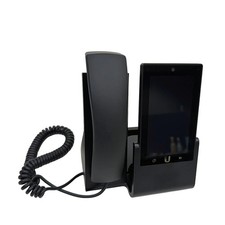
UBIQUITI UVP-TOUCH VoIP Desktop Touchscreen Smart Phone
$55.00

Poly CCX 400 Desktop Business Media Phone VoIP 2200-49700-019
$49.99
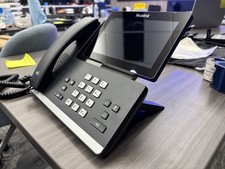
Yealink SIP-T58W Bluetooth Cordless Handset IP Phone 7in Touch WiFi - Used
$329.00