-
Senior Member
registered user

Originally Posted by
Stephen
Originally Posted by
Cuddles
Firewall = GuardDog, and IRC is already allowed, are you also saying I should locate NAT and do the same Stephen?
Thanks,
Cuddles
Sorry poor choice of words I was thinking the ip_conntrack_irc module that needs to be loaded for the IRC not NAT there is also an ip_nat_irc as well that I believe has to be loaded when using the NAT. I used to use Guarddog and never had problems so have you checked to make sure that module gets loaded.
Ok, I am getting confused...
Check what? ip_conntrack_irc, or ip_nat_irc, or is this a referance to something in GuardDog?
Whatever I am suposed to check that is getting loaded, how do I do that? If I am installing something, what? You mention three things, and loading - GuardDog needs to load what? ip_conntrack_irc "module" is loaded how? ip_nat_irc is loaded how?
From your statement, here and previous, the assumption I am under is, xinetd is not needed, is it to be removed from running in SysV, and since inetd was loading in SysV, should I replace it back?
I'm learning here Stephen, I can do a few things, minor things, but this was all done because someone said I needed inetd for xchat, which I couldn't locate, so I found xinetd, which "appeared" to be a "x" of inetd, which someone said was needed - since installing it, I got these messages now. I am getting frustrated, and very confused at all of this. I just wanted xchat to work, now it does, but with all those boot/shutdown messages. Can I get something to work without something else going "funny", or wrong, or start spewing out messages that I don't know what to do about?
Can you explain what I need to do, in "smaller", easier "digestable" words, or sentences? Consider I never did this, don't know what to do, nor how to do it. If its something in GuardDog, I can locate it and select it to accept it, but other than that, I need a walk-through.
Thanks,
Cuddles
Similar Threads
-
By jodef in forum Hardware & Booting
Replies: 0
Last Post: 06-05-2005, 03:44 AM
-
By yoda54 in forum Customising & Remastering
Replies: 1
Last Post: 07-15-2004, 09:16 PM
-
By brian dorling in forum Hdd Install / Debian / Apt
Replies: 0
Last Post: 06-01-2004, 07:01 PM
-
By schnarff in forum General Support
Replies: 1
Last Post: 05-09-2003, 08:20 AM
-
By _CaLeB_ in forum Hardware & Booting
Replies: 5
Last Post: 03-31-2003, 06:20 PM
 Posting Permissions
- You may not post new threads
- You may not post replies
- You may not post attachments
- You may not edit your posts
-
Forum Rules


Samsung 256GB SSD MZ-JPV256S/0A2 PCIe Solid State Drive SSD SSUBX 655-1959A
$22.02

Samsung Galaxy Tab Active 3 / 64 gig/ WIFI/ IP68 Rated
$85.00
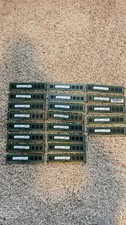
Lot Of 21 Samsung 4GB 1Rx8 PC3-12800U-11-13-A1 NON-ECC M378B5173QH0-CK0 (21x4GB)
$180.00

Samsung Galaxy Tab A 8.4" 2020 32GB Wi-Fi+ 4G Verizon Unlocked SM-T307U ~Grade B
$49.99

RAM-HOL-SAM52CPU RAM USB-C Powered Dock Samsung Tab Active4 Pro & Tab Active Pro
$81.99

3 -M.2 2280 512GB SSD - Samsung MZNTE512HMJH, MZNLN512HMJP, Toshiba KSG60ZMV512G
$155.00

1 lot of 3 (2)Samsung PM951 SM961 & (1)Intel SSD 600P 256GB M.2 2280 SSD NVMe
$109.00

Qty.286 Samsung 16gb 2rx4 Pc3L 12800R Ram Memory M393B2G70BH0-YK0 Oracle 7018701
$4999.99

Samsung Galaxy View Tablet 18.4 SM-T670/677A Digitizer 100% Original Oem
$161.49
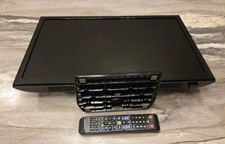
Samsung UN24H4500 24" 720P LED HD WiFi TV Remote AC Power Plays USB video files
$134.87



 Reply With Quote