

I've switched my old 21" Sony monitor with a Samsung SyncMaster 173S flat panel. After the switch, the quality of the display is not as desirable, so I decided to change the monitor setting through the control center. I saved the changes and reboot the machine. My nightmare started.
Now once I boot the machine, I have the message "Video mode not supported" message. I tried booting from my knoppix CD and setting the display to the lowest resoluation and refresh rate, hopping that I can get back to a good start and trying reseting the Monitor, but nothing works.
I read in this forum that I can use the "knoppix" command. But I can't find the path to the command. Can somebody please help? thanks!
 Posting Permissions


NETGEAR ProSafe 5-port Gigabit Switch GS105v5
$9.99

TP-Link 5-Port Gigabit Unmanaged Ethernet Switch Network Expansion TL-SG105
$19.95

Cisco Catalyst 2960-48TT-L 48-Port Fast Ethernet Managed Rackmount Switch
$46.99

5Ports Gigabit Network Switch w/ 4 PoE+ Ports Total 52W each port 30W Plug&Play
$31.99

TP-Link TL-SG2210P 10-Port Gigabit Smart Switch w/ 8-Port PoE+ NO AC SKU 25597
$39.99

Linksys 8-Port Managed Gigabit PoE+ Switch 110W w/ 2 Uplink Gigabit - LGS310MPC
$49.00
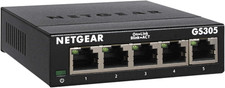
NETGEAR 5-Port Gigabit Ethernet Unmanaged Network Switch (GS305)
$19.73

10-Port Gigabit PoE Network Switch with 8 PoE+ Ports with 2 Combo SFP Slots 125W
$69.99

NETGEAR 5-Port Gigabit Ethernet Unmanaged Switch (Gs305) - Desktop Quiet Fanless
$22.00

10-Port Gigabit PoE Network Switch with 8 PoE+ Ports with 2 Combo SFP Slots 125W
$39.99


 Reply With Quote