

 Reply With Quote
I just could not get kpackage to work either - so I just abandoned it and apt-get'd synaptic. Now THIS is what a gui package manager should be like.Originally Posted by blender1


I know enough to do some damage but not enough to do it right...
I am remastering ClusterKnoppix 3.3. I have chrooted to my sources/KNOPPIX directory. Lunached KDE, everythign is working fine. I open a root terminal and luanch kPackage from the command line, i want to remove and add packages with KPackage. However, when I try to uninstall a package Kpackage gives me the following error: `exec failed: No such file or directory'
I can open a second root shell and use 'apt-get remove <packagname>' to do the job, but why won't KPackage work?
Any ideas?
I just could not get kpackage to work either - so I just abandoned it and apt-get'd synaptic. Now THIS is what a gui package manager should be like.
 Posting Permissions


USB 3.0 Flash Drive 32GB 64GB 128GB Memory Stick Thumb Stick Lot Pack
$164.99

SanDisk Ultra Luxe USB 3.1 Flash Drive – 5 Pack | Premium Metal USB Flash Drives
$59.99

Windows 11 Pro Install/Recovery/Repair USB Flash Drive
$35.00

Wholesale 5/10/100PCS 1GB 2GB 4GB 8GB 16GB 32GB USB 2.0 Flash Drive Memory Stick
$378.00

Sandisk 16GB 32GB 64GB 128GB Cruzer Blade Flash Drive Memory Stick USB Lot Pack
$175.90
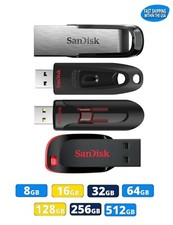
Sandisk Flash Drive 16GB 32GB 64GB 128GB 256GB 512GB Blade Glide Ultra Flair lot
$623.38

Kingston 32GB 64GB 128GB 256GB USB 3.0 Flash Drive Thumb Memory Stick Pen lot
$135.90

Sandisk 32GB 64GB 128GB 256GB Cruzer Glide Flash Drive USB 2.0 Memory Lot
$404.42

Microsoft Windows 11 Pro 64bit - New Sealed – Flash USB 1 PC
$49.99

FLASHFORGE AD5X Upgraded Multi-Color 3D Printer CoreXY High-Speed Auto Refill US
$349.00