

 Reply With Quote
I haven't personally had a chance to play with this, but this should be pretty much what you're looking for:
http://www.knoppix.net/docs/index.ph...stentHomeHowTo
I definitely need to free up a little extra space on my USB key.


Knoppix is fantastic. I love it. One thing I would find even better is if, at boot time, it found a USB drive with a certain directory inside (say : /home ) then it could automatically mount that in place of the standard user's $HOME directory. That way, I could carry Knoppix CD and my USB$HOME with me and have all my working environment, data files included, fitting in my pocket!
I haven't personally had a chance to play with this, but this should be pretty much what you're looking for:
http://www.knoppix.net/docs/index.ph...stentHomeHowTo
I definitely need to free up a little extra space on my USB key
I've just figured this one out. You can create a "Persistent Home" for knoppix on a USB flash drive/key.
-The USB Key should be in when Knoppix is booted to be sure it is recognized
*"lsusb" is a useful command to see what's recognized
-It will be accessible via /dev/sda if it is one big partition, or /dev/sda1 if the drive is partitioned (example; Format is /dev/sdLN where L is a different letter per device and N is per partition on that device)
-via the KDE Gui:
K button -> KNOPPIX -> Configure -> Create a persistent KNOPPIX home directory
-Don't try to format the key, it is already formatted in fat or fat32.
-Knoppix creates a "knoppix.img" file for the amount of space you specified, which it uses as a virtual home drive.
You can now boot knoppix with the home=scan arg to use it.
Caveats:
-The persistent home tool likes to access partitions, so you may want to partition your USB key into 2 or more partitions using the vendor supplied utility, even if one is only 1MB and the other is the rest of the space.
-KDE places icons for recognized storage devices on the desktop, it gets confused when there are no partitions (in my exp. at least) and shows you all 4 possible partitions, although none are really accessible
-You may have to try manually mouting the possible devices and then using "df -k" to find the size/numbering of your partitions:
example: mount -t vfat /dev/sda /mnt/mountpointyoucreated
example: mount -t vfat /dev/sda1 /mnt/mountpointyoucreated
example: mount -t vfat /dev/sda2 /mnt/mountpointyoucreated
Once you create a persistent home on a usb pen, all you need is the home=scan cheatcode.
I have set this cheatcode in the default boot options of my remaster. I also set the default resolution to 1024x768. So I can just boot normally, and if a persistent home is on a usb pen or on the hard drive, it will find it and use it without any input on my part.
How about making home=scan and myconf=scan default option at boot time? It will take a few sec extra to boot, but makes life simpler for newbies.
Sorry, I should have elaborated... The default boot options on my remaster are currently home=scan myconf=scan screen=1024x768
I've also adjusted the knoppix-autoconfig script to no longer propmt a user to retry or abort detection of a persistent home using aes256 encryption for when a persistent home is not found. Also, a vncserver runs at startup (becuase I often run my remaster on boxes without cases, hard drives, monitors, et al. So I can sit on my mian box and then vnc to an overclockix box by its IP.
You'll be prompted to enter a vnc password during the boot sequence.
but how to make home=scan and screen=1024x768 default operation without cheat code?
 Posting Permissions


INFO/soft Character Generator Manual for Atari 3000/5000/7000 NTSC
$40.00

Atari 130 XE/Atari 1050 Bundle W/ Cords And Extras (Powered On)
$300.00

DEFECTIVE Atari 810 Vintage Computer Disk Drive powers on Unit Only Boo G3D
$49.29

Atari 800 8-bit Computer System Fully Tested Great Condition 48k READ
$350.00
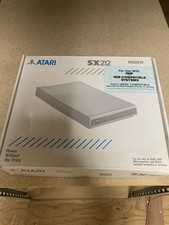
Atari SX212 Modem for IBM Systems w/ Box, Owner's Manual & Power Adapter NOS
$125.00

Fujinet 1.7.1 Atari 400 800 800XL 130XE 65XE XEGS Assembled, Tested, Working
$99.99

Atari XE 130XE Computer NTSC with Power Supply Powers On Untested
$159.95

ATARI Mouse with Adapter for ST, STE, Mega STE, TT Optical - USA Seller
$29.99

UNOCART-2600 SD card Multi Rom Cartridge for ATARI 2600 with CASE
$34.25

VTG Atari 1200XL Home Computer System 1200 XL ** Tested ** Parts or Repair
$323.75