-
How does linux run programs?
I'm trying to understand how to 'run' linux programs. e.g. in windows you run excutables or batch files. So I would like to have an idea of the equivalent to those in linux and how to run them. I know there are scripts as well and you run them by './' but i don't really 'get' it all at all 
-
Senior Member
registered user
The most significant difference between Windows executables and Linux ones is that the Windows ones have an .exe extension, while Linux ones don't!
Generally, in Linux you run a program by calling it. In effect (although there may be some overlying GUI trickery going on) you're doing no more than typing (for example)
gimp
at the command line. This calls the gimp executable which lives in /usr/bin (actually, it's a symbolic link to gimp1.2, BWTH). You can even run it by clicking on the icon.
There's much more about this in rute
(if you have a HD install you can get it by doing:
apt-get install rutebook)
but a google will find it.
-
Senior Member
registered user
Have a look at the chmod man page. IOW, type "man chmod" in a shell session. I believe "man:/chmod" should also work as a target location for konqueror.
-
So, say I download a program off of the net, (a linux program) how do I actually run it? Do I have to compile it, or create a symbolic link or wat? 
And also, how do you know what a program is if it hasn't got a different ending?
-
Senior Member
registered user

Originally Posted by
FreeTheCheese
And also, how do you know what a program is if it hasn't got a different ending?
The file ending way in dos/windos is silly anyway since you can change it. There is an utility called "file" that identifies most file types correctly. To find out if a file called "foobar" is an executable file say:
-
Senior Member
registered user
Originally Posted by
FreeTheCheese
So, say I download a program off of the net, (a linux program) how do I actually run it? Do I have to compile it, or create a symbolic link or wat?
Depends on what you download. As Knoppix is Debian based you should use the Debian package management system (apt-get etc...) to retrieve and install the stuff. If it isn't available as a pre-compiled package you can get the source tarball instead, for most stuff something like this works:
Code:
tar -xzvf foobar.tgz
cd foobar
./configure
make
make install
(the make install part needs to be run as root) Notice that this would probably break the package management for that particular program so avoid doing it if it is available as a Debian package.
-
Senior Member
registered user
Originally Posted by
FreeTheCheese
So, say I download a program off of the net, (a linux program) how do I actually run it? Do I have to compile it, or create a symbolic link or wat?
Depends. First you should always look for a README or INSTALL doc. Sometimes you might get a script, make it executable and then execute it.
Debian uses apt so you simply type : apt-get install <someapplicaiton>
If it's source code then you may need to do ./configure && make && make install.
And also, how do you know what a program is if it hasn't got a different ending?
File extensions are not necessary in Linux but you may use them if you like. For example:
homework.monday
homework.tuesday
are both perfectly acceptable. Use whatever you like. Wouldn't it suck if an application was too stupid to know what to do with a file simply because the file had the wrong file extension? 
-
ok, so If i deffinately know a file is an excutable, can i just navigate to the directory, type the name of the excutable and it will run?
-
Senior Member
registered user
Originally Posted by
FreeTheCheese
ok, so If i deffinately know a file is an excutable, can i just navigate to the directory, type the name of the excutable and it will run?
Only if "." is in your "PATH" environment variable. However, this will always work:
Code:
./theexecutablefile
-
Only if "." is in your "PATH" environment variable.
do you mean if the file was named ' .myexcutable ' ?
Similar Threads
-
By sonicdragon14 in forum General Support
Replies: 4
Last Post: 12-11-2004, 06:25 PM
-
By el_santo in forum General Support
Replies: 0
Last Post: 11-23-2004, 01:04 PM
-
By miguipda in forum Ideas
Replies: 3
Last Post: 06-29-2004, 02:07 AM
-
By dvest in forum General Support
Replies: 1
Last Post: 08-14-2003, 06:40 AM
-
By thegroover in forum General Support
Replies: 3
Last Post: 07-08-2003, 09:59 AM
 Posting Permissions
- You may not post new threads
- You may not post replies
- You may not post attachments
- You may not edit your posts
-
Forum Rules


Vintage Gray AC Power Cable Cord 3-Prong Plug to 3-Prong 3-Slot Connector
$50.00

Vintage HP 21MX 1000 M-Series Minicomputer Chassis Backplane Parts AS-IS
$228.19
NEW* AMD Athlon 4850e 4GB ATI X300 Win98 XP DOS Multiboot Retro PC w/ 50 Games
$349.00
NEW* AMD Athlon 4850e 4GB ATI X1050 Win98 XP DOS Multiboot Retro PC w/ 50 Games
$389.00
Vintage Microsoft 16-bit software lot - Windows/DOS
$99.00
Vintage Microsoft Green-Eyed Mouse 1983 First Gen Bus connector Tested - Video
$350.00
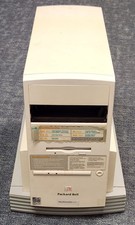
Vintage Rare Packard Bell R500 A950-TWR with Microsoft Windows 95 Microsoft Plus
$175.00
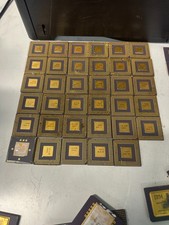
10 Pounds Vintage Ceramic CPU Processor/ic chips Gold Recovery Computers Scrap
$1999.99

Lot of 2 Vintage Plextor PX-43CS SCSI CD-ROM Caddy Drives + 4 Caddies Used
$55.99
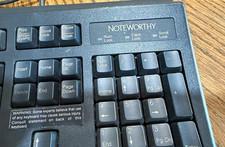
Vintage Noteworthy RT5158TW Computer Keyboard Windows 98 NT Tested Working
$39.99



 Reply With Quote