-
Senior Member
registered user

Originally Posted by
Hayabusa
yes as matter of fact I did. It took me 2 installs to get knoppix 2.6.1 up and running.
Good to know I will have to update the page, the module-init-tools had to of been upgraded along with the other packages then.
then ran make menuconfig (as there's some QT library problem that won;t let me run xconfig).
I had the same problem last year when I first started using the 2.6 kernels never bothered to track it down though I've grown rather fond of menuconfig it's much faster using the keyboard rather than a mouse.
Tried to really clean up the kernel, optimizing it for my Athon Xp processor, removing modules I KNOW I didn;t need, support for stuff like irda, ic2, etc. The end result was a faster system, though VMWare balked at the new kernel modules libraries.. so i think I musta removed too much, I figure I'll give it another shot when the offical 2.6.3 kernel is released, but for now I'm happy with 2.6.1,. WORLDS of impriovement from 2.4.2x, KDE just screams at a freakish BeOS like speed when dragging windows, sound quality is greatly improved with the addition fo ALSA, I'm a happy camper.
If you want to take a look at my config for 2.6.2 you can see it here I run an Athlon as well so you may get some ideas from it. I use the 3.2 final packages and fast is just not the word for it when combined with a 2.6, their not too shabby on a 2.4 kernel either.
1. no need to edit installation-drive/etc/fstab after the install when you're in the live CD. by defualt the prompt and timeout variables are as you specified them in your guide. all you need to do is run is (installion-drive)/sbin/lilo -v so that LinuxOLD will be mapped to the 2.4 kernel
That is strange I did not get a prompt when I originally had the problem with the 2.6.1 and had to edit lilo to get one to be able to boot the old kernel. Perhaps this is because I installed lilo into the / partition instead of the MBR on my test machine and just used an entry that I already had in the MBR lilo to do a chainload boot to the lilo in that partition, I'm going to have to investigate that with a new install I do believe and let it overwrite the MBR this time.
2. after making the initrd image, no need to comment out that line in /etc/lilo.conf, simply replace the image name with the one you created, you know the first initrd.gz is bad, so wipe it.
Yeah old habit I always comment out the line when making any changes then recreate with a new line so I can go back to the old if needed at least I left out the comment in the file that is there that I always make for myself so I know why I changed it to start with, it looks like another edit is in order.
3. why are you running the knoppix-installer 3 times? Or was this just a rehashing of your discovery that those files needs to be downloaded and copied?
Exactly that, I should probably edit that section again to make it clear with only the needed steps. Thanks for the feedback and for discovering the module-init-tools I would have completely left that out.
Similar Threads
-
By eraserman in forum General Support
Replies: 4
Last Post: 11-04-2004, 07:43 AM
-
By dmpop in forum The Lounge
Replies: 0
Last Post: 10-13-2004, 02:32 PM
-
By Sk83r99 in forum General Support
Replies: 3
Last Post: 08-17-2004, 12:38 AM
-
By naventus in forum Hdd Install / Debian / Apt
Replies: 22
Last Post: 07-17-2004, 05:05 AM
-
By Raj in forum Customising & Remastering
Replies: 1
Last Post: 02-19-2003, 01:19 PM
 Posting Permissions
- You may not post new threads
- You may not post replies
- You may not post attachments
- You may not edit your posts
-
Forum Rules

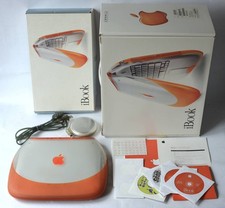
Apple iBook G3 Clamshell 300MHz 160MB 3GB CD Tangerine Vintage Mac w/ Box
$643.08
Apple Mac OS X Snow Leopard 10.6.3 Operating System Software DVD Disc, vintage
$120.00
Apple iBook G4 A1054 1.07GHz PowerPC G4 256MB RAM Mac OS X 10.4.11
$52.47

Apple Macintosh DuoDock Duo Dock M7779 & Powerbook 230 Vintage Mac RARE Vintage
$224.10
Apple Macintosh SE FDHD Vintage Mac Computer Shell Front/Back Only (260204)
$29.99
Apple Macintosh System 7.5 Vintage 1994 Mac OS 2 Original CDs Box Manual
$70.00
Apple Macintosh IIci Vintage Desktop Computer, Serviced And Recapped, Read
$549.99
Vintage Apple Macintosh SE/30 Custom Blue Case Housing & CRT Monitor Only - Mode
$230.00

Vintage 1998 iMac G3 M4984 Mac OS + Keyboard Working but Needs Some Repair Read
$295.00
Vintage Apple Mac Box Set – Mac OS X Leopard, iLife
$22.65



 Reply With Quote