

 Reply With Quote
look in the KDE control panel...


How do I change the way the icons are setup. By default it is links, but I want it to be like in windows, regular old double click icons.
Also, how do you change the appearance when you view files in Konquerer, i want it to stay as a list with small icons, same as in windows.
Maybe the point is not to be like windows, but I just have some things that I can't let go of.
look in the KDE control panel...
I did look in it, but i still can't find a solution, am i supposed to install a new theme, that i find on the internet or what?Originally Posted by eadz
thats where you can chage the double click action,
as for the icons and themes, look at www.kde-look.org for them.
i'm sorry for being such a hazzle about this, i did look through everything, and i just can't seem to find it. it is in the Control Center right?
any chance that you could help me out with some "dummy" instructions? i am new to both knoppix and linux all together.
ok, it was in a non-obvious place in the control center : peripherals -> mouse
 Posting Permissions


OPNsense Firewall VPN QAT 8-Core Atom C3758 2.20GHz 16GB DDR4 128GB SSD 8xNIC
$175.00

Ubuntu Server 26.04.1 LTS Bootable USB Flash Drive – Latest September 2026
$12.99

OPNsense pfSense 8-Core Atom C3758 2.2GHz 8GB DDR4 64GB SSD 8x NIC QAT AES VPN
$115.00

Start9 Server Pure 32GB 4TB Intel i7 Node StartOS — Box + PSU
$649.00

ZimaBoard 2 1664 Home Server 16GB
$350.00

All New Ubuntu 26.04 LTS Linux Bootable USB Flash Drive
$15.95

Novell SUSE Linux Enterprise Server 9, Linux Professional 8.2 / 9.1 — 3 DVD Set
$58.00
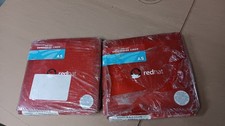
Brand New Genuine Red Hat Enterprise Linux AS (Advanced Server) Version 3
$39.99

Microsoft SQL Server 2019 Enterprise 40 Core Unlimited CAL Retail License FPP
$299.00

SQL Server 2022 Enterprise 96 Core License & DVD Unlimited CALs with CoA
$284.99