-
error message
I have recently purchased a CD with knoppix 3.3 I have tried it on both my computers. In each case the boot procedure continues normally until the point that I expect to see the desktop. Instead I receive the following message OUT OF RANGE
Hf 28 - 70 Khz
Vf 40 - 120 Hz
79 KHz/ 74 Hz
The second computer gets the same result but with different numerals.
What do I have to do to correct this problem ?
-
Try "knoppix vsync=60" at boot prompt.
Good luck.
-
I am sorry but that did not have any effect when I again tried it on either of the computers.
derek wilkinson
-
Re: error message

Originally Posted by
derek wilkinson
I have recently purchased a CD with knoppix 3.3 I have tried it on both my computers. In each case the boot procedure continues normally until the point that I expect to see the desktop. Instead I receive the following message OUT OF RANGE
Hf 28 - 70 Khz
Vf 40 - 120 Hz
79 KHz/ 74 Hz
The second computer gets the same result but with different numerals.
What do I have to do to correct this problem ?
If memory serves me properly, that message is actually coming from the monitor, not the software. The software is probably sending a signal that isn't compatible with your specific brand/type of monitor.
--Chris ^_^
-
Senior Member
registered user
Have you tried knoppix xvrefresh=60 noddc some details on the hardware you are using may be useful as well, other cheat codes you may wish to add to the line.
-
Thank you for your help. I have at least got it to work on one computer but am not sure why. If I may combine yopur suggestions - I have a daytek 77A on one computer and a Princeton eois on the other. I noted one other odd thing. After the out of range message appears there is a verbal message which as far as I can make it out says "initiating ?sequence". Unfortunately at 78 my hearing is not too good. I tried some of the other cheats without effect. Then I noticed that on booting it reaches the point where there is a message "starting single x-window but it disappears before I have time to read it . So I hit the pause button and got a blank screen followed after a few seconds by the knoppix desktop. So it works but I don't know why. This works with the vsync = 60 at boot
-
Senior Member
registered user
Originally Posted by
derek wilkinson
Thank you for your help. I have at least got it to work on one computer but am not sure why. If I may combine yopur suggestions - I have a daytek 77A on one computer and a Princeton eois on the other. I noted one other odd thing. After the out of range message appears there is a verbal message which as far as I can make it out says "initiating ?sequence". Unfortunately at 78 my hearing is not too good. I tried some of the other cheats without effect. Then I noticed that on booting it reaches the point where there is a message "starting single x-window but it disappears before I have time to read it . So I hit the pause button and got a blank screen followed after a few seconds by the knoppix desktop. So it works but I don't know why. This works with the vsync = 60 at boot
It is saying "initiating startup sequence" that is a good sign at least the sound is getting detected properly it is definitely having problems with the auto-detection of some hardware in your computers. Firstly have you went into the BIOS in the computers and made sure you have turned off the option for a "Plug'n'Play" OS. Also you should use the knoppix testcd to make sure the disk was burned properly. You may also want to be adding to the cheat codes line the xmodule=?? for the video card you are using. Some more details on the hardware in the machines you are using could prove useful as well.
Similar Threads
-
By Tyler_H72 in forum Hardware & Booting
Replies: 2
Last Post: 03-09-2005, 09:03 PM
-
By McGrady in forum General Support
Replies: 2
Last Post: 10-13-2004, 08:53 PM
-
By pulsar in forum Hdd Install / Debian / Apt
Replies: 2
Last Post: 09-08-2004, 05:48 PM
-
By ClubMed in forum Hdd Install / Debian / Apt
Replies: 4
Last Post: 03-12-2004, 09:11 PM
-
By Chris in forum Hdd Install / Debian / Apt
Replies: 0
Last Post: 02-11-2003, 07:36 AM
 Posting Permissions
- You may not post new threads
- You may not post replies
- You may not post attachments
- You may not edit your posts
-
Forum Rules

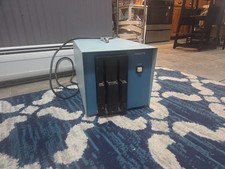
Vintage Industrial micro systems dual 8" Floppy disc drive for Altair system
$450.00
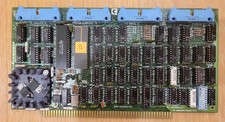
Cromemco TU-ART S-100 Serial and Parrallel Board - IMSAI Altair
$69.95

Cromemco PRI S-100 Printer Interface - Altair IMSAI
$45.00

S-100 backplane motherboard bare PCB 9 slot (for Altair/IMSAI)
$34.99
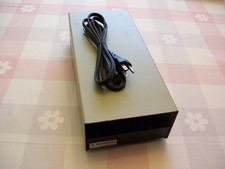
External Half Height Case For a 5 1/4 Inch Floppy Disk (Altair, IMSAI)
$49.95
Altair Bread Board S-100
$79.99

1976 Scelbi 6800 Software Cookbook Altair 680 SWTPC Assembly Language Motorola
$39.99

2x Intel C8080A White Ceramic Gold 76' Vintage 8-Bit CPU Microprocessor Altair
$449.99

CP/M 86 1.1R 8086 Highmonitor 8 Inch Floppy Diskette 80s IMSAI Altair
$40.00
MITS Altair 8800 System Full Provenance and Documentation
$15000.00



 Reply With Quote