

 Reply With Quote
Try "knoppix vsync=60" at boot prompt.
Good luck.


I have recently purchased a CD with knoppix 3.3 I have tried it on both my computers. In each case the boot procedure continues normally until the point that I expect to see the desktop. Instead I receive the following message OUT OF RANGE
Hf 28 - 70 Khz
Vf 40 - 120 Hz
79 KHz/ 74 Hz
The second computer gets the same result but with different numerals.
What do I have to do to correct this problem ?
Try "knoppix vsync=60" at boot prompt.
Good luck.
I am sorry but that did not have any effect when I again tried it on either of the computers.
derek wilkinson
If memory serves me properly, that message is actually coming from the monitor, not the software. The software is probably sending a signal that isn't compatible with your specific brand/type of monitor.Originally Posted by derek wilkinson
--Chris ^_^
Have you tried knoppix xvrefresh=60 noddc some details on the hardware you are using may be useful as well, other cheat codes you may wish to add to the line.
Thank you for your help. I have at least got it to work on one computer but am not sure why. If I may combine yopur suggestions - I have a daytek 77A on one computer and a Princeton eois on the other. I noted one other odd thing. After the out of range message appears there is a verbal message which as far as I can make it out says "initiating ?sequence". Unfortunately at 78 my hearing is not too good. I tried some of the other cheats without effect. Then I noticed that on booting it reaches the point where there is a message "starting single x-window but it disappears before I have time to read it . So I hit the pause button and got a blank screen followed after a few seconds by the knoppix desktop. So it works but I don't know why. This works with the vsync = 60 at boot
It is saying "initiating startup sequence" that is a good sign at least the sound is getting detected properly it is definitely having problems with the auto-detection of some hardware in your computers. Firstly have you went into the BIOS in the computers and made sure you have turned off the option for a "Plug'n'Play" OS. Also you should use the knoppix testcd to make sure the disk was burned properly. You may also want to be adding to the cheat codes line the xmodule=?? for the video card you are using. Some more details on the hardware in the machines you are using could prove useful as well.
 Posting Permissions

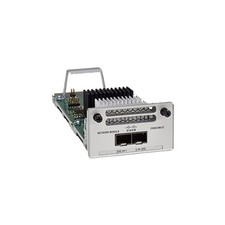
Cisco C9300-NM-2Y - Cisco Catalyst 9300 2 x 25G Network Module New
$550.00

Cisco Catalyst WS-C2960+24TC-S 24-Port Gigabit Managed SFP Switch
$39.99

Cisco Catalyst C9130AXI-B WiFi 6 802.11ax Wireless Access Point Brand New
$101.99

Cisco Acacia DP04QSDD-E25-840 400G QSFP-DD Coherent DCO Transceiver Module
$699.99
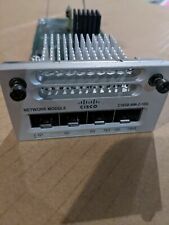
Cisco C3850-NM-2-10G 2 Port Network Exp.Module for 3850
$18.90
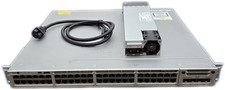
Cisco Catalyst 3850-48F-L 48-Port UPoE Gigabit Switch NM-4-1G
$59.99
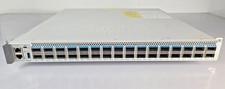
Cisco C9500-32QC-A C9500 Series 32x Port 40G or 16x 100G - Dual AC
$1099.00
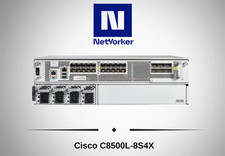
Cisco Catalyst 8500 C8500L-8S4X 4x SFP+ 8x SFP 4x10GE 8x1GE Router-Fast Ship
$6299.99

New Sealed Cisco GLC-LH-SMD 1000BASE-LX/LH SFP Transceiver Module *US
$15.30
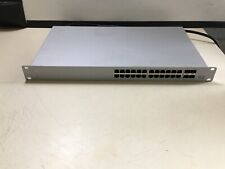
UNCLAIMED CISCO MERAKI MS120-24P-HW 24-PORT GIGABIT CLOUD MANAGED PoE SWITCH
$67.46