-
Junior Member
registered user
tarpom, I reinstalled Knoppix to the hard disk yesterday after messing around with the system (I tried to compile xfree 4.3 but it got installed with ugly fonts and that was enough for me to start over), but instead of installing the "knoppix" version which does indeed carry some configurations to the hard disk, I installed the "debian" version which does not carry the configurations to the hard disk (at least lilo.conf's "append" didn't have the cheatcodes). That said, I had to load my ethernet card and sound card manually as well.
To load alsa I ran /etc/init.d/alsa(something I can't remember) start
Don't know where is the more appropriate place to load alsa automatically that way.
-
Senior Member
registered user

Originally Posted by
tarpon
Still working on the alsa sound issue ...
Played around with knoppix hd install again and still cannot get the alsa ver to load by default on reboot. It also appears that knoppix alsa is not the same as the debian version and does not install the same, but I could be mistaken.
How can I get rid of the Knoppix HD installed alsa and install the Debian versions? synaptic? or is there another pkg manager that may be better to use.
You are correct the knoppix alsa is a kludge to get it working. If you want to use a Debian version then you need to either install a kernel and the alsa modules for that kernel from the Debian archives or get the alsa-source,alsa-base, alsa-utils and compile the modules for the kernel you are now running.
more info .... I added the lines
./alsa-autoconfig
aumix -w 80 -v 80
..... to the /etc/init.d/bootmisc.sh file and the sound came on at boot, BUT XMMS would not run, it crashed. Interesting that all the sound effects worked after boot though.
Sure would like to use Knoppix as a default Debian installer. It makes it so easy to get a system running on Debian.
tb
The ./alsa-autoconfig is unnecessary it only has to be run the once the aumix to set the levels is fine. For the XMMS you should check into the preferences and make sure that you are using the alsa for the output plugin it sould not be crashing you may want to apt-get install --reinstall xmms if the crashes continue.
-
Senior Member
registered user
Re: Any hints!!!
Originally Posted by
gowator
Stephen,
Thats really helpfull so far....
My problem is I have present years on RH derived systems,
I have 'played' about with Debian on my laptop but like so much nowadays I don't get to play as much as I'd like ... and my two day failure to get X working led me to give up and I ended up actually using Lindows....
You may also want to look into Xandros and Libranet they are both based on Debian as well. You can get an older version of the Libranet to test for free I'm not sure about the Xandros but from the reviews I have read for the new version 2 it is supposedly a three or four click install and everything just works.
However, I recently installed Debian on my XBOX (

)
and the knoppix liveCD solved lots of little hardware quirks (like PCMCIA under RedHat) that have been bugging me forever.
So my problem seems to be that I don't really know the Debian specificities... to start off with. On top of that Im trying to work out what exactly is a difference from Debian and what is a difference from Knoppix.
The differences as far as I can figure out are the sysvinit, the alsa kludge, configuration files that get installed and the knoppix specific scripts that are used on the CD.
In most cases I just end up patching round something when a better solution existed. An example is the SYS V init scripts which it was quicker to just write and symlink .... whereas the /etc/modules.conf prob you helped me with is a Debian 'quirk'. Like many once you know/understand it its actually superior..... its just knowing they are there.
Can you recommend any reading.... can we post up some easy migration hints and tips ???
The best place I have ever found is the Debian User mailing list now it is a little on the high volume side (250+ emails a day sometimes) to be coming into your inbox but you can use Gmane to read the list and if you want reply to or post your own thread. Anything you ever want to know about Debian is in that list somewhere or someone on there knows the answer to your question, it is also good to give it a quick scan before you upgrade just to check for any problems there may be happening at the moment and as always your favorite search engine can usually come up with at least snippets of information to point you in the right direction to ask a smart question or sometimes the entire solution to the problem. By migration tips do you mean coming from another distro to Debian or making Knoppix into Debian so you will not have problems that may be leftover from the Knoppix install?
The answer seems to be that having gained some knowledge I can now go back and reinstall a true Debian.... but there seems so much potential in starting from knoppix.
I went the Debian route last year (actually a CD called Mini Woody now know as Bonzai Linux) just to be sure that everything I have installed on my machine is Debian so any problems I have and they have been few are all related to strictly Debian problems and no leftovers I may have missed.
Im really keen to try and keep with knoppix as opposed to knoppix deriviatives.... even though I realise a HD install is a derivative itself it ends up being only 2 steps from the original - if we say Debian is the origin. Whereas starting from a different derivative is just extending the path and making problems later when something changes it will take longer to filter through and be harder to implement.
Exactly who knows problem A may from this variant, B this other one and C from yet another not really a good idea to try and have to track that down.
-
Senior Member
registered user
Re: Any hints!!!
Lots of answers....
You may also want to look into Xandros and Libranet they are both based on Debian as well. You can get an older version of the Libranet to test for free I'm not sure about the Xandros but from the reviews I have read for the new version 2 it is supposedly a three or four click install and everything just works.
On the laptop I wanna get rid of Lindows...
It was just after a month messing about in Mandrake trying to get PCMCIA working AND wireless at the same time I was ready to try anything... Xandros didn't even install fully.
(I could probably have repaired the install, it was only lilo and the homedirectories and a few bits but I desperately needed wireless on PCMCIA)
Up to that point I'd disabled PCMCIA in lilo and edited out the intit scripts!! For at least a year...
Can you recommend any reading.... can we post up some easy migration hints and tips ???
I guess I mean BOTH.....
The differences as far as I can figure out are the sysvinit, the alsa kludge, configuration files that get installed and the knoppix specific scripts that are used on the CD.
Well all of that helps !!!
The mailing list.... hmmm email is something I need to fix ... my new knoppix based server isn't happy with qmail.. or perhpas the other way round. So Im relying on yahoo mail!!! (Its really close I can manually put messages in the queue !!!!)
Im figuring it out slowly.... just bit off a big chunk with the server/router ....
Once its stable and working and I have email!!! i can start on a new server.... (reuse last one)
Id love to sort it out from a knoppix install becuase ultimately I'd like a liveCd with everything to install a server on... (Im not actually sure why...????)
Similar Threads
-
By macherb in forum Hdd Install / Debian / Apt
Replies: 18
Last Post: 07-18-2004, 07:41 PM
-
By WarDead in forum Hdd Install / Debian / Apt
Replies: 4
Last Post: 06-23-2004, 05:47 PM
-
By trivas7 in forum The Lounge
Replies: 1
Last Post: 05-27-2004, 12:21 AM
-
By datakid in forum General Support
Replies: 0
Last Post: 11-07-2003, 07:46 AM
-
By nevixpain in forum General Support
Replies: 4
Last Post: 10-23-2003, 08:41 PM
 Posting Permissions
- You may not post new threads
- You may not post replies
- You may not post attachments
- You may not edit your posts
-
Forum Rules


USB 3.0 Flash Drive 32GB 64GB 128GB Memory Stick Thumb Stick Lot Pack
$826.09
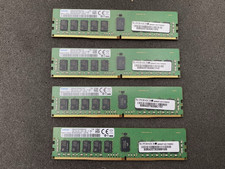
Lot of 4 SAMSUNG 16GB 1Rx4 PC4-2400T DDR4 ECC Server Memory M393A2K40CB1-CRC4Q
$320.00

2 in 1 USB 3.0 Card Reader Micro TF card Reader usb adapter High Speed Cardreder
$3.99

x4 Intel 128GB NMB1XXD128GPS Optane Memory 200 Series PMEM Module 3200 DDR4 RAM
$329.99
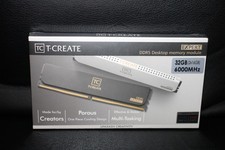
Team Group T-Create Expert RAM 32gb (2 x 16gb) 6000 Mhz DDR5 Desktop Memory Modu
$399.95

Kingston 32GB 64GB 128GB 256GB USB 3.0 Flash Drive Thumb Memory Stick Pen lot
$285.90
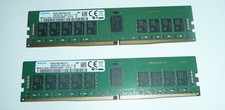
Samsung 32GB (2 x 16GB) PC4-2666V DDR4 ECC Server Memory M393A2K43BB1-CTD7Q
$169.95
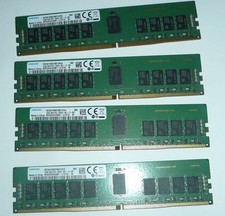
Samsung 64GB (4 x 16GB) PC4-2666V DDR4 ECC Server Memory M393A2K43BB1-CTD7Q
$324.95
Elixir 100GB (25x4GB) DDR3 PC3-10600R ECC Reg RDIMM 240-Pin M2L4G72CB4NA1N-CG
$149.99

MICRON MTA36ASF4G72PZ-2G6E1 | 32GB PC4-2666V ECC RDIMM Server RAM
$184.95



 Reply With Quote