-
login with GUI/Command Line
Everything was working fine after installing Knoppix (debian now) onto a partition until I clicked one little selection. At the GUI login it asked me if I wanted the gui login or Command line and I thought the gui waste of resources could be saved with a prompt, but now I can't get back to the gui. I can't start up x windows debian anything. How do I get it back? I've been trying to sift through script after script thinking if I found the line that said GUI="no" or something I could change it back. Even if I knew the command to get the gui running from the prompt that would help. I'm not afraid of the propt, but I would like to not be limited to it.
-
Senior Member
registered user
Re: login with GUI/Command Line

Originally Posted by
wilsondk
Even if I knew the command to get the gui running from the prompt that would help
-
Senior Member
registered user
Re: login with GUI/Command Line
Originally Posted by
wilsondk
Everything was working fine after installing Knoppix (debian now) onto a partition until I clicked one little selection. At the GUI login it asked me if I wanted the gui login or Command line and I thought the gui waste of resources could be saved with a prompt, but now I can't get back to the gui. I can't start up x windows debian anything. How do I get it back? I've been trying to sift through script after script thinking if I found the line that said GUI="no" or something I could change it back. Even if I knew the command to get the gui running from the prompt that would help. I'm not afraid of the propt, but I would like to not be limited to it.
If you want a new login then as root at the console /etc/init.d/kdm restart will get you back to the display manager if it is not already running if not then loging out of the console and wait a few seconds and you should get the login. If you mean that when you installed that you said no to starting the kde display manager on boot then try dpkg-reconfigure kdm as root I believe there is an option in there to tell it to do so.
Similar Threads
-
By teccim in forum Hdd Install / Debian / Apt
Replies: 8
Last Post: 06-14-2005, 04:09 PM
-
By greygooseplz in forum General Support
Replies: 1
Last Post: 11-25-2004, 05:58 AM
-
By Jesse in forum Hdd Install / Debian / Apt
Replies: 8
Last Post: 04-30-2004, 05:57 PM
-
By bob58 in forum General Support
Replies: 1
Last Post: 03-27-2004, 11:10 PM
-
By Ambrose in forum General Support
Replies: 1
Last Post: 08-08-2003, 02:17 AM
 Posting Permissions
- You may not post new threads
- You may not post replies
- You may not post attachments
- You may not edit your posts
-
Forum Rules


Mini Computer Vacuum USB Keyboard Cleaner PC Laptop Brush Dust Cleaning Kit NEW
$13.89

V3 Robot Vacuum and Mop Combo,Self-Charging,5000pa Strong Suction,WiFi/Alexa NIB
$82.00

LEVOIT Cordless Vacuum Cleaner, Stick Vac with Tangle-Resistant Design, Up to...
$167.63

Compressed Air Duster 1 Button Adjustment 12000 RPM Air Blower Car Home Keyboard
$38.99

Compressed Air Duster Rechargeable Computer Vacuum Cleaner for PC Keyboard Toys
$16.99

2-in-1 Compressed Air Duster & Vacuum, Brushless Motor, 320000RPM
$37.99
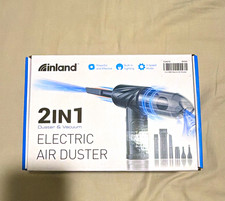
Inland 2-in-1 Electric Air Duster & Vacuum, 3-Speed, Light, USB, Manual
$29.99
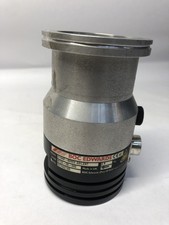
BOC Edwards EXT70 B722-05-000 G1946-80002 Turbomolecular Vacuum Pump ISO63
$100.00

Cordless Handheld Vacuum Cleaner Compatible with DeWalt 20V Battery
$106.14

Cordless Air Duster & Vacuum Cleaner for Keyboard & PC Cleaning - 110000RPM Powe
$53.99



 Reply With Quote