

 Reply With Quote
Originally Posted by wilsondk
Code:startx


Everything was working fine after installing Knoppix (debian now) onto a partition until I clicked one little selection. At the GUI login it asked me if I wanted the gui login or Command line and I thought the gui waste of resources could be saved with a prompt, but now I can't get back to the gui. I can't start up x windows debian anything. How do I get it back? I've been trying to sift through script after script thinking if I found the line that said GUI="no" or something I could change it back. Even if I knew the command to get the gui running from the prompt that would help. I'm not afraid of the propt, but I would like to not be limited to it.
Code:startx
If you want a new login then as root at the console /etc/init.d/kdm restart will get you back to the display manager if it is not already running if not then loging out of the console and wait a few seconds and you should get the login. If you mean that when you installed that you said no to starting the kde display manager on boot then try dpkg-reconfigure kdm as root I believe there is an option in there to tell it to do so.
 Posting Permissions


(New) AMD Ryzen 7 5700X 8 Core 16 Thread AM4 Unlocked 3.4 GHz CPU OEM Tray
$174.99

SGIN 17.3" Laptop Intel Quad-Core Up to 2.4 GHZ 8GB RAM 256GB SSD HD
$229.99

Apple Macbook Pro 13" M1 8-Core 16GB 512GB - Good
$464.99
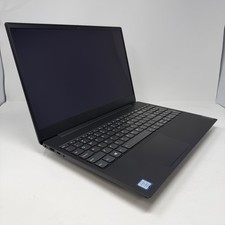
Lenovo IdeaPad S340-15IWL Laptop 15.6" Intel Core i3-8145U 8GB RAM 256GB SSD
$126.65

Intel Xeon E5 - 2667V2 / SR19W 3.30GHz 25MB 8-Core CPU Socket LGA2011
$30.00

AMD FX 8350 8-CORE 4.00GHz CPU FD8350FRW8KHK SOCKET AM3+ *QTY
$39.99

AMD Ryzen 7 7800X3D 4.20GHz Quad Core 100-000000510 8 Thread AM4
$279.99

AMD Ryzen 7 9700X 8-Core 16-Thread 40MB Cache Socket AM5 9000 Series Processor
$245.99
$600.00

Dell OptiPlex 5070 SFF i7-9700 (8-Core) 3.0GHz 16GB 256 SSD Windows 11
$250.00