

 Reply With Quote
Originally Posted by wilsondk
Code:startx


Everything was working fine after installing Knoppix (debian now) onto a partition until I clicked one little selection. At the GUI login it asked me if I wanted the gui login or Command line and I thought the gui waste of resources could be saved with a prompt, but now I can't get back to the gui. I can't start up x windows debian anything. How do I get it back? I've been trying to sift through script after script thinking if I found the line that said GUI="no" or something I could change it back. Even if I knew the command to get the gui running from the prompt that would help. I'm not afraid of the propt, but I would like to not be limited to it.
Code:startx
If you want a new login then as root at the console /etc/init.d/kdm restart will get you back to the display manager if it is not already running if not then loging out of the console and wait a few seconds and you should get the login. If you mean that when you installed that you said no to starting the kde display manager on boot then try dpkg-reconfigure kdm as root I believe there is an option in there to tell it to do so.
 Posting Permissions

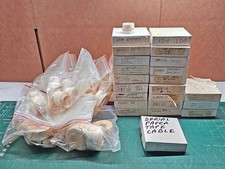
Vintage DEC LSI-11 PDP-11 Paper Tape Software Lot (96 Tapes) Cables Hardware
$649.00
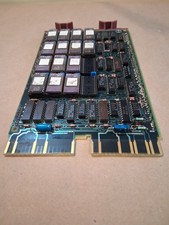
Vintage DEC Digital M8048 5013995C PDP-11 LSI 11 ROM (B3)
$149.99

VINTAGE DEC/MDB Systems MLSI-TEV Circuit Board #40040340 1976 (B5)
$69.99
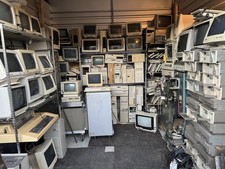
Vintage Computer Lot Commodore IBM Gateway AT Gaming Towers DEC IBM HUGE CRT LOT
$7250.00
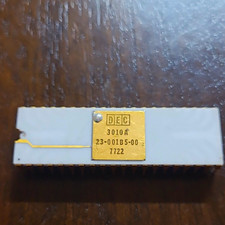
DEC 3010A Vintage Ceramic chip - ALL LEGS INTACT (BO)
$100.00

6 Vintage DEC Digital System Building Blocks - Flip Chips
$95.00

Vintage DEC LK201 Digital Equipment Corporation (DEC) LK201-AA Computer Keyboard
$149.99

VINTAGE DEC LA34/ LA100 SERIES KEYBOARD W/NUMERIC PAD 70-17864-01C
$140.00

Vintage Digital VR241-A color CRT monitor, powers on, DEC Rainbow or terminal
$150.00

Vintage DEC Digital Starion 200 Desktop PC Powers On Boots To BIOS NO HDD - DW
$269.99