-
Senior Member
registered user

Originally Posted by
Cuddles
Stephen,
While I got you on the topic...
I have the DVD (read-only), and then a CDRW, scd0 and scd1, respectfully.
fstab has my DVD as "ro" both linked to scd0 as cdaudio, dvd, and cdrom. Whereas, my CDRW is "also" set as "ro" only linked to scd1 as cdrom1.
You may want to change the link for the /dev/cdrom to the /dev/scd1 for the cdrw drive and if it has the audio cable coming from it to the sound card/mb port then the cdaudio as well.
Here as the problems:
(1) If I place a AUDIO CD in the dvd device, I can't open it and view the audio files, I get a bad file system error, or something like that - In windows, I could open a data cd, or a audio cd for viewing. I "can" open a DVD in the dvd device and view it (as a data cd), and also a data cd.
You do not try to open it by clicking on the icon there is no filesystem that will be recognized try in the konqueror address bar type in audiocd:/ and then enter and you should be able to browse the CD of course this depends on if you have the kdemultimedia-kio-plugins installed and I am not sure with the links you have set which drive it will expect it in but I think it will be the /dev/cdrom link, I have no /dev/cdaudio on my system so that is where it has to be looking.
(2) Considering my scd1 device, my CDRW, is mounting as "ro", will I be able to write to this device with the normal cdrecord, etc... software in Debian? Should I create a new link to scd1, named something like "cdrw" and make the entry in fstab as r+w, or something?
There is no need of the rw in the /etc/fstab it will just work and if you were using cdrecord from the command line it would be something like this cdrecord options_here dev=0,1,0 some.iso and K3b should find it with no problems. I have still yet to bother to create a /dvd mount point for my new dvd burner just the /dev/dvd link for the programs that need that and use the /cdrom that was already there for the mount and everything works fine.
(3) I haven't tried this yet, but considering that cdrom1 (cdrw) and cdrom (dvd) devices are both the same options in fstab, I would guess that I can't view AUDIO cd's in my CDRW either. I can play audio cd's in both devices by just using XMMS - and "pointing" them to the devices, and both devices can be mounted, considering a DATA cd is in them, but not audio, and only the dvd can view or play a DVD - which is understandable, and good.
See answer to 1.
(4) Not using the "record" to a cd within Debian yet, can the packages "normally" supplied with Knoppix on a hdd install, record both AUDIO and DATA cd's, this is actually a three part question: (4a) Can you write a cd in AUDIO ONLY, (4b) Can you write a cd in DATA ONLY, and lastly, (4c) Can you write a cd in MIXED MODE (audio and data on the same cd) ? ? ?
4) Yes. 4a) Yes and if you use K3b then you can have on the fly conversion and writing of the mp3/ogg files to an audio CD, usually before I am finishing writing the songs on the CD jacket it is finished. 4b) Yes. 4c) Not sure I never created a mixed mode in my entire time of owning a burner so have never checked into it.
Thanks for any additional help/information on this...
Cuddles
Your welcome.
Similar Threads
-
By wilson001 in forum Hardware & Booting
Replies: 4
Last Post: 12-21-2004, 11:17 PM
-
By smart_soni in forum General Support
Replies: 3
Last Post: 06-11-2004, 03:25 AM
-
By Green in forum General Support
Replies: 0
Last Post: 05-25-2004, 11:06 PM
-
By ldp in forum General Support
Replies: 3
Last Post: 04-25-2004, 09:47 PM
-
By Tony Magon in forum General Support
Replies: 1
Last Post: 02-26-2003, 06:01 PM
 Posting Permissions
- You may not post new threads
- You may not post replies
- You may not post attachments
- You may not edit your posts
-
Forum Rules

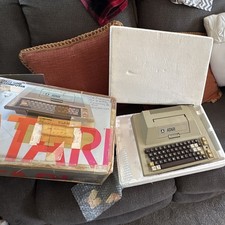
Atari 400 Vintage Home Computer System w/ Original Box MPN Atari 400
$175.00
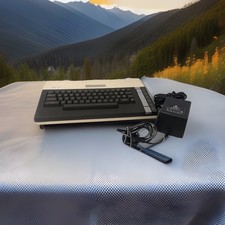
ATARI 800 XL 8-Bit Computer w/ Power Supply
$169.00

DEFECTIVE Atari 810 Vintage Computer Disk Drive powers on Unit Only Boo G3D
$55.24
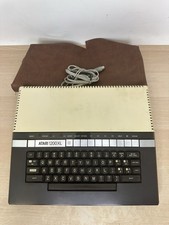
Vintage Atari 1200XL Home Computer System - NO Power Supply - UNTESTED
$224.98
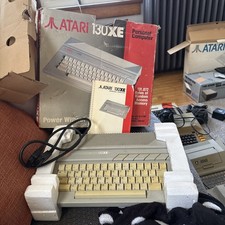
Atari 130XE Personal Computer Desktop w original box/cable/manual
$350.00

Fujinet 1.7.1 Atari 400 800 800XL 130XE 65XE XEGS Assembled, Tested, Working
$99.99
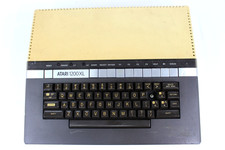
VTG Atari 1200XL Home Computer System 1200 XL ** Tested ** Parts or Repair
$248.75
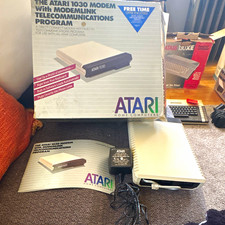
Atari 1030 External Dial-Up Modem 300 bps w/ ModemLink Box Manual Guide
$110.00

Atari 400 Computer System console with Power Supply TESTED and Working
$160.00
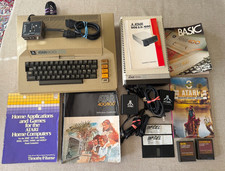
Vintage Atari 800 Computer + 1050 Disk Drive Manuals Games Software Cables Power
$449.00



 Reply With Quote