-
Problems after crash installation
Hi,
I wanted to install Red hat on an old computer MMX (64MO RAM, 1G HD) and the installation failed so I had to reboot the computer (I wanted to use only Linux so I formatted the HD). After this operation it never get back to any boot. So I tried to install Knoppix. I made a floppy boot, put the CD in the drive and restart the somputer. averything went fine untill I got the following error :
Can't find knoppix filesystem, sorry.
dropping you to a very limited shell.
Press reset button to quit.
I tried to mount /dev/hda1 /mnt/hda1 and the result is as follow:
and got no such file or directory
I tried then the command mount alone and got
FAT Bogus cluster size 0
FAT Bogus cluster size 0
Kernel panic: VFS: unabled to mount root fs on 01:01.
I think my HD is not formatted or partitionned or that the previous install with the reboot blow it up.
Can someone help me to reconfigure my HD ? I have still access to the bios setup og the computer.
-
Senior Member
registered user
this is the wrong forum for discussing installing Red Hat. On such an old system try Damn Small Linux or Flonnix there are others. My favorite place to look for an appropiate distro for a job is
www.distrowatch.com
-
Hi,
I'm trying to install linux and I want it either Knoppix or Debian.
My first problem is to have info on how to get my HD back ?
Can you help me ?
cheers
MAPPO

Originally Posted by
johnb
this is the wrong forum for discussing installing Red Hat. On such an old system try Damn Small Linux or Flonnix there are others. My favorite place to look for an appropiate distro for a job is
www.distrowatch.com
-
Senior Member
registered user
Mappo,
I am reading the "minimum" requirements for a Knoppix Hard Drive Installation:
Pentium-class processor, preferably 300MHz+
64MB RAM
A spare partition on your disk, min 3GB
(of course) a Knoppix CD
Not sure on your processor, you didn't mention the "pentium" part, or the processor speed, and your memory is just right, but, I think the minimum HARD DRIVE space is slightly "lower" than the minimum requirements.
As JohnB stated, you can (possibly) get a different "flavor" of Knoppix/Debian and maybe get it to fit on that size of drive. As I further read in the HARD DRIVE INSTALLATION I have, the 3GB partition is needed for: 2.5GB for the Linux/Knoppix Operating System, and a minimum of 256 MEG for the SWAP, considering you are coming in at "just" the right amount of RAM, a swap would probably be needed.
I think the errors you got from installing were from "some" of the files on the installation not being able to fit on the hard drive.
As for your theory on the hard drive getting "blown" - if you can boot your Knoppix CD, click on the icon allong the bottom of the screen, one that looks like a monitor with a shell in front of it, this is the Konsole (or a Linux Shell), and type cfdisk - and see if you can see your hard drive. If you are running Windows, or have a Windows Boot Disk, or for that matter, a Knoppix Boot Disk, (the floppy) - In DOS (Windows), try fdisk, and if in Knoppix, try cfdisk
If you really want to run Knoppix, the one you have, I would suggest another hard drive, one that may meet the minimum requirements (still not sure about the MMX processor either), but the hard drive space is rather hard to get around.
Hopefully this helps,
Cuddles
-
Thank you.
I did not get the message first.
thanks for your information.
Cheers
MAP
Similar Threads
-
By altella2005 in forum MS Windows & New to Linux
Replies: 3
Last Post: 04-01-2005, 12:51 AM
-
By Mr.Redhat in forum Hdd Install / Debian / Apt
Replies: 1
Last Post: 01-11-2004, 02:46 PM
-
By towaes in forum General Support
Replies: 0
Last Post: 12-03-2003, 09:00 AM
-
By epsilonmirror in forum Hdd Install / Debian / Apt
Replies: 2
Last Post: 10-14-2003, 03:58 AM
-
By pirozzi in forum General Support
Replies: 1
Last Post: 07-21-2003, 12:13 AM
 Posting Permissions
- You may not post new threads
- You may not post replies
- You may not post attachments
- You may not edit your posts
-
Forum Rules


Netac DDR4 32GB 16GB DDR4 3200MHz UDIMM C16 Desktop Internal Memory RAM Kit
$99.99

Major Brand 16GB (2x8GB) PC3-12800U DDR3-1600MHz DDR3-12800 DESKTOP RAM NON-ECC
$29.99

A-Tech 8GB DDR3 1600 PC3-12800 Laptop SODIMM 204-Pin Memory RAM PC3L DDR3L 1x 8G
$21.68
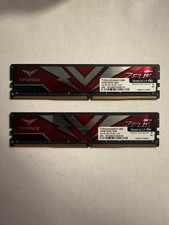
TEAMGROUP T-Force Zeus 64GB (2x32GB) DDR4 2666MHz PC4-21300 Desktop RAM Kit
$199.99
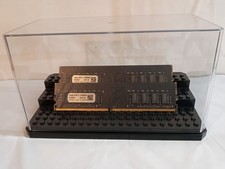
32GB KIT (2x16GB) DDR4 2666MHz PC4-21300 - 288 pin DESKTOP Non ECC - Black/Gold
$121.00
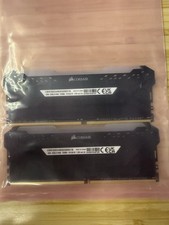
Corsair Vengeance RGB Pro 32GB (2x16GB) DDR4 3200 DIMM CMW32GX4M2E3200C16 #CD2
$160.00
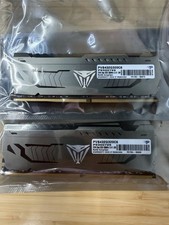
Patriot Viper Steel 64GB 2x32GB DDR4 3200 PVS464G320C6
$449.00

Samsung 16GB LPCAMM2 PC5 7500 DDR5 LPDDR5X CAMM2 M561K1LC4DM0-CCTGM RAM Memory
$189.00

RAMAXEL Lenovo 32GB LPDDR5X CAMM2 7500MHz Laptop RAM | UNTESTED
$445.00
Used Computer RAM - This Is For Multiple Sticks Of RAM
$120.00



 Reply With Quote