-
Senior Member
registered user
Well, I tried Ghost because normally this is a no fuss operation and make
booting copies of windows systems so I had hoped it would work for Linux too. It takes 3 clicks so clone my winxp to another disk so I find it easy to use compared to commandline tools.
But as far as I understand, dd should be easy:
like
dd disk1 disk2
So I cross my fingers that no funky stuff will happens as lilo and the
like is not my cup of tea.
-
Senior Member
registered user
windowism
Yeah it should work fine.
dd doesn't need to know anything about the filesystem, it could be NTFS for all it cares!!
Just as a general hint though you'll find Linux a lot easier when you use native tools on it rsather than windows ones.
there are a whole load of 'utility' applications in the windows world that simply don't need to exist in linux becuase its native. Quite often ex-windows users get bogged down in trying to do something the familair way rather than the native way.
-
Senior Member
registered user
Indeed. In windows I rarly use the Shell, but on Linux its my
best friend.
The only reason I tried ghost was because the docs stated in could
clone ext3 systems, but apprently only in their dreams. 
I have been using computers for more than 20 years, so I didn't
expect using Linux would be the same as WinXp, but I really like knoppix as its not as nerdish as it used to be. I only had to read a little bit of docs
to connect to the server and get printers to work.
All in all a very impressive piece of software to get for free. I even gave my mom a knoppix and she still thinks its an XP
The only trap I seem to jump all the time is forgetting to umount
my cdrom drive and get that ehh? feeling when nothing happens when I
press eject..
-
Senior Member
registered user
gowator::
Since you have used dd, can you tell me how long time cloning
20gb disk will take ?
There is no progress indication at all so I wonder.
I booted on my knop cd after learning that you don't umount your boot drive and just said
sudo dd if=/dev/hda of=/dev/hdb
None of the hds seemed to be mounted so I cross my finders.
I can hear the hds working so something is going on, I just hope
I didn't tell it to copy it byte by byte as that would properly take a very
long time.
-
Senior Member
registered user
Don't worry
It will take a while, perhaps even a couple of hours depending on the blocksize and stuff.
Its normal for them not to be mounted, when you mount you actually mount a filesystem, but what youre doing is a level belwo the filesystem, its just a bit by bit copy.
-
Senior Member
registered user
It worked!!! I have booted it right now
Thanks JohnB and gowater and others for being so helpful.
With 1m as bloksize, it took 2.8h to copy 20 gb.
I booted on the knoppix cd as I had no idea how I could
avoid having the primary drive mounted otherwise.
Would it have worked if the source drive was mounted while dd'ing it?
Thanks.
Best Regards from Denmark.
-
Senior Member
registered user
Source
Theoretcially YES!
But personally I think you did it the safest way! (I would have probably done the same)
It might have been faster not from the boot Cd since more memory means it writes more at once but the important thing was it worked !
p.s. it was John B who posted it, not me!
however, Ill try and find some good links for you on native linux tools.
The O'Reilly powertools book (linux or UNIX) is great for some stuff like this! Her's a sample from my bookmarks becuaase I never remember the exact syntax 
http://www.linuxdevcenter.com/pub/a/...lpt/18_16.html
Hmm, I guess I wasn't so far off with the 2 hours then.
It might not be fast but its reliable!
-
Senior Member
registered user
Re: Source

Originally Posted by
gowator
Theoretcially YES!
But personally I think you did it the safest way! (I would have probably done the same)
dd:ing a mounted filesystem will result in the copy also being in the mounted state, which means it might be inconsistent and it will be "dirty" the next time it is mounted. Usually things can still be fixed automatically but there are no guarantees. This is less of a problem with logging filesystems like ext3 or reiserfs, whenever you are dd:ing an ext2 filesystem it is important that it is not mounted.
-
Senior Member
registered user
Well, the system has 1gb so the boot from cd should not steal that much.
There appeared to be a huge gain setting the bloksize to 1m compared
to the default. I tried to run for 10 mins with both settings
and the 1M blocksize had almost copied twice the amount of the default
setting. Setting to higher blocksize didn't give much more for unknown reasons.
Thanks for the great link! (bookmarked)
>p.s. it was John B who posted it, not me!
I know. I said thanks to him too. You have both been very
helpfull.
Yes, your guess of 2h was very good.
Actually, I would not call it
slow as it copies ALL of the 20gb disk in less than 3 hours.
Last time I copied the same(!) disk using xxcopy from a dos
boot it spend +3 hours and that was only the files not byte to byte copy.
Now I just so happy as I have a cloned system already setup for the
network, printers, kylix, compglibc, and tons of other setup stuff.
Thanks!!
-
Senior Member
registered user
thx
windos_no_thanks: I knew somewhere I'd just forgotten WHY.
I think its Ok so long as you mount it RO.
metavoid, that a good point. The FREESPACE is copied but by bit too.
You might want to look at the 'magic tar' too.
This has the advantage of only looking at used space and you can use the compress options too. It also gets round the live filesystem problem windos_.. brought up but it won't copy the MBR....
However you can copy the MBR explicitly after or even just remake it with lilo using a bootable Cd.
cpio is another option for this sort of thing!
Similar Threads
-
By hollex in forum Hardware & Booting
Replies: 2
Last Post: 07-07-2005, 11:45 AM
-
By bcalder in forum Hdd Install / Debian / Apt
Replies: 0
Last Post: 01-06-2005, 03:57 PM
-
By jasperlevink in forum Hardware & Booting
Replies: 2
Last Post: 09-22-2003, 10:59 PM
-
By jledger in forum Customising & Remastering
Replies: 0
Last Post: 04-02-2003, 05:58 AM
-
By Alex1 in forum General Support
Replies: 4
Last Post: 03-22-2003, 10:59 PM
 Posting Permissions
- You may not post new threads
- You may not post replies
- You may not post attachments
- You may not edit your posts
-
Forum Rules

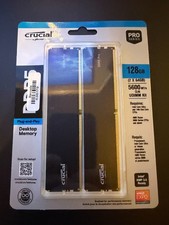
128GB (2x64GB) NEW Crucial Micron DDR5 5600 Desktop RAM UDIMM (CP2K64G56C46U5)
$2085.00

Netac DDR4 32GB 16GB DDR4 3200MHz UDIMM C16 Desktop Internal Memory RAM Kit
$99.99

SK Hynix 32GB 2RX4 PC4-2666V DDR4 RDIMM Server Memory RAM, HMA84GR7AFR4N-VK
$169.95
Lot 100 SK hynix 16GB 2Rx8 PC4-23400 DDR4-2933Y ECC Reg Server Memory RDIMM RAM
$9599.00

Major Brand 16GB (2x8GB) PC3-12800U DDR3-1600MHz DDR3-12800 DESKTOP RAM NON-ECC
$29.99

DDR4 Laptop RAM 4GB 8GB 16GB 32GB 2400 2666 3200 Samsung Hynix
$30.00

RAMAXEL Lenovo 32GB LPDDR5X CAMM2 7500MHz Laptop RAM | UNTESTED
$445.00

A-Tech 8GB DDR3 1600 PC3-12800 Laptop SODIMM 204-Pin Memory RAM PC3L DDR3L 1x 8G
$21.68
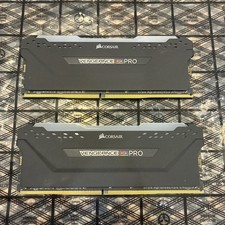
Corsair Vengeance RGB Pro 32GB (2x16GB) DDR4-3600 DIMM CMW32GX4M2Z3600C18
$187.99
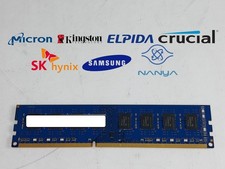
Major Brand 8 GB PC3-12800 (DDR3-1600) 2Rx8 DDR3 Desktop Memory
$14.99



 Reply With Quote